A digital teacher planner is essentially a software application that pulls all the scattered pieces of a teacher's world—lesson plans, schedules, student info, and resources—into one organized, easy-to-access place. It's way more than just a calendar; think of it as a command center for your classroom, turning the old paper-based clutter into a smooth digital workflow. This shift is a massive time-saver and a real stress-reducer for teachers.
Why Teachers Are Ditching Paper for Digital Planners
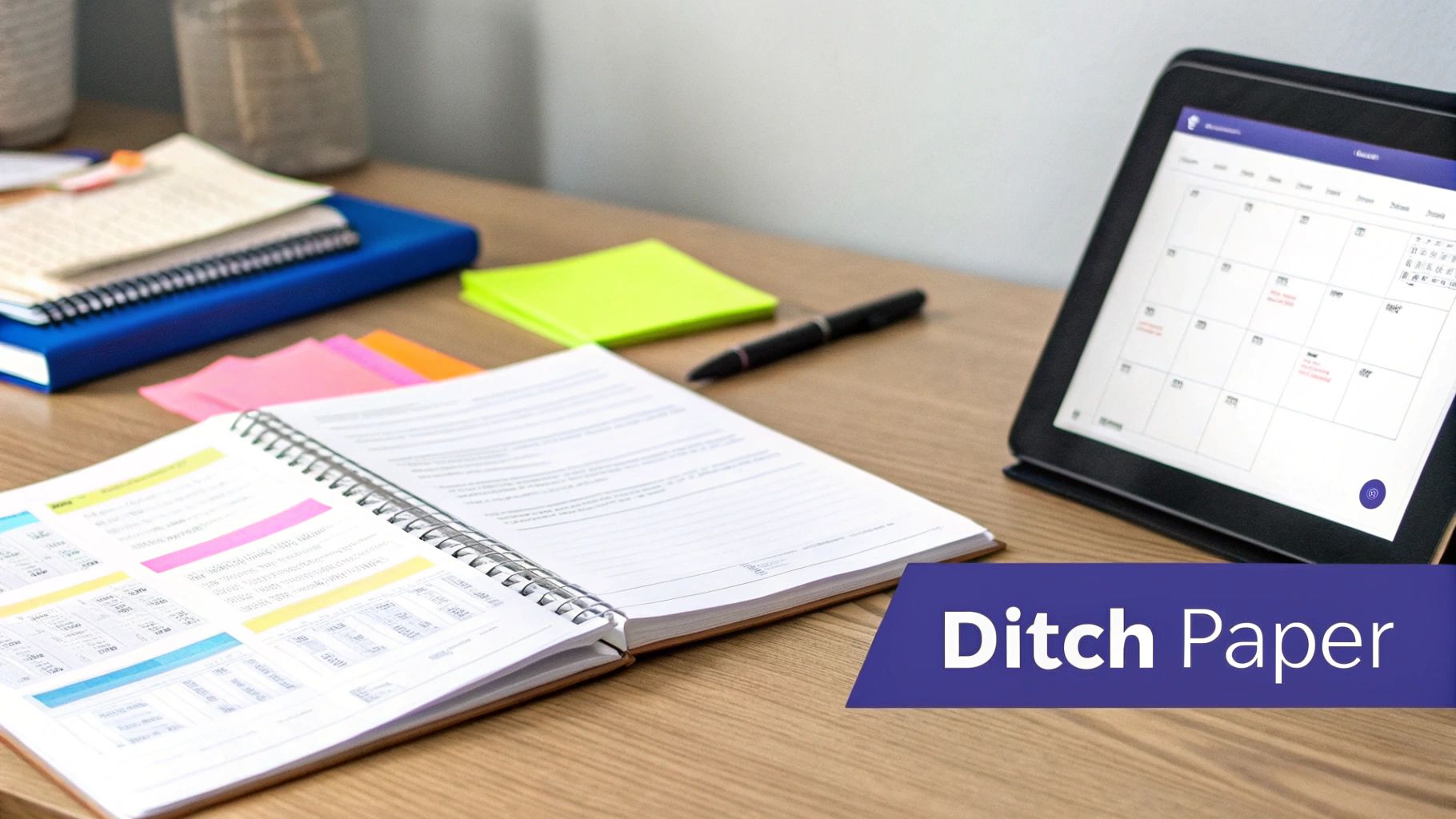
Take a look at your desk right now. If it's anything like mine used to be, you’ve got stacks of binders, a rainbow of sticky notes with urgent reminders, and probably a dozen browser tabs open for lesson resources. For years, this "organized chaos" was just part of the job. The trusty paper planner was king, but it was also static, heavy, and totally disconnected from the digital tools we use every single day.
That old-school method creates so many frustrating gaps. Your lesson plan is in a binder, but the video you need is on YouTube. Your notes on a student are scribbled on a loose-leaf sheet, but their parent's email is buried deep in your inbox. All that switching back and forth between the physical and digital worlds eats up precious time and energy.
The Shift to a Centralized Hub
A digital teacher planner solves this by acting as a central hub for everything. This isn't just about trading paper for a screen; it's about building a connected system that actually works for you. It’s less like a digital notebook and more like a smart assistant that understands the flow of your classroom.
These tools bring together all the essential jobs that used to be spread out everywhere:
- Lesson Planning: Build, store, and link your lesson plans directly to curriculum standards, videos, and worksheets. No more hunting for files.
- Scheduling: Automatically sync your school calendar, personal appointments, and important deadlines all in one view.
- Student Information: Keep track of grades, attendance, and important behavioral or academic notes in one secure, easy-to-find spot.
- Resource Management: Organize all your links, PDFs, and teaching materials so they're ready the moment you need them.
A digital planner doesn't just digitize your old habits; it fundamentally changes your workflow. By consolidating tasks and information, it empowers teachers to move from reactive scrambling to proactive, organized instruction.
This is a big deal, and the numbers show it. The global market for digital planners is expected to hit $7,047.01 million by 2033. That’s a clear sign that teachers and other professionals are tired of the old way and are ready for smarter, tech-based solutions. With North America making up over 35% of that market, the trend is undeniable. You can check out more data on this growing market to see just how big this shift has become.
Paper Planners vs Digital Teacher Planners
To really see the difference, it helps to put them side-by-side. The trusty paper planner has served us well, but its limitations become pretty clear when you compare it to a modern digital tool.
| Feature | Paper Planner | Digital Teacher Planner |
|---|---|---|
| Accessibility | Limited to its physical location. Forget it at home, and you're out of luck. | Accessible from any device (phone, tablet, computer) with an internet connection. |
| Flexibility | Static. Mistakes mean messy cross-outs. Rescheduling is a pain. | Dynamic. Easily drag and drop to reschedule, edit plans on the fly, and duplicate lessons. |
| Integration | Isolated. Cannot link to digital resources like videos, websites, or documents. | Fully integrated. Link directly to online resources, curriculum standards, and student files. |
| Collaboration | Difficult. Requires photocopying or manually sharing with colleagues. | Seamless. Share plans, resources, and calendars with co-teachers or administrators with a click. |
The bottom line? While paper feels familiar, a digital planner opens up a world of efficiency, connection, and flexibility that just isn't possible with pen and paper.
Unlocking the Core Features of Your Digital Planner
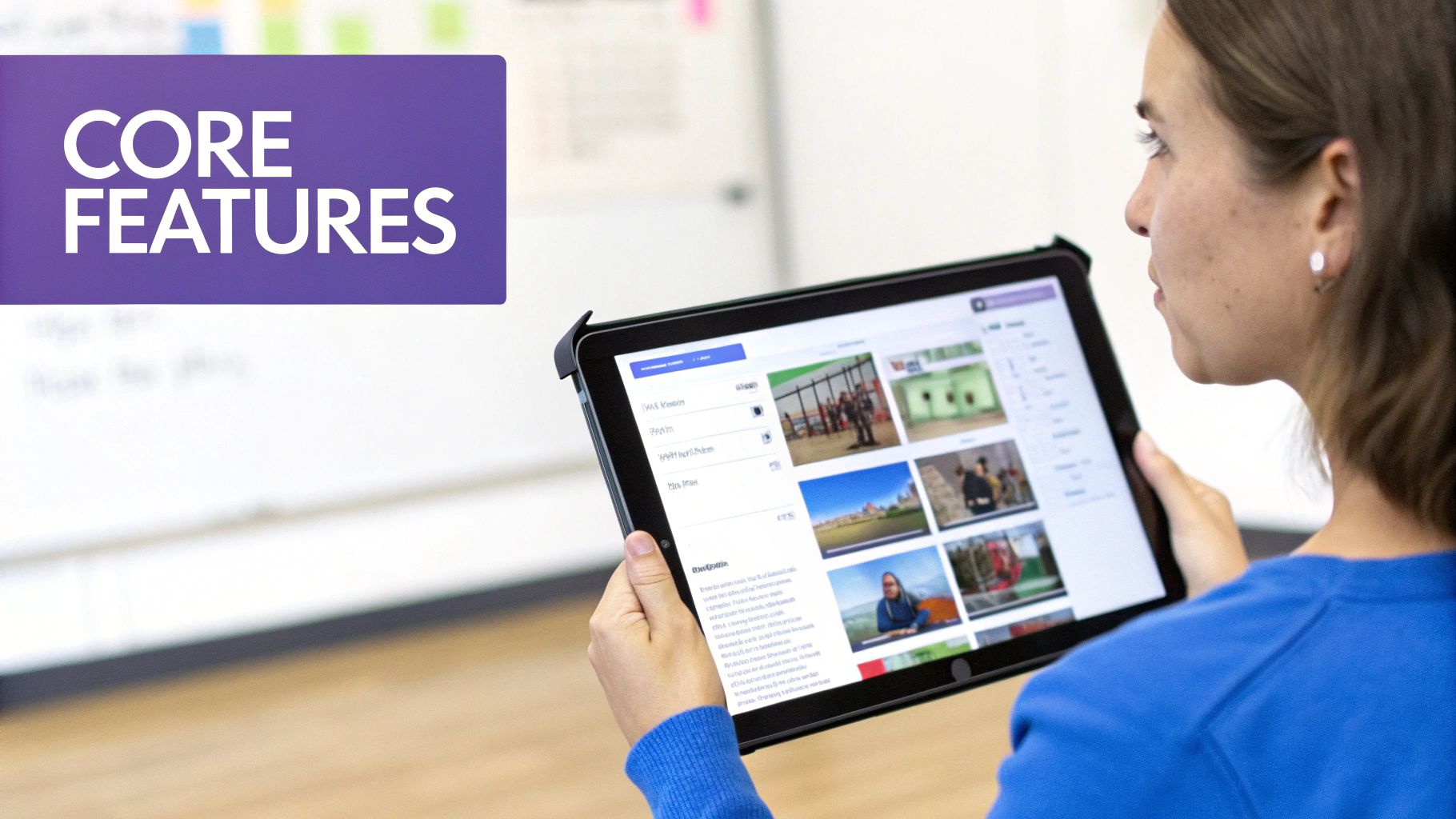
Let's move past a simple checklist of functions. The real magic of a digital teacher planner is found in its core features—the specific tools built to solve the real, everyday headaches you face in the classroom. These aren’t just digital copies of paper pages; they’re smart systems designed to completely change how you manage your teaching life.
Think of these features as your personal command center, with each tool engineered to tackle a specific challenge. From tangled lesson plans to juggling parent emails, a good planner gives you a dedicated solution that cuts down on stress and gives you back your time.
Dynamic and Integrated Lesson Planning
The lesson plan is the heart of a teacher's week, and it’s where a digital planner really shines. Forget about those static Word docs lost in a sea of folders. A modern planner makes lesson planning an active, connected process.
Imagine building a lesson template for your weekly literacy block. Instead of starting from scratch every time, you can just duplicate it. From there, you can drop in resources directly—a link to a YouTube read-aloud, a PDF worksheet from Google Drive, or even a link to a collaborative doc for student work. Everything you need is right there, inside the plan.
This is a game-changer for a few reasons:
- Reusable Templates: Create foundational templates for your daily, weekly, or unit plans and use them over and over.
- Direct Resource Linking: Attach all your digital files and links directly to the lesson, so you never have to hunt for them again.
- Standards Alignment: Many planners let you tag lessons with specific curriculum standards, making it simple to track what you've covered.
A dynamic lesson plan isn't just a document; it's a living hub for your instruction. It connects your curriculum, resources, and schedule into a single, cohesive workflow, turning preparation from a chore into a streamlined creative process.
Automated and Syncable Calendaring
Scheduling conflicts are a constant source of frustration for teachers. Juggling staff meetings, parent conferences, IEP deadlines, and your own life is a recipe for letting something fall through the cracks. A digital planner solves this with automatic calendar syncing.
By connecting to calendars you already use (like Google Calendar or Outlook), the planner pulls all your commitments into one central place. No more manually typing in school holidays or remembering to block out professional development days. The system updates on its own, so you always see the full picture of your schedule—personal and professional—all in one spot.
Centralized Student Information Hub
How many times have you been scrambling for a note about a student right before a parent meeting? A digital teacher planner acts as a secure, centralized hub for all student information, making those frantic searches a thing of the past.
Think of it like this: every student gets a digital profile inside your planner. In it, you can log important observations, track academic progress, and keep a record of parent communications.
For example, when you're prepping for a parent-teacher conference, you just pull up the student's profile. Instantly, you can see:
- Communication Logs: Every email and phone call you've logged with their parents, complete with dates and notes.
- Behavioral Notes: Quick observations about their participation or specific challenges you've noted over the semester.
- Assessment Data: Links to their recent test scores or project grades.
Having this organized information at your fingertips is invaluable. It lets you have more informed, data-driven conversations with parents, administrators, and support staff. When every piece of information is just a click away, you can focus on supporting your students instead of wrestling with paperwork.
To see how these tools come together in a unified platform, you can explore the full range of Kuraplan features and see how a dedicated system supports every aspect of your teaching workflow.
Real Benefits for Teachers and School Administrators
Okay, so the features of a digital planner sound nice, but what does that actually mean for your day-to-day life in a school? The real win isn't the tech itself. It’s about the tangible, real-world benefits it gives both teachers in the classroom and administrators trying to see the bigger picture.
It’s all about turning those slick features into reclaimed time, less stress, and a school that feels more connected.
For teachers, the most immediate payoff is getting hours back every week. Think about all the time you lose hunting for misplaced files, manually updating your schedule, or tweaking the formatting on old lesson plans. A digital planner automates or drastically simplifies these little things, turning those scattered minutes into solid blocks of time you can pour back into your students.
This isn't just about being more efficient; it's about your well-being. That constant mental load of juggling a million administrative tasks is a huge driver of teacher burnout. Pulling everything into one organized, central hub lifts that cognitive burden. It helps bring a sense of calm and control to what can often feel like a chaotic job.
Wins for the Classroom Teacher
For teachers on the front lines, the benefits are immediate and daily. A good digital teacher planner becomes a trusted partner, supporting your instruction, organization, and creativity in some pretty powerful ways.
- Reclaiming Your Time: Let automation handle the grunt work. Lesson plan templates can be copied and adapted in seconds, calendars sync on their own, and resources are linked right where you need them. This alone can shave hours off your weekly prep.
- Reducing Daily Stress: When everything from parent contact logs to curriculum standards lives in one spot, the frantic scramble for information just stops. Having that single source of truth gives you peace of mind, knowing what you need is always a click away.
- Boosting Creative Freedom: With the admin clutter out of the way, you free up mental energy to focus on what you love—crafting engaging and responsive lessons. You can adapt plans on the fly, pull in new resources easily, and spend more time innovating.
"Switching to a digital planner was the single best thing I did for my work-life balance. I stopped taking stacks of paper home and started feeling prepared for the week by Sunday night. It gave me back my evenings and weekends." — Jessica M., 7th Grade ELA Teacher
This shift helps teachers move from just managing their classroom to truly leading it, with a solid organizational backbone to support their vision.
Strategic Advantages for School Administrators
The impact of a digital planner ripples out well beyond a single classroom. When a school or district adopts a unified system, it becomes an incredible tool for administrators focused on consistency, compliance, and genuine collaboration.
For starters, administrators get an effortless, real-time view of curriculum implementation. Imagine seeing shared lesson plans tagged with specific standards, allowing you to spot gaps or offer targeted support without having to chase down binders or files.
This centralized system also makes reporting a breeze. Instead of collecting mismatched documents for accreditation or observations, admins can pull consistent, organized data right from the platform. It makes compliance and progress monitoring so much more efficient.
Ultimately, a unified platform fosters a culture of collaboration. Teachers can easily share successful lessons, co-plan units, and align their instruction. For administrators, this builds a consistent, high-quality educational experience for every student in the building. To see what this looks like in practice, you can explore platforms designed for school-wide adoption.
How to Choose and Set Up Your First Digital Planner
Making the jump to a digital teacher planner feels like a huge commitment, but it doesn't have to be a headache. The trick is knowing what you actually need before you start looking.
If you focus on a few key things, you can find a tool that fits your teaching style and get it running without the usual tech drama.
First things first: forget the flashy feature lists and think about your real-world classroom. What's driving you crazy right now? Are you buried under scattered lesson files? Struggling to track parent emails? Or just sick of rewriting your schedule every time there's a surprise assembly? The answers to those questions will point you straight to the right planner.
Selecting the Right Digital Tool for You
Choosing your first digital teacher planner is kind of like picking out a new car. You wouldn't buy a tiny sports car if you're hauling the team's soccer gear, right? The same logic applies here—don't pick a planner that clashes with how you run your classroom.
Start by thinking about these core elements to find your perfect match. A great place to begin is with the tech you already use every day.
- Device Compatibility: Are you an iPad and stylus person, or are you glued to a school-issued laptop? Some planners are built for that pen-on-screen feel, while others work best with a keyboard and mouse. Make sure the tool you choose plays nice with your primary device.
- Grade-Level Needs: An elementary teacher juggling reading groups has totally different needs than a high school department head mapping out AP curriculum. Look for planners designed for your specific world.
- User-Friendly Interface: Let’s be honest, the best tool is the one you’ll actually use. You want a clean, simple layout. If you have to click through five menus to find your daily schedule, it's a no-go. A cluttered or confusing screen is a major red flag.
A planner’s real value isn’t how many bells and whistles it has. It’s about how well it solves your organizational headaches. Always choose simplicity and function over a long list of features you’ll probably never touch.
A Step-by-Step Guide to Your Initial Setup
Once you've picked your planner, the setup phase is your chance to build a solid foundation for the year. The key is to not try to do everything at once.
Follow these simple steps to get started without feeling totally overwhelmed. Think of it as moving your teaching life into a new digital home, one box at a time.
1. Import Your Core Information First, bring in the absolute essentials—the stuff that forms the backbone of your school year. Sync your school calendar and import your class rosters. Getting this basic data in place from the start makes everything that comes next way easier.
2. Create Your First Lesson Template Don't start by building a full, detailed lesson from scratch. Instead, create a reusable template. Think about the structure you use over and over—maybe a warm-up, direct instruction, a group activity, and an exit ticket. Build that framework just once. Now you can copy it for every new lesson, saving a ton of time.
3. Customize Your Dashboard Your dashboard is your mission control. Most modern planners let you tweak this main screen to show what’s most important to you. Pin your schedule for the week, add a to-do list widget, and create shortcuts to your most-used classes. A clean dashboard gives you a bird's-eye view of your day, helping you stay focused and on track.
With these three pieces in place, you’re ready to roll. You can start exploring the more advanced features later, once you're comfortable.
Mastering Your Daily and Weekly Teaching Workflows
A great tool is only as good as the habits you build around it. Switching to a digital teacher planner isn't about downloading another app—it's about creating simple routines that make your teaching life genuinely easier. When you weave your planner into your daily and weekly rhythms, it stops being a chore and becomes your co-pilot.
This is all about establishing clear, repeatable workflows. Instead of constantly reacting to the chaos of the school week, you start anticipating what's next, prepping with intention, and actually making time for reflection. The secret is to start small with a few routines that give you the most bang for your buck.
The Sunday Night Reset
Honestly, one of the best habits you can build is the "Sunday Night Reset." Set aside a dedicated 30-45 minutes to look at the week ahead. You're not trying to finalize every single detail; you're just building a strong frame so you can walk into Monday morning feeling ready, not rattled.
Here's what that can look like:
- Check Your Calendar: Pull up your school and personal calendars side-by-side to see all your meetings, deadlines, and appointments in one place.
- Sketch Out Key Lessons: Jot down the main goal for each day's lesson. Link to the core resources you know you'll need, but don't get lost in the weeds yet.
- Set Weekly Priorities: What are the top three things you must get done this week? Maybe it's grading a stack of essays, prepping for a parent conference, or planning a new science lab.
This simple ritual helps kill the "Sunday scaries" and ensures you start the week with a clear direction instead of a sense of dread.
Your Daily Planning Cadence
Once you've got the big picture for the week, it's time to zoom in on the daily habits. These are just quick, consistent check-ins to keep you on track, even when the day goes completely off-script. Think of them as the bookends to your teaching day.
1. The 5-Minute Morning Huddle Before the students even walk in, take five minutes with your digital planner. This isn't for planning—it's for focusing. Pull up today's schedule, double-check your first-period objective, and glance at your to-do list. This quick huddle centers your attention on what truly matters for the day.
2. The End-of-Day Debrief Before you pack up and head out, take another five minutes to wrap things up in your planner. This is your chance to capture important thoughts while they're still fresh.
- Log any quick student observations or notes from a parent email.
- Make a note about what worked (or didn't) in today's lesson.
- Drag any unfinished to-dos to tomorrow.
This quick debrief makes sure valuable insights don't get lost in the shuffle and makes the next morning's huddle even faster.
Getting into a daily and weekly rhythm turns your digital planner from a simple logbook into a tool that actually helps you grow. It’s the habit, not just the tech, that makes you more organized and efficient.
Pro Tips for Advanced Planner Use
Once you've nailed down the basics, you can start using your planner for some of the bigger-picture stuff. These are the strategies that help you track long-term goals and manage responsibilities that go way beyond daily lesson plans.
- Track Professional Development: Make a dedicated section or tag to log your PD hours. You can link to certificates, add notes from the session, and keep a running total. It’s a lifesaver when recertification rolls around.
- Prep for Parent-Teacher Conferences: Throughout the term, use a specific tag like #PTC whenever you jot down a note about a student. When it's conference time, you can just search that tag and have all your observations and communication logs in one neat list.
- Manage Long-Term Projects: Break down those huge projects—like curriculum mapping or accreditation prep—into smaller, bite-sized tasks with their own deadlines.
By building these habits, your digital planner becomes more than just a schedule. It turns into a real system that supports your entire professional life, helping you feel more proactive, organized, and reflective every single day.
Connecting Your Planner to the Broader EdTech Ecosystem
Your digital planner shouldn't be an island. Think of it as the central nervous system for your entire digital classroom. The real magic happens when it connects with the other tools you're already using every day, creating a smart, interconnected system that finally cuts down on that tedious admin work.
This is all about building a tech stack where information flows automatically. Instead of manually typing grades into your gradebook and then again into your planner, an integrated tool does it for you. This simple connection prevents double-entry, slashes the risk of errors, and makes sure all your data is consistent and up-to-date everywhere.
The Power of Seamless Integrations
Look at the tools you use daily. A good digital teacher planner should be the bridge that connects them all, creating a single source of truth for your classroom. The whole point is to make your technology work for you, not the other way around.
Here are the key integrations you should look for:
- Learning Management Systems (LMS): Syncing with platforms like Google Classroom or Canvas makes tracking assignments and passing back grades a breeze.
- Grading Software: Directly link your planner to your gradebook to automate data entry and keep your records perfectly aligned.
- Parent Communication Apps: Pull communication logs from apps like Remind or ClassDojo into student profiles to see a complete interaction history at a glance.
This workflow shows just how a connected digital planner can simplify your week, turning separate tasks into one smooth process.
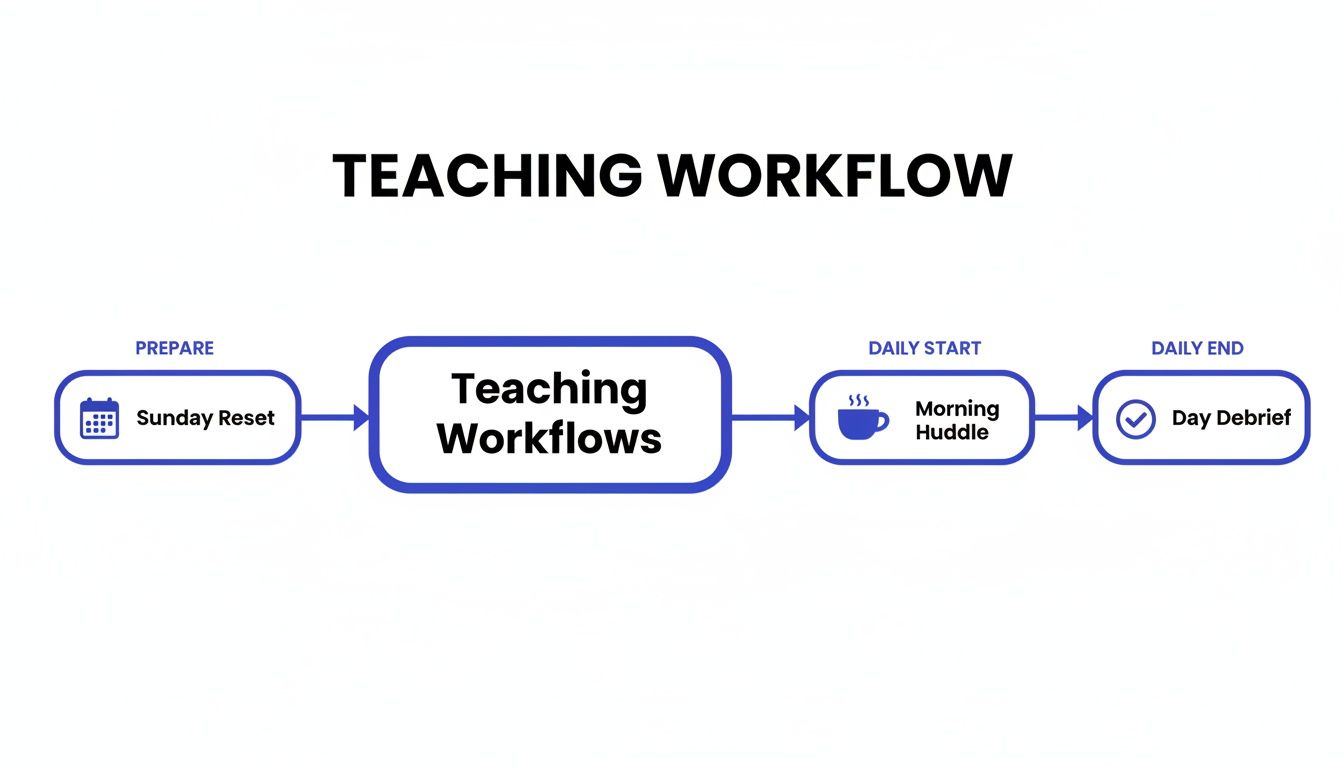
When your planner is integrated, routines like the "Sunday Reset" and "Day Debrief" become so much faster and more meaningful because all the information is already right where you need it.
Building a Future-Ready Tech Stack
For tech-savvy teachers and school leaders, choosing a planner that plays well with others is a strategic move. It lays the foundation for a digital infrastructure that can actually scale as your school's needs grow. This isn't just a niche idea; the digital education market is projected to jump from $32.36 billion in 2025 to a staggering $95.70 billion by 2030.
An integrated digital planner transforms a bunch of separate apps into a unified system. It makes sure every piece of information—from lesson plans to student data—is connected, current, and easy to find the moment you need it.
This connectivity does more than just save you time on daily tasks. It opens up new possibilities for teaching. For example, some platforms are starting to weave in AI to help generate lesson ideas and materials. This process is far more powerful when the AI can access your existing plans and curriculum standards.
If you're curious about this, you can check out our guide on using AI for lesson planning to see how it works. A connected planner is the key to a truly modern, efficient, and responsive teaching practice.
Frequently Asked Questions About Digital Teacher Planners
Thinking about moving from a paper planner to a digital one? It’s a big step, and you probably have a few questions. From spotty classroom Wi-Fi to keeping student data safe, let’s clear up some of the most common concerns teachers have.
Can I Use a Digital Teacher Planner Offline?
Yep, absolutely. We all know school internet can be unpredictable. That’s why the best digital planners are built with strong offline access.
You can keep right on planning your lessons, taking notes, and organizing your week, even without a connection. As soon as you’re back online, everything syncs up automatically across your devices—no extra work for you.
Is It Hard to Switch From a Paper Planner?
It’s definitely a change, but it’s probably smoother than you think. Good digital planners are designed to feel intuitive and easy to navigate right from the start.
My best advice for making the switch? Start small. Just focus on one or two things at first, like your weekly schedule, until it feels second nature. The time you’ll save in the long run makes that little bit of initial learning totally worth it.
Once you’re comfortable, you can start exploring other features like building out full lesson plans or logging student notes.
How Secure Is My Student Data in a Digital Planner?
This is a big one, and rightly so. Any reputable education-focused company puts student data security first. Professional platforms use industry-standard encryption to protect sensitive information and are built to comply with privacy rules like FERPA.
Before you choose a tool, always give their privacy policy a quick read. It’s also a good idea to steer clear of generic note-taking apps that aren’t specifically designed for schools, as they often don't have the security measures needed to protect confidential student info.
Ready to see how a digital planner can create a more organized and efficient workflow? Kuraplan offers a secure, intuitive planner designed to make lesson planning, curriculum alignment, and resource management feel effortless. Discover how Kuraplan can transform your classroom today.