Group work usually falls apart before the task even starts. You’re trying to make fair groups, one student is already asking who they’ll work with, two others shouldn’t be paired, and the class is watching the whole sorting process eat into your lesson.
That’s why a classroom group maker matters. Not because it’s flashy, and not because randomizing names is new. It matters because grouping is an instructional decision, not just a management task. When the tool is used well, it helps you make faster decisions, build more balanced teams, and respond to what students need instead of defaulting to whoever happens to be sitting nearby.
The key takeaway is that a classroom group maker shouldn’t live on its own as a one-off utility. It works best when it’s connected to your planning, your formative checks, and the realities of your students, especially in inclusive classrooms where group composition can either support learning or derail it.
Beyond Random Sticks The New Era of Student Grouping
Most teachers started with some version of the same toolkit. Popsicle sticks. Numbered cards. Count off by fours. Those methods still have a place, especially for quick turn-and-talks or low-stakes partner work. But they don’t solve the harder problem, which is building groups that are fair, useful, and instructionally intentional.
That’s where a modern classroom group maker changes the job. Digital grouping that used to take 10 to 15 minutes manually now happens in seconds, and the heterogeneous groups it creates are linked to 20 to 30% improvement in peer learning as students support one another’s strengths and weaknesses, according to random grouping strategies for classrooms.
What matters in practice is not just speed. It’s what you do with that speed.
Random is useful, but strategy is better
Random grouping helps remove some of the social friction that comes with letting students choose. It can also reduce the familiar pattern where students keep ending up with the same friends. But pure randomness can still create lopsided groups if you’re not paying attention to reading confidence, language support, regulation needs, or the simple fact that some combinations don’t work.
A strong grouping routine usually blends both ideas:
- Use randomization when you want energy, novelty, or quick transitions.
- Use balancing rules when the task requires mixed strengths, steady participation, or targeted support.
- Use teacher judgment when you know a pairing will either facilitate learning or sabotage it.
Practical rule: If the task is simple, random is fine. If the task is complex, graded, or discussion-heavy, grouping should be planned.
Grouping is part of instruction
The biggest mistake I see is treating grouping as neutral. It isn’t. The way you group students affects who speaks, who gets stuck, who carries the work, and who feels exposed.
Once you start seeing grouping as part of differentiation, a classroom group maker stops being a convenience tool. It becomes part of your teaching workflow. You’re not just making groups. You’re deciding how students will access the lesson.
Setting Your Grouping Goals and Criteria
Before opening any tool, decide what the group is supposed to do. That sounds obvious, but it’s the step that teachers skip when they’re rushing. If your purpose is fuzzy, your groups will be too.
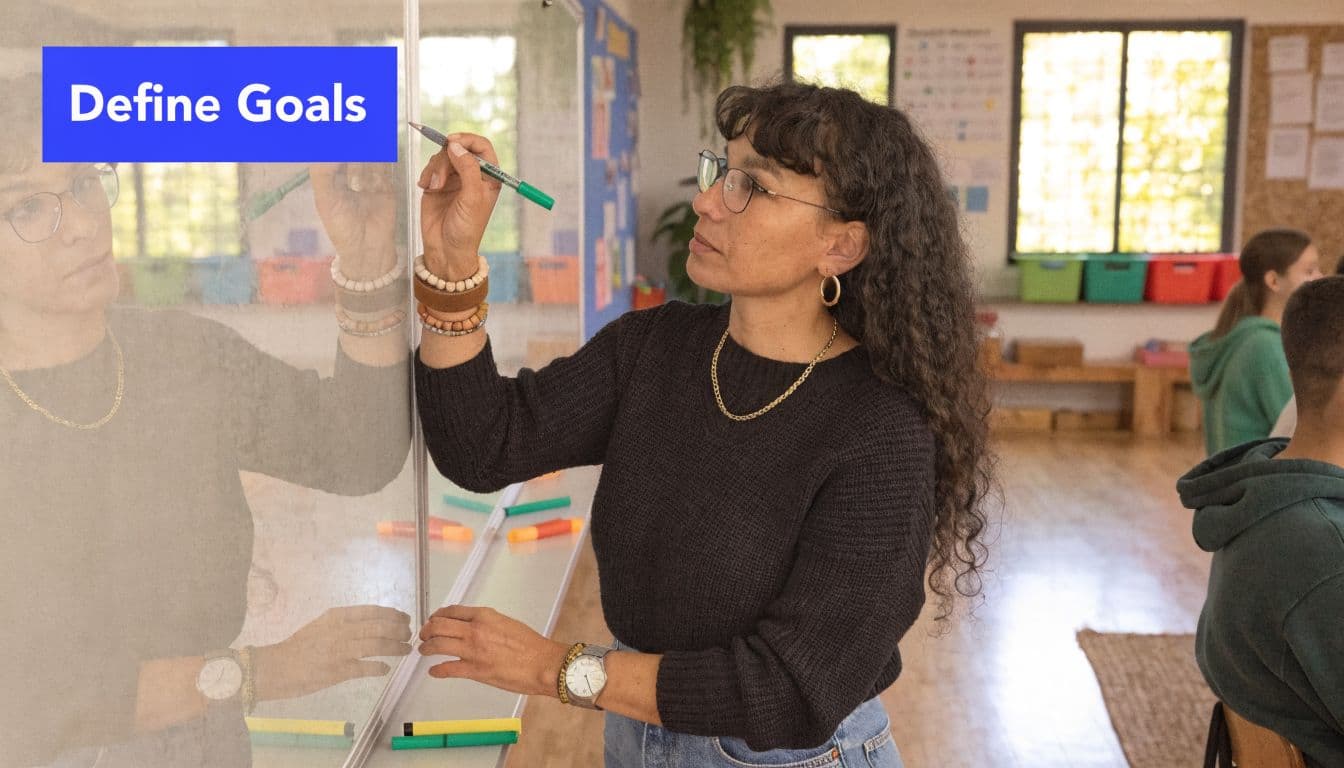
A group for peer modeling should look different from a group for reteaching. A group for open-ended project work should look different from a group for fluency practice. Data-driven grouping can support tiered instruction, and an Illinois school district using that approach reported 15 to 25% gains in student outcomes through targeted interventions, as described in this data-based grouping example.
Start with the task, not the roster
Ask a few direct questions first:
- Is this group for support, discussion, production, or practice?
- Do students need similar readiness levels, or mixed strengths?
- Will the task require sustained collaboration or short interaction?
- Is the goal academic, social, behavioral, or a mix of all three?
Those questions keep you from building every group the same way.
Criteria that actually help
Teachers often default to “high, medium, low.” Sometimes that works. Often it’s too crude to be useful. Better grouping comes from using a few criteria that match the lesson.
Here are the inputs I find most useful:
- Academic readiness: recent quiz results, standards mastery, writing stamina, reading level, or subject-specific confidence
- Language access: English proficiency, oral language confidence, or need for sentence frames
- Behavior and regulation: who needs structure, who escalates together, who stabilizes a table
- Interests: topic preference matters more than people admit, especially for project-based work
- Social dynamics: students who collaborate well, students who dominate, students who withdraw
- Support plans: accommodations, processing pace, and who may need a quieter role or clearer routine
Match the criteria to the lesson
A simple way to keep this manageable is to use a planning grid.
| Lesson type | Best grouping approach | Criteria to prioritize |
|---|---|---|
| Discussion seminar | Heterogeneous | talk balance, content understanding, peer support |
| Skill reteach | Homogeneous or temporary intervention group | assessment results, misconceptions, pacing |
| Project work | Mixed and role-based | interests, organization, communication, follow-through |
| Lab or hands-on task | Balanced heterogeneous | safety, responsibility, task stamina, collaboration |
| Vocabulary or fluency practice | Flexible | language needs, confidence, repetition needs |
Don’t collect every possible data point. Use the few that change instruction.
A workable teacher routine
My preferred workflow is simple enough to maintain during a busy term:
- Keep one roster sheet with the data you update most often.
- Tag only what affects grouping decisions for your subject or grade.
- Use temporary groups for short intervention cycles instead of locking students into labels.
- Review after the task so you can tell whether the grouping logic helped or hurt.
What doesn’t work is overengineering. If your grouping system takes longer to maintain than the lesson itself, you won’t use it consistently. Good grouping is thoughtful, not complicated.
From Manual Shuffles to Automated Grouping Workflows
The practical jump from “I know what I want” to “these groups are ready” is where many systems break down. Manual grouping can work for a small class and a simple task. It stops working when you’re balancing multiple needs at once.
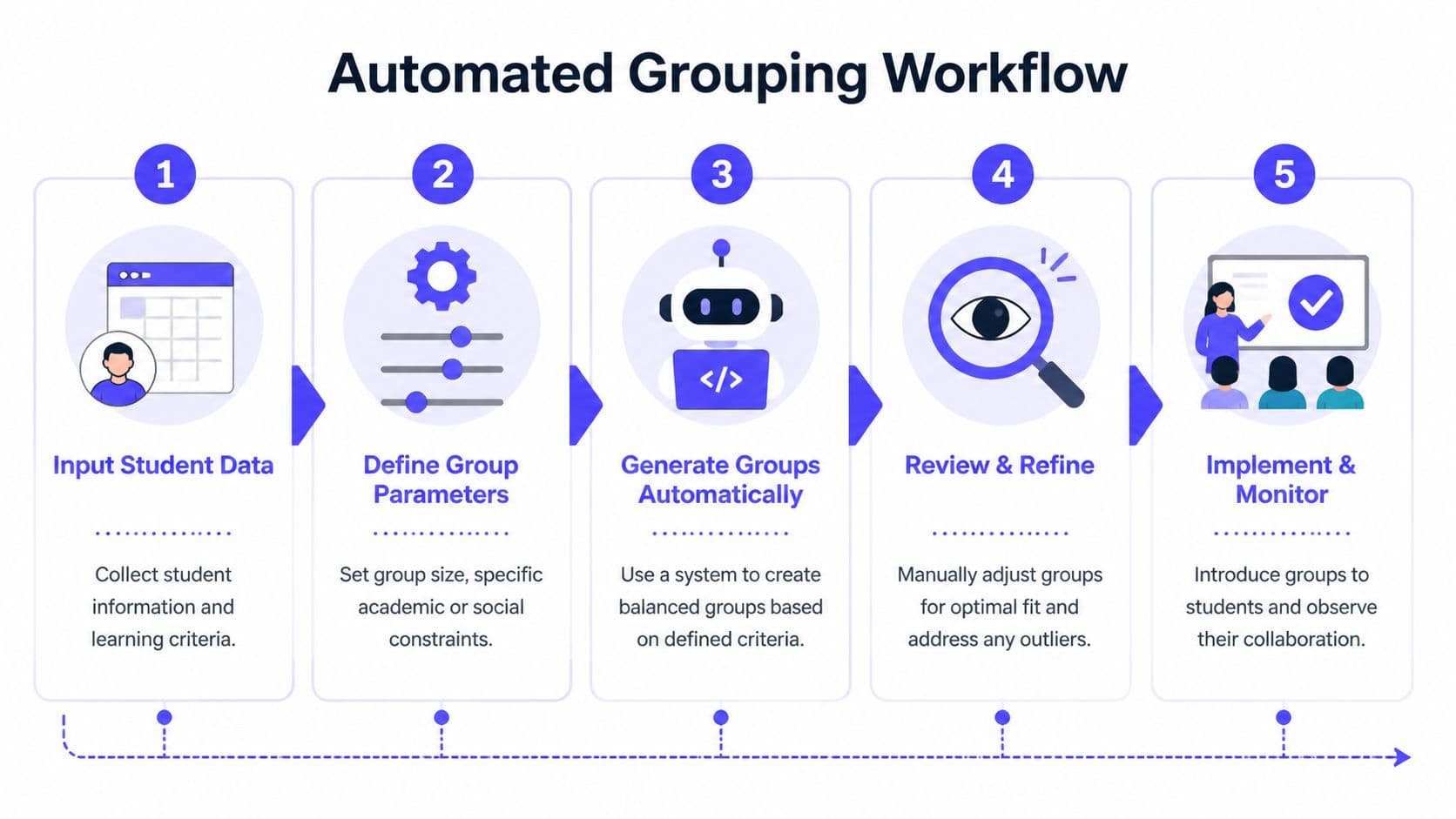
A good classroom group maker gives you a repeatable workflow. It doesn’t replace teacher judgment. It removes the tedious part so you can use your judgment where it matters.
The workflow that saves the most time
Here’s the version that tends to hold up in real classrooms.
Build one clean roster
Use a spreadsheet with the fields you need. Keep it lean. Names, period, recent performance marker, language notes, support considerations, and any pairing rules are usually enough.
If a tool accepts CSV import, that’s ideal because you can update one file and reuse it.
Set the grouping rule for that lesson
Pick one dominant purpose for the activity. Don’t ask the tool to optimize for everything at once.
For example:
- For a history discussion, prioritize mixed background knowledge and talk balance
- For a short reteach station, prioritize shared misconception
- For a project team, prioritize complementary strengths and separated conflicts
Generate, then review
This is the step some teachers skip because the software feels “done.” It isn’t. Automated groups are a strong draft, not a final answer.
Scan for:
- a student who may be isolated socially
- a group with too many passive members
- a pairing you already know will fail
- a support need that requires a role adjustment
Automation should handle the sorting. The teacher should handle the exceptions.
A classroom example
Take a middle school history project on civic change. Students need to analyze sources, discuss causes, and create a short presentation. I wouldn’t use purely random groups for that.
I’d set up the groups around:
- one student who can organize
- one student with stronger reading confidence
- one student who contributes well orally
- one student who may need support but can engage with a clear role
Then I’d generate a few options and choose the set that gives me the best overall balance.
If you want extra ideas for structuring group tasks after groups are formed, SmartSolve AI learning strategies has some useful prompts for scaffolding student work and independent support.
For teachers who want the grouping tool tied directly to planning rather than sitting in a separate tab, Kuraplan’s group generator is one example that lets you create groups by size or number of groups inside a broader lesson-planning workflow.
What works and what doesn’t
| Works well | Usually fails |
|---|---|
| One clear grouping purpose per lesson | Trying to optimize every variable at once |
| Clean roster data | Old notes and outdated assumptions |
| Quick teacher review after auto-generation | Blindly trusting the first output |
| Temporary adjustments | Permanent fixed groups |
The best automated workflow feels boring in the right way. It’s fast, predictable, and easy enough to repeat without draining your planning time.
Smart Grouping for Differentiation and Inclusion
Most group makers can separate students who clash. Far fewer help teachers think carefully about why a group will work for a neurodivergent learner, a student with anxiety, or a student whose regulation shifts across the day.
That’s a real gap. Existing tools often offer generic behavior separation, but they don’t give teachers enough guidance on grouping students with ADHD, autism, or anxiety in ways that support successful collaboration, as noted in this discussion of group generator limitations.

Inclusion isn’t a toggle
A checkbox that says “separate behavior” is too blunt for most real classrooms. It may help with one obvious conflict, but it doesn’t answer better questions:
- Does this student do better with a highly verbal group or a quieter one?
- Is this task overloaded with writing, discussion, and planning all at once?
- Will this group understand how to share pace and wait time?
- Does the student need a predictable role more than a mixed-ability placement?
Those are the decisions that make group work inclusive or exhausting.
Better ways to compose groups
I’ve found it more useful to think in profiles instead of labels. Not “put the student with ADHD here,” but “this student generates ideas quickly, needs visible steps, and loses momentum during long open-ended tasks.” That leads to more helpful grouping choices.
A few patterns tend to work better than generic balancing:
- Pair complementary processing styles: a big-picture thinker with a systematic planner can be a strong combination when the task is structured.
- Reduce social uncertainty: students with anxiety often do better when roles, turn-taking, and expected output are explicit.
- Limit overload: if the task already includes heavy reading and collaboration, don’t also make the group composition unpredictable and noisy.
- Design for contribution, not compliance: some students participate more when the role matches their strengths, like idea generation, visual organization, or checking details.
A “balanced group” on paper can still fail if it ignores processing speed, sensory load, or communication style.
Mixed-neurotype groups can work, but only with support
This is where teachers need nuance. Mixed-neurotype grouping can be powerful, but only if the task and roles are built to support it. Otherwise, one student gets read as “off task,” another becomes the default translator, and the whole thing turns into a compliance exercise.
Useful supports include:
- written discussion stems
- visible task sequence
- role cards with concrete actions
- options for verbal or nonverbal contribution
- a clear stopping point for each part of the task
For teachers working in gifted or highly varied readiness contexts, it can also help to understand how cognitive profiles are discussed in screening conversations. This overview of Ontario gifted program CCAT benchmarks is helpful background if you’re thinking about advanced learners alongside inclusion and differentiation.
A related planning move is to connect grouping decisions to tiered support instead of treating them as separate tasks. The framework in tiered instruction guidance fits well here because group composition and instructional level usually need to be planned together.
A better question to ask
Don’t ask, “Who should be together?” first.
Ask, “What conditions will help each student participate meaningfully in this task?” Once that answer is clearer, the grouping usually becomes clearer too.
Managing Groups for Productive Collaboration
A well-built group can still waste half the period if students don’t know how to work inside it. This is the part that teachers sometimes underestimate. Group formation matters. Group management matters just as much.
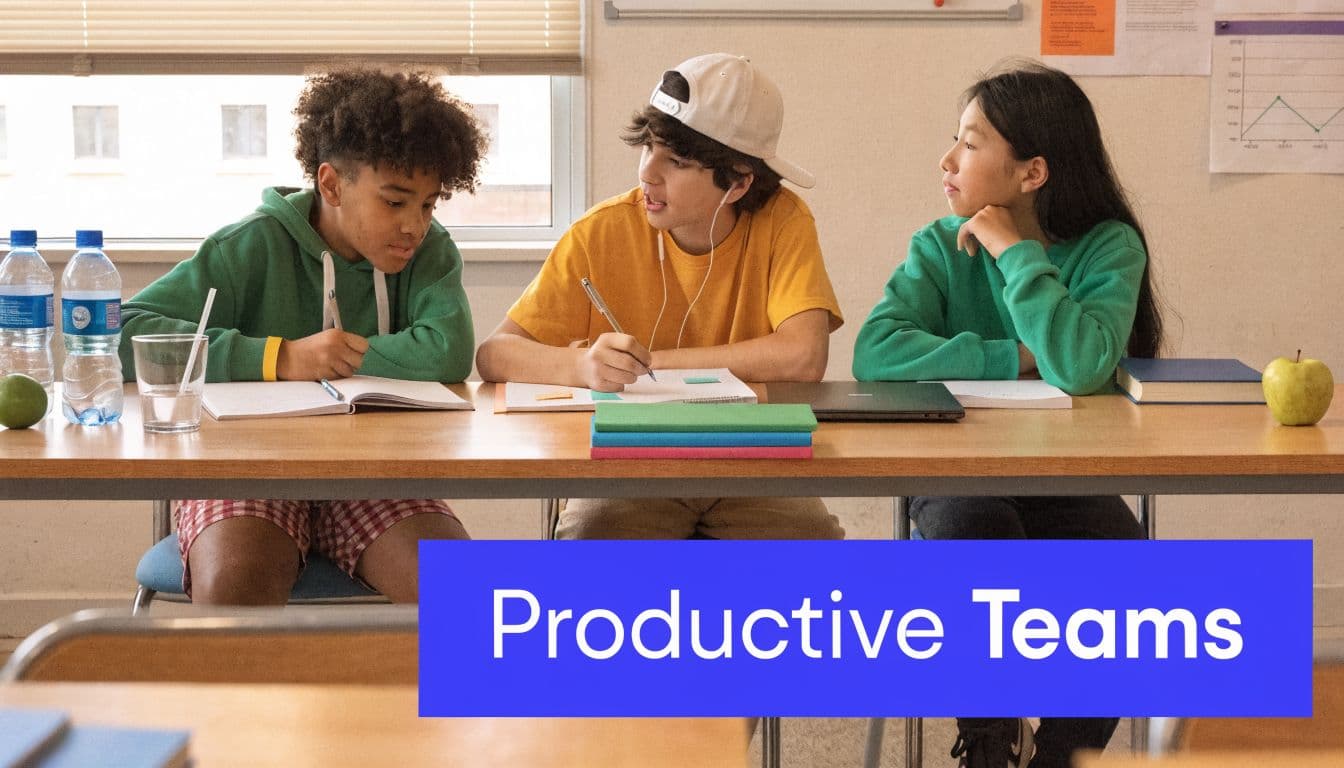
The most reliable fix is structure. Effective small-group instruction includes assigning roles like timekeeper and note-taker, which can raise participation by 30 to 40%, and four students is often the most effective group size because it reduces social loafing, where one or two students do most of the work, according to this guide to effective group work management.
Use the Big Four roles
I keep roles simple unless the task requires something specialized.
- Facilitator keeps the group on the task and makes sure everyone gets in.
- Recorder captures decisions, notes, or the final response.
- Timekeeper watches pacing and calls transitions.
- Materials manager handles documents, devices, and physical supplies.
What doesn’t work is assigning vague roles that sound official but don’t change behavior. Students need roles with visible actions.
Teach the routine, not just the role
Students won’t automatically know how to collaborate because the worksheet says “work in groups.” They need a routine they can repeat.
A solid group task usually includes:
- a short launch with the success criteria
- assigned roles before discussion starts
- one shared product
- one individual accountability check
- a timer that students can see
If you want calm group work, front-load the procedure. Don’t improvise it once the room gets noisy.
A quick model helps too. If the task is discussion-heavy, I’ll often script the first exchange out loud so students can hear what productive participation sounds like.
A useful classroom example of group norms in action is below.
Fix common breakdowns early
| Problem | Usually means | Better move |
|---|---|---|
| One student doing everything | role confusion or oversized task | tighten roles and split the output |
| Off-topic talking | unclear product or no pacing cue | add checkpoints and visible timer |
| Quiet student disappearing | role doesn’t fit or group feels unsafe | assign a concrete contribution path |
| Conflict over decisions | no decision rule | require consensus, turn-taking, or evidence-based choice |
The biggest management mistake is waiting too long to intervene. If a group is stalled in the first few minutes, it usually won’t self-correct in a useful way. A fast reset works better than a long lecture.
Integrating Groups into Lesson Plans and Assessments
This is the point where a classroom group maker becomes more than a sorting tool. The strongest use of grouping happens when it responds to what students showed you yesterday, or even earlier in the same week.
That’s also the gap in most current practice. Teachers often generate groups once, then keep them static even when the evidence says the grouping should change. There’s still too little guidance on using exit tickets, quizzes, and observation data to drive regrouping during a unit, as described in this overview of group-making workflow gaps.
Use a simple regrouping cycle
You don’t need a complicated data dashboard. You need a repeatable decision routine.
Day 1 setup
Create groups based on the task and the strongest available starting data. That might be a diagnostic, prior work sample, or recent observation.
Mid-unit check
Use a short formative measure. Exit ticket. Quick quiz. Conference notes. Group product review. The format matters less than the signal.
Day 3 or Day 4 regroup
Now adjust.
Some students need:
- a short intervention group for one missing skill
- an enrichment group because they’ve already mastered the target
- a fresh mixed group because the original one got stale or uneven
- a role change rather than a full regroup
That last point matters. Sometimes the issue isn’t the composition. It’s the task structure.
What dynamic grouping looks like in practice
Say students are working through a science explanation task. After the first collaborative session, you review exit slips and notice three patterns. Some students still confuse claim and evidence. Some are accurate but thin in explanation. A third set is ready to compare models and defend reasoning.
Instead of running the same groups again, make the next lesson more responsive:
- one teacher-led support group for claim versus evidence
- one peer-supported revision group for expanding explanations
- one extension group for deeper comparison and discussion
That kind of regrouping makes group work feel purposeful. Students can tell when the grouping reflects the learning.
Keep the planning connected
The friction point for most teachers is not the decision. It’s the logistics. If your lesson plan lives in one place, your assessment notes in another, and your grouping tool in a third, regrouping becomes just annoying enough that it won’t happen often.
That’s why integrated planning matters. When you can move from assessment evidence to revised tasks and then to a printable support sheet without rebuilding everything, dynamic grouping becomes realistic. A tool like this group performance worksheet is useful because it helps you capture what the group did, not just whether the final product looked polished.
The goal isn’t to find the perfect group and keep it forever. The goal is to keep matching group structure to current student need.
Responsive grouping also protects against one of the biggest instructional problems in group work. Students can get stuck in a role, a label, or a level. Regrouping interrupts that pattern. It reminds students that support is temporary, challenge is available, and collaboration changes as learning changes.
If group work keeps feeling harder than it should, it’s usually because the planning, grouping, and assessment pieces are disconnected. Kuraplan helps bring those pieces into one workflow so you can build lessons, generate materials, and adapt instruction without spending your prep time jumping between tools.