Grading is one of the most demanding parts of our job. Crafting detailed, fair, and consistent rubrics from scratch for every single assignment can feel like an impossible task. All that time spent formatting tables and wrestling with wording is time we could be spending with our students. This is where a good rubric creator free of charge can be a lifesaver, streamlining the entire assessment process.
This guide cuts through the noise to show you the best free rubric makers out there. I’ve tested each one to give you real-world insights, not just a list of features. You'll find a breakdown of 12 top-tier tools, from simple, no-frills generators to advanced AI-powered platforms that can generate standards-aligned rubrics in seconds.
Each review includes direct links, screenshots, what I liked (pros), what I didn't (cons), and practical tips to get you started right away. Whether you need a quick printable for a project or a dynamic tool that integrates with your LMS, this list will help you find the perfect fit. To discover a broader range of tools for creating educational content, including those that can complement rubric design, consult this comprehensive E-learning Authoring Tools Comparison Chart for 2026. Let's dive in and find the right tool to reclaim your planning time.
1. Quick Rubric
Quick Rubric lives up to its name. It’s a straightforward, browser-based tool for when you need to create a polished rubric without any fuss. The interface is just an intuitive grid; you click to add criteria and performance levels instantly. This is my go-to when I value speed and simplicity over complex features.
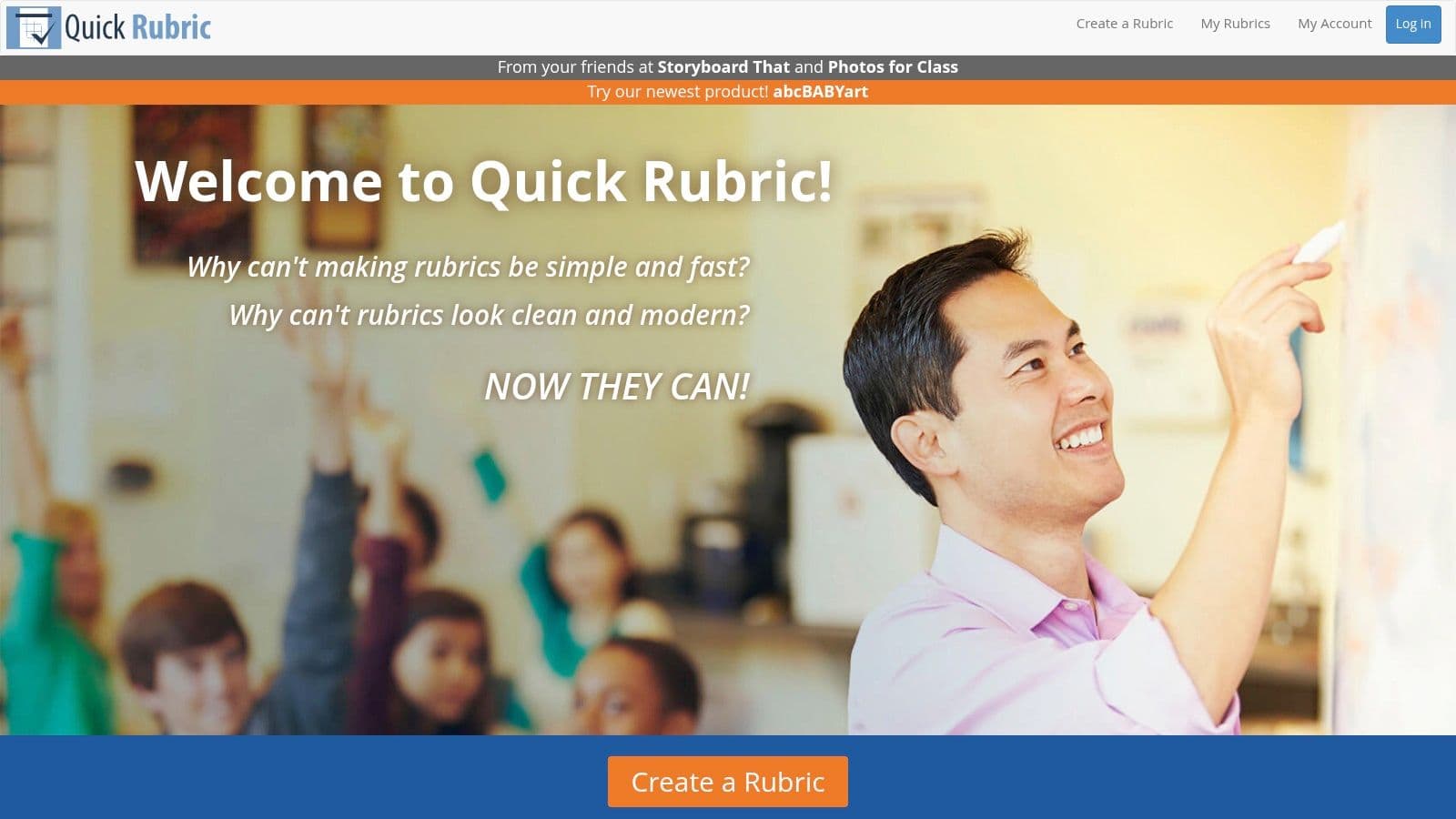
The best part? No account is required to start building. You can create, save, and share your rubric with a unique link or print a clean PDF in minutes. This makes it an excellent rubric creator free of charge for those on-the-fly moments, like a last-minute project or a lesson plan for a sub. While it lacks direct standards integration, its simplicity is perfect for ensuring your rubric criteria align directly with your own classroom goals. For tips on crafting effective criteria, check out these strategies on how to write clear learning objectives for any lesson.
Key Features & Usability
- Best For: Teachers needing a fast, no-signup tool for creating print-ready rubrics.
- Pros: Extremely intuitive interface, clean and professional output, no account needed to create and share.
- Cons: Lacks advanced features like standards alignment, analytics, or direct LMS integration.
- Price: 100% Free.
2. Tech4Learning Rubric Maker
Tech4Learning Rubric Maker provides a structured, component-based approach to building assessment tools. Backed by an established K-12 edtech company, it offers a reliable and teacher-friendly experience. The interface lets you drag and drop pre-written criteria and performance levels, which can seriously speed up the process for common assignments like presentations or research papers.
The platform is a great rubric creator free for individual use, as the free plan supports creating, saving, printing, and exporting to PDF without any cost. What makes it stand out is its clear upgrade path; if you need more, a paid plan unlocks features like Excel exporting and folder organization. This scalability is ideal for teachers who want to start simple but might need more powerful tools later. While it doesn't have AI features, its drag-and-drop system is a solid manual alternative.
Key Features & Usability
- Best For: Educators who appreciate a component-based builder and want a tool that can grow with their needs.
- Pros: Drag-and-drop components speed up creation, backed by a reputable edtech company, clear upgrade path for more features.
- Cons: Key organizational tools and Excel export are locked behind a paid plan, purely a rubric builder without other classroom management features.
- Price: Free plan available; Paid plans offer additional features.
3. iRubric (RCampus)
iRubric by RCampus is a comprehensive, data-driven tool that goes way beyond simple rubric creation. It's more like a full assessment ecosystem, featuring one of the largest public galleries of rubrics I've seen online. This makes it a great starting point if you'd rather adapt an existing template than start from a blank slate. Its robust feature set is geared toward institutional use, making it perfect for departments trying to standardize assessments.
The user interface feels a bit dated compared to newer tools, but its power is in its functionality. You can build, assign, and grade directly within the platform, and even gather analytics on student performance. This makes it a powerful rubric creator free of charge for teachers wanting to track progress over time. The platform’s assessment tools are particularly good for detailed feedback, which aligns with effective formative assessment. You can explore a variety of formative assessment examples to see how detailed rubrics can support ongoing learning. For schools, its LTI compatibility allows for integration with major Learning Management Systems.
Key Features & Usability
- Best For: Departments, schools, and universities seeking a standardized rubric and assessment system with a massive template library.
- Pros: Extensive public gallery of rubrics, supports grading and analytics, and offers LMS integration.
- Cons: The interface can feel dated and less intuitive, and some institutional-level features require a license.
- Price: Free for individual educators; institutional pricing varies.
4. Google Classroom (built-in rubrics)
If you're already living in the Google Workspace ecosystem, the native rubric tool in Google Classroom is a game-changer. It gets rid of the need for external tools by letting you build, attach, and reuse rubrics right inside the assignment workflow. This integration means students can see your exact expectations before they even start, which is great for transparency and self-assessment.
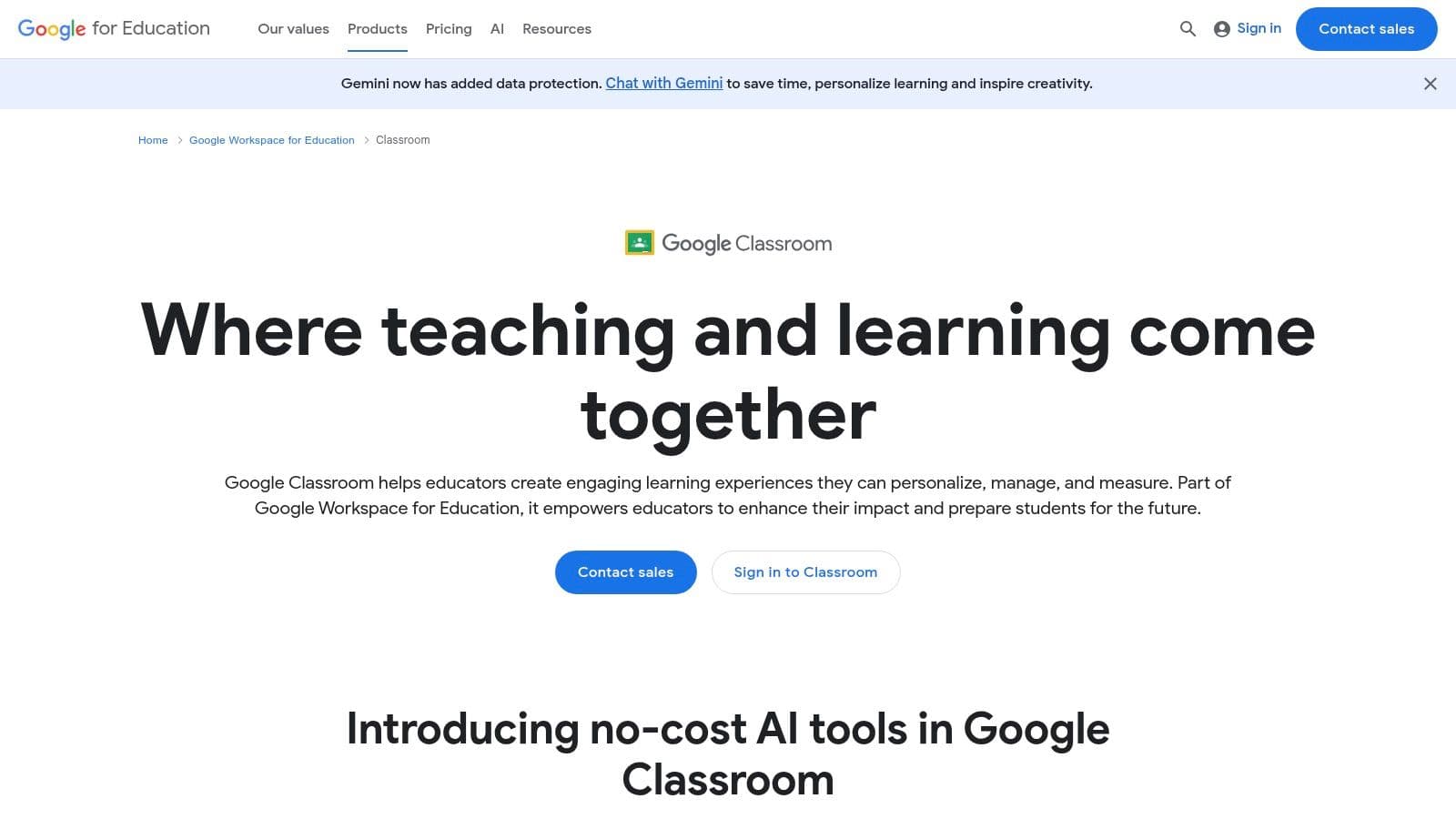
The real power of this rubric creator free feature is its convenience. You can import rubrics from Google Sheets, making it easy to digitize your existing tools or collaborate with colleagues on criteria. While its interface can feel a bit restrictive compared to dedicated rubric builders, the seamless grading experience and direct integration with Google Drive make it an incredibly efficient choice. Best of all, there’s zero friction for students, who never have to leave the familiar Classroom environment.
Key Features & Usability
- Best For: Teachers who heavily use Google Classroom and want a fully integrated grading solution.
- Pros: Seamlessly integrated into assignments, no extra logins needed, allows for easy reuse and import from Google Sheets.
- Cons: UI can be less flexible than standalone tools, and some users report occasional bugs or limitations.
- Price: Free with Google Workspace for Education.
5. GC Rubric by Alice Keeler (Google Sheets add‑on)
For those of us deep in the Google ecosystem, GC Rubric by Alice Keeler is a clever little utility that turns a standard Google Sheet into a rubric ready for Google Classroom. Instead of a separate platform, this tool is a lightweight add-on that works within a workflow you already know. With one click, it formats your sheet into the precise structure Google Classroom needs to import a rubric, saving you the tedious manual setup.
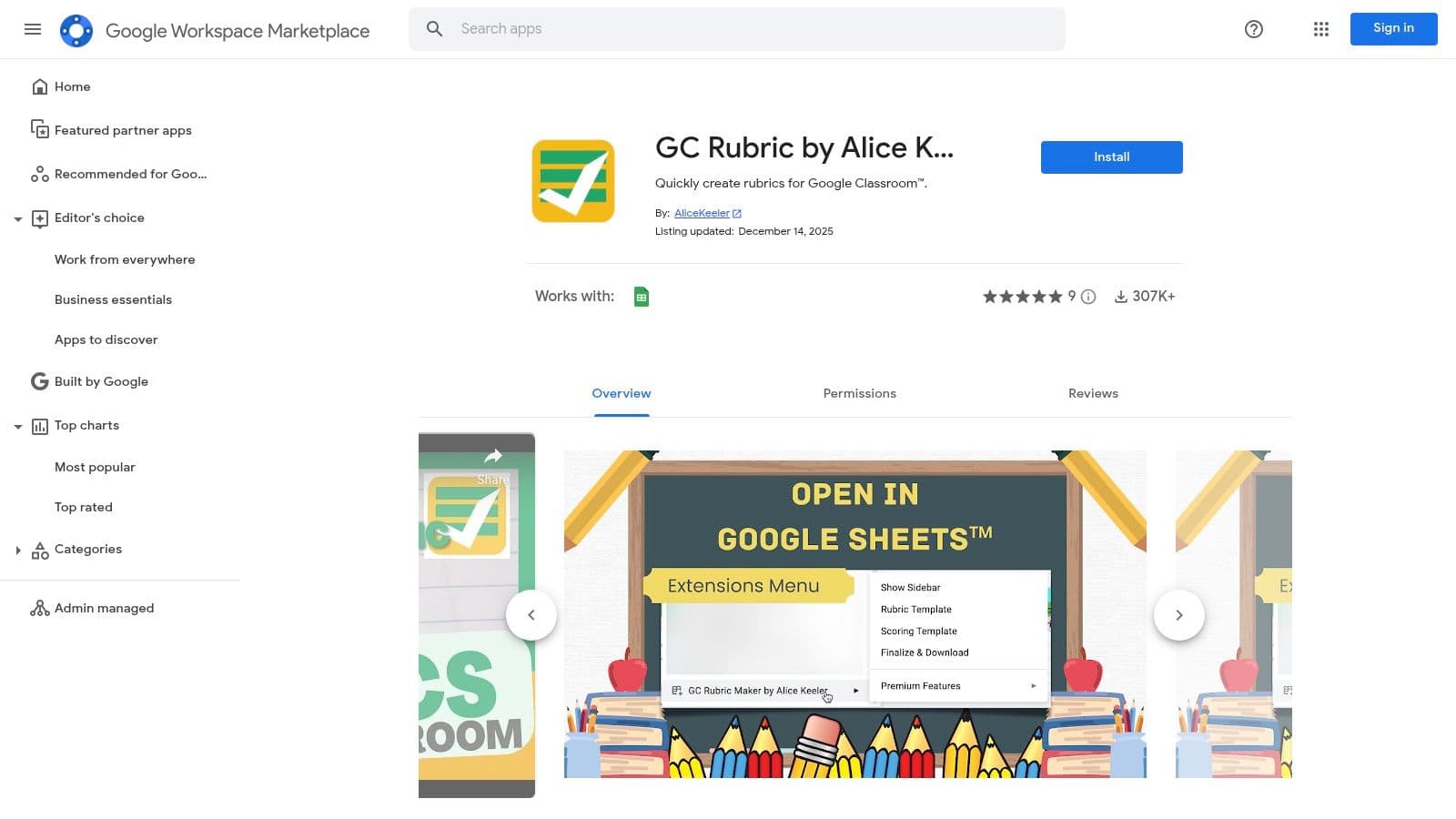
This tool's biggest strength is that it's seamless. It’s not about reinventing the wheel; it’s about making the wheel you already use roll smoother. By keeping your rubrics organized in Google Drive, you can easily duplicate and modify them for different assignments or classes. This makes it an ideal rubric creator free of charge for teachers who want to maintain a consistent assessment framework across their Google Classroom assignments without learning a new system. It’s a simple, targeted solution for a very specific, but common, teacher problem.
Key Features & Usability
- Best For: Google Classroom power users who manage their rubrics in Google Sheets.
- Pros: Perfectly streamlines the process of importing Sheets-based rubrics into Google Classroom, free and easy to install, leverages existing workflows.
- Cons: Entirely dependent on the Google Sheets and Google Classroom ecosystem, offers formatting only and no standalone creation features.
- Price: 100% Free.
6. Microsoft Teams for Education (Rubric creator with AI)
If your district is invested in the Microsoft 365 ecosystem, Teams for Education offers a powerful, integrated rubric builder right within its Assignments feature. This means no external tools are needed—you can create, attach, and grade with rubrics without ever leaving your digital classroom. Its standout feature is the optional AI-powered rubric generator that can save a ton of time.
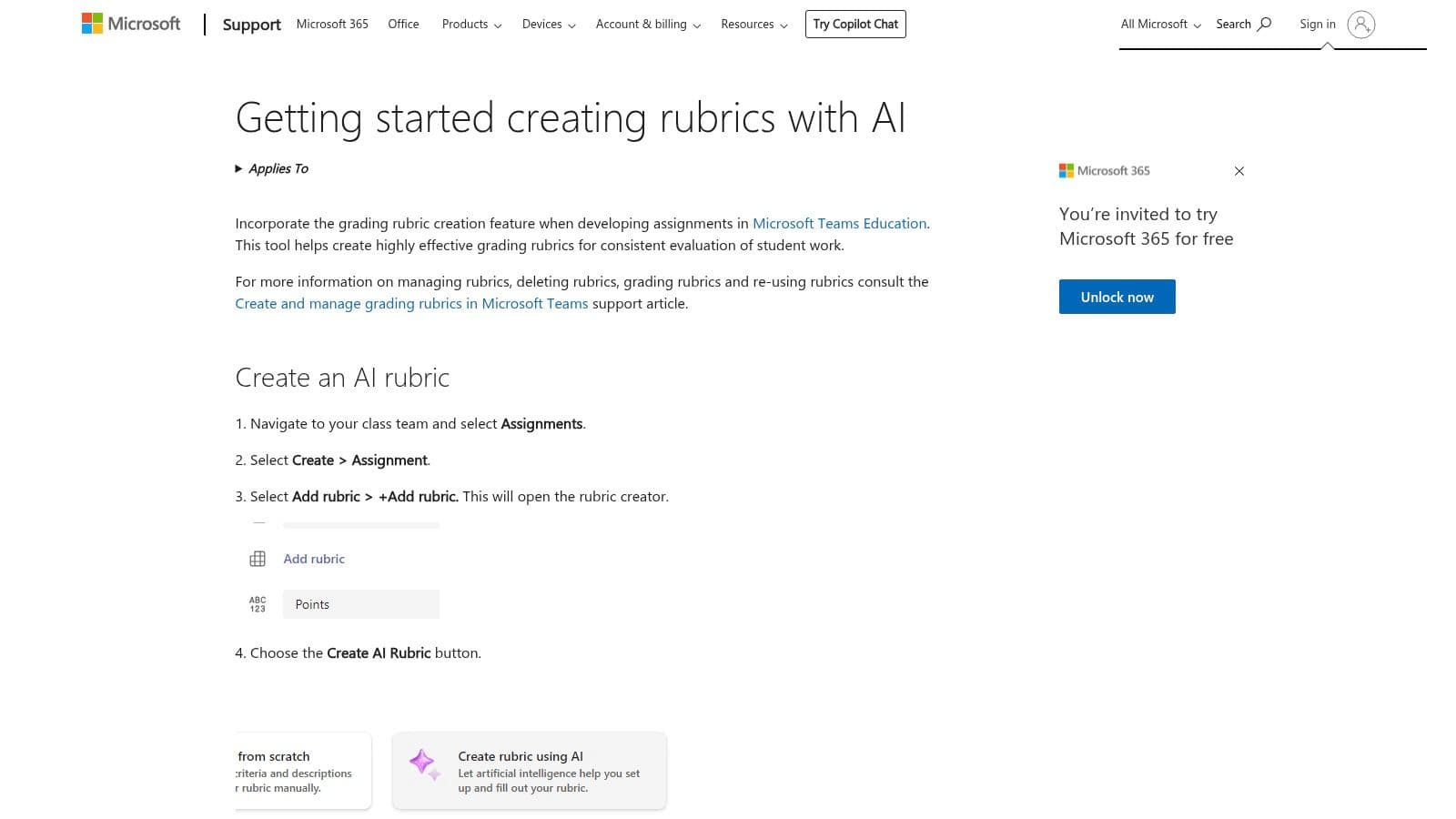
Just provide a grade level and assignment title, and the AI suggests relevant criteria and detailed performance descriptors, which you can then edit and customize. This AI-assisted approach gives you a solid starting point while ensuring you keep full pedagogical control—a feature also central to specialized lesson planning tools like Kuraplan. As a rubric creator free with your district’s existing software license, it seamlessly connects assessment with your daily workflow, making it a highly efficient choice for frequent users of Microsoft Teams.
Key Features & Usability
- Best For: Educators and schools deeply integrated with Microsoft 365 who need a built-in rubric solution.
- Pros: Fully integrated with Teams Assignments, AI suggestions can accelerate rubric creation, rubrics are easily reused.
- Cons: Only accessible within the Teams platform, AI features may vary based on the district's M365 plan.
- Price: Included with Microsoft 365 for Education plans.
7. Canva for Education
While it's not a dedicated rubric generator, Canva for Education is a fantastic design tool with thousands of beautiful, editable rubric templates. Its strength is turning a standard assessment grid into a visually engaging, student-friendly document. If you want to create rubrics that are not only functional but also appealing and easy for younger learners to understand, Canva is an amazing choice.
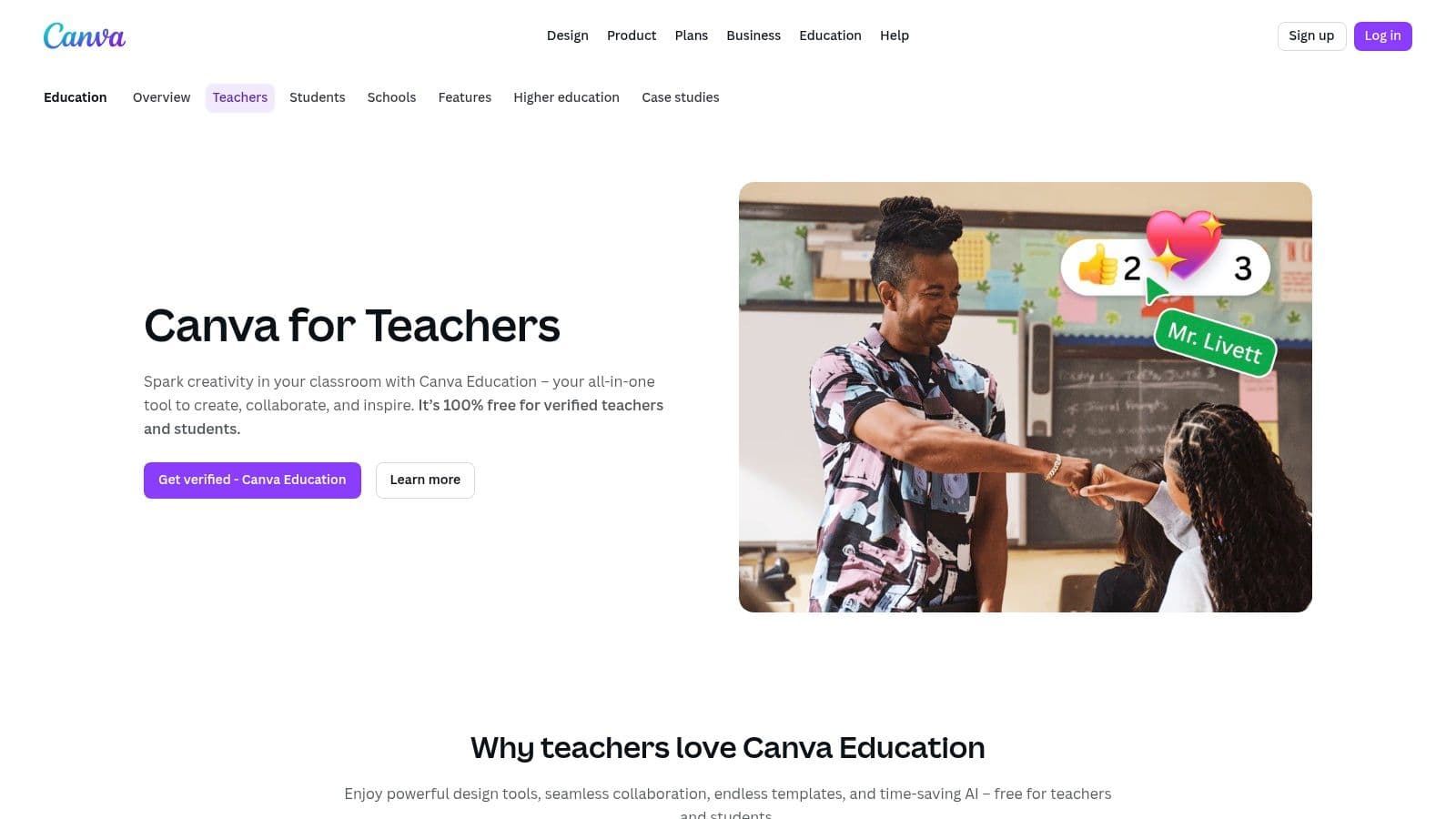
The drag-and-drop editor makes customization effortless. You can add icons, change colors, and adjust layouts to match your classroom theme or a specific assignment. Verified educators get free access to premium features, making this a top-tier rubric creator free of charge for design-focused tasks. You can easily export your finished rubric as a PDF or DOCX to integrate into your workflow, though you'll have to import it into your LMS manually since it's not an assessment system.
Key Features & Usability
- Best For: Creating highly visual, customized, and student-friendly rubrics that can be printed or shared digitally.
- Pros: Massive library of professional templates, intuitive design tools, and it is completely free for verified educators.
- Cons: It's a design tool, not a grading platform; lacks analytics, scoring, or direct LMS integration.
- Price: Free for verified K-12 educators and their students.
8. Teachers Pay Teachers (Free Rubrics category)
Teachers Pay Teachers (TpT) might not be a rubric builder, but it's an indispensable resource for finding pre-made rubrics. This huge marketplace offers hundreds of free, downloadable templates created and classroom-tested by other teachers. It’s the perfect place to go when you need a starting point for a common assignment, like a book report or science fair project, and would rather adapt an existing framework than start from scratch.
The platform’s strength is its immense variety and peer-reviewed quality. You can filter resources by grade level, subject, and even specific standards to find exactly what you need. This makes it an excellent rubric creator free resource for finding field-tested tools that can be quickly downloaded and printed. While the quality can vary, the community ratings and reviews help you spot the most effective and well-designed options, saving you a lot of prep time.
Key Features & Usability
- Best For: Educators looking for ready-to-use or easily adaptable rubric templates for specific subjects and grade levels.
- Pros: Huge library of peer-tested resources, powerful filtering options, saves time by providing a solid starting point.
- Cons: Quality is inconsistent across different sellers, requires filtering to separate free from paid items, not a dynamic rubric builder.
- Price: Hundreds of rubrics are available for free.
9. BestRubrics.com
BestRubrics.com is a straightforward tool designed by a classroom teacher, for classroom teachers. It focuses on the core, practical needs of daily instruction, letting you build, grade, print, and save analytic rubrics without any complicated setup. The platform supports in-browser grading, so you can click through performance levels for each student and save the results, which is a huge time-saver.
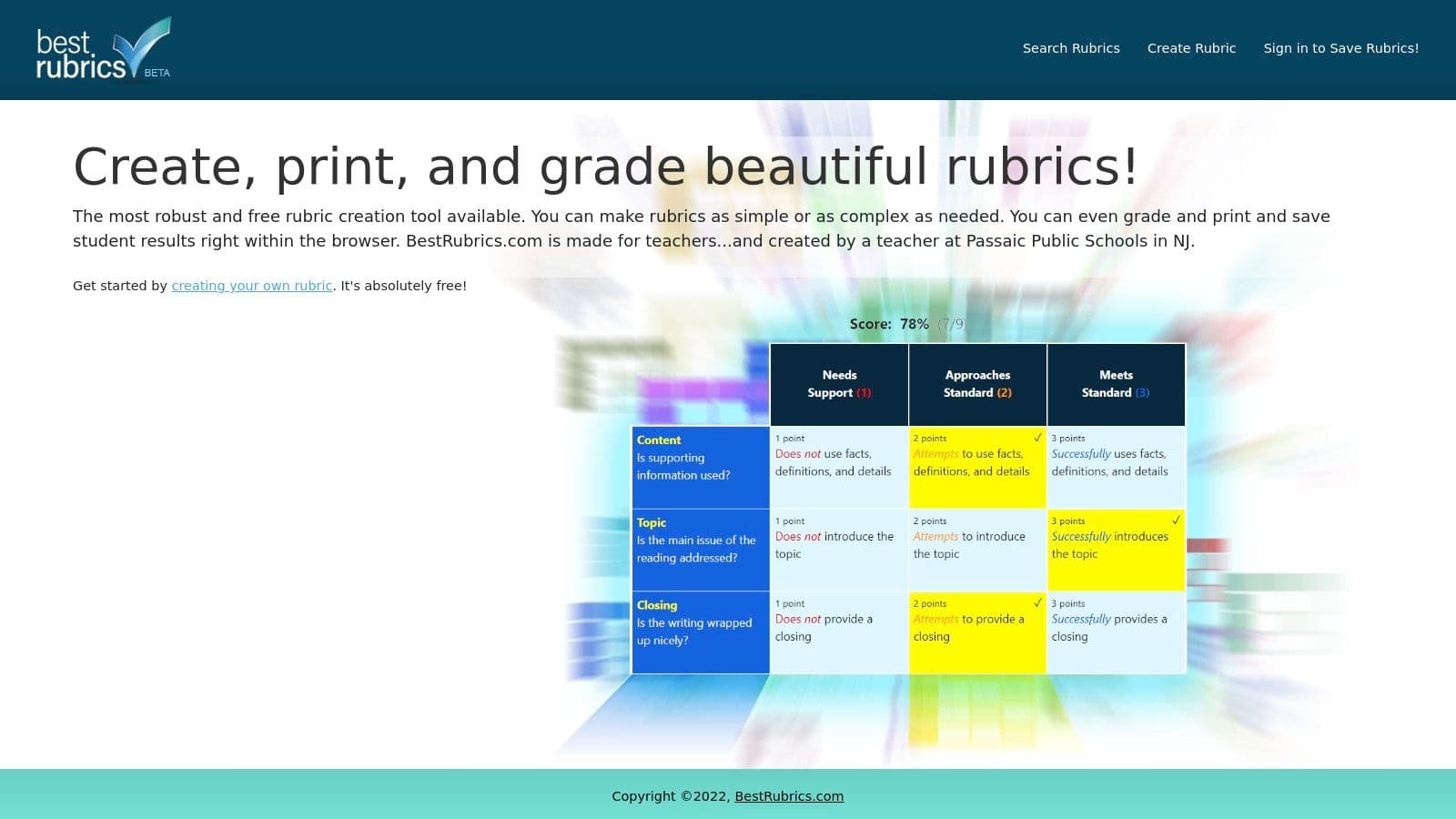
This rubric creator free of charge is built for efficiency. You can copy existing rubrics to quickly adapt them for new assignments. While it might not have the extensive integrations of larger platforms, its strength is its teacher-centric design. The simple workflow is perfect for an individual teacher managing their own classroom assessments. For those looking to take rubric creation a step further with AI-powered suggestions and standards alignment, an integrated planning tool like Kuraplan can complement this simplicity with more advanced features.
Key Features & Usability
- Best For: Individual teachers who want a simple, all-in-one tool for creating, grading, and saving rubrics.
- Pros: 100% free and built with a teacher's workflow in mind, combines rubric creation with a simple in-browser grading system.
- Cons: Primarily designed for individual use rather than school-wide deployment, lacks advanced integrations.
- Price: 100% Free.
10. Brisk Teaching (AI Rubric Generator)
Brisk Teaching offers a powerful, standards-aware AI rubric generator that can really streamline your assessment creation. Just enter a prompt describing your assignment and grade level, and the tool instantly drafts a detailed, editable rubric. This makes it an exceptional rubric creator free of charge for teachers who need a solid first draft that aligns with specific instructional goals, saving a ton of time on the initial setup.
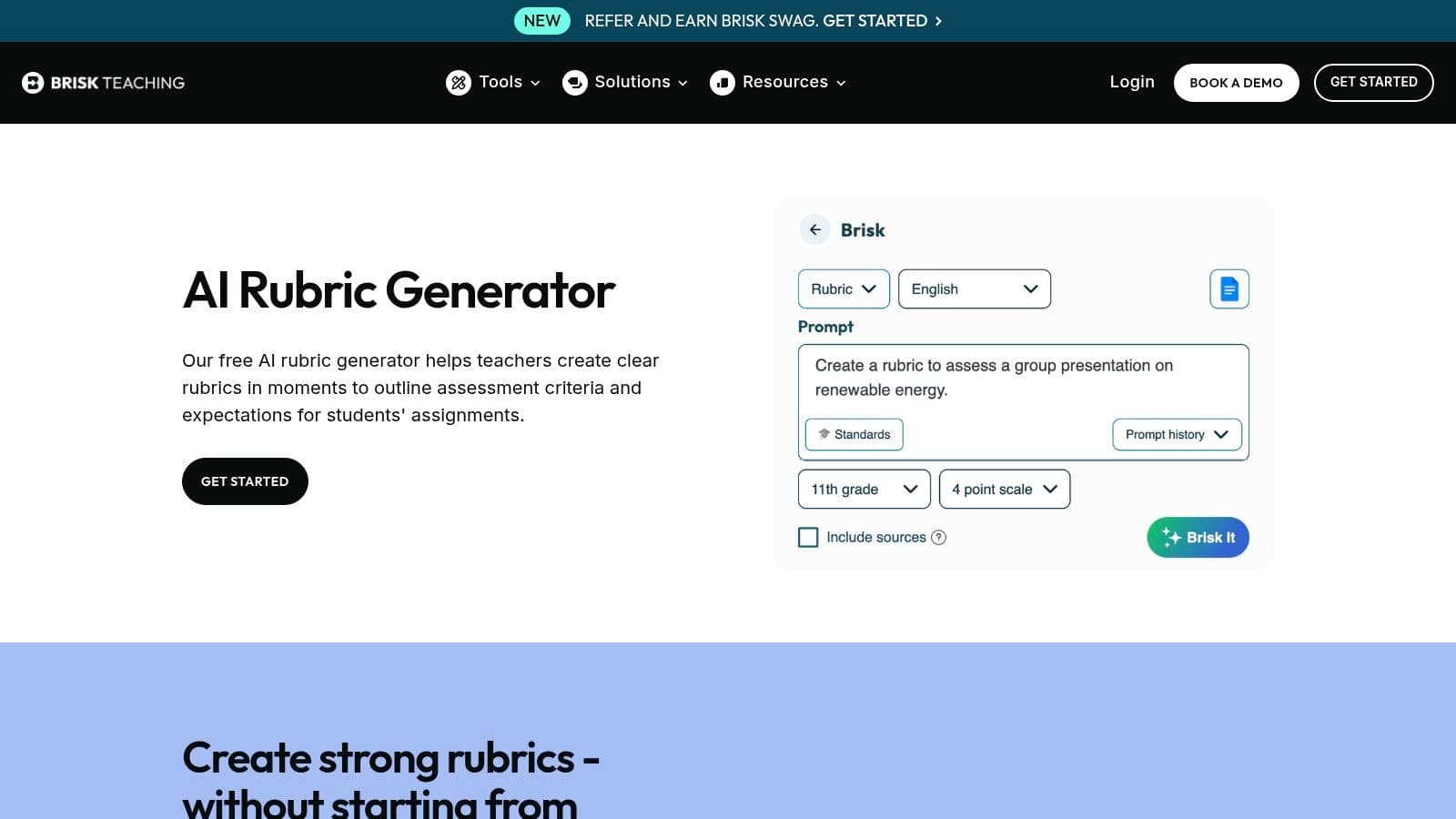
What makes it stand out is its intelligent generation combined with user-friendly export options. Once created, you can send rubrics directly to Google Docs or Word, making it easy to customize them to meet your classroom or district requirements. This AI-first approach is becoming more common; for comparison, the AI Rubric Generator by Coursebox provides another innovative option for intelligent rubric creation. To get the most out of these tools, it's helpful to understand the fundamentals, which you can explore in this practical guide to AI for teachers.
Key Features & Usability
- Best For: Educators who want to leverage AI to quickly generate standards-aligned rubric drafts.
- Pros: Extremely fast rubric generation, smooth exports to common document formats for editing, and options to customize scale and language.
- Cons: AI-generated content always requires careful review and editing, and output quality can vary based on the prompt.
- Price: Free.
11. GradeWithAI (Free Rubric Maker)
GradeWithAI’s Free Rubric Maker uses AI to jumpstart the creation process, turning your assignment description into a structured rubric in seconds. This tool is great for educators who want an AI-powered starting point but still want full control over the final criteria and performance levels. Its ability to generate a solid first draft saves a lot of time, especially for complex projects.
The platform’s strength is its balance of automation and customization. After the AI generates the rubric, you can easily edit every cell, add or remove criteria, and adjust scoring levels before exporting to PDF or copying the text. This makes it a powerful rubric creator free of charge for teachers exploring AI workflows. While it integrates with major LMS platforms, these features are part of its broader grading suite, making the free tool a great entry point into more advanced assessment automation.
Key Features & Usability
- Best For: Educators looking to use AI to generate a first draft of a rubric from assignment instructions.
- Pros: Fast AI-powered rubric generation, clean export to PDF, and offers a clear pathway to more advanced AI grading tools.
- Cons: Advanced LMS integrations and automated grading features are part of the paid platform, requiring additional setup.
- Price: The rubric maker is free; advanced grading features require a subscription.
12. EasyClass AI (Rubric Generator + Standards Library)
EasyClass AI blends artificial intelligence with a practical library of state-aligned rubrics, which is perfect for teachers who need both custom creation and standards-based consistency. Its standout feature is the AI rubric generator, which lets you input assignment details and receive a tailored rubric with customizable scales. This platform is an excellent choice for streamlining your workflow while ensuring your assessments are mapped to specific K-12 state standards.
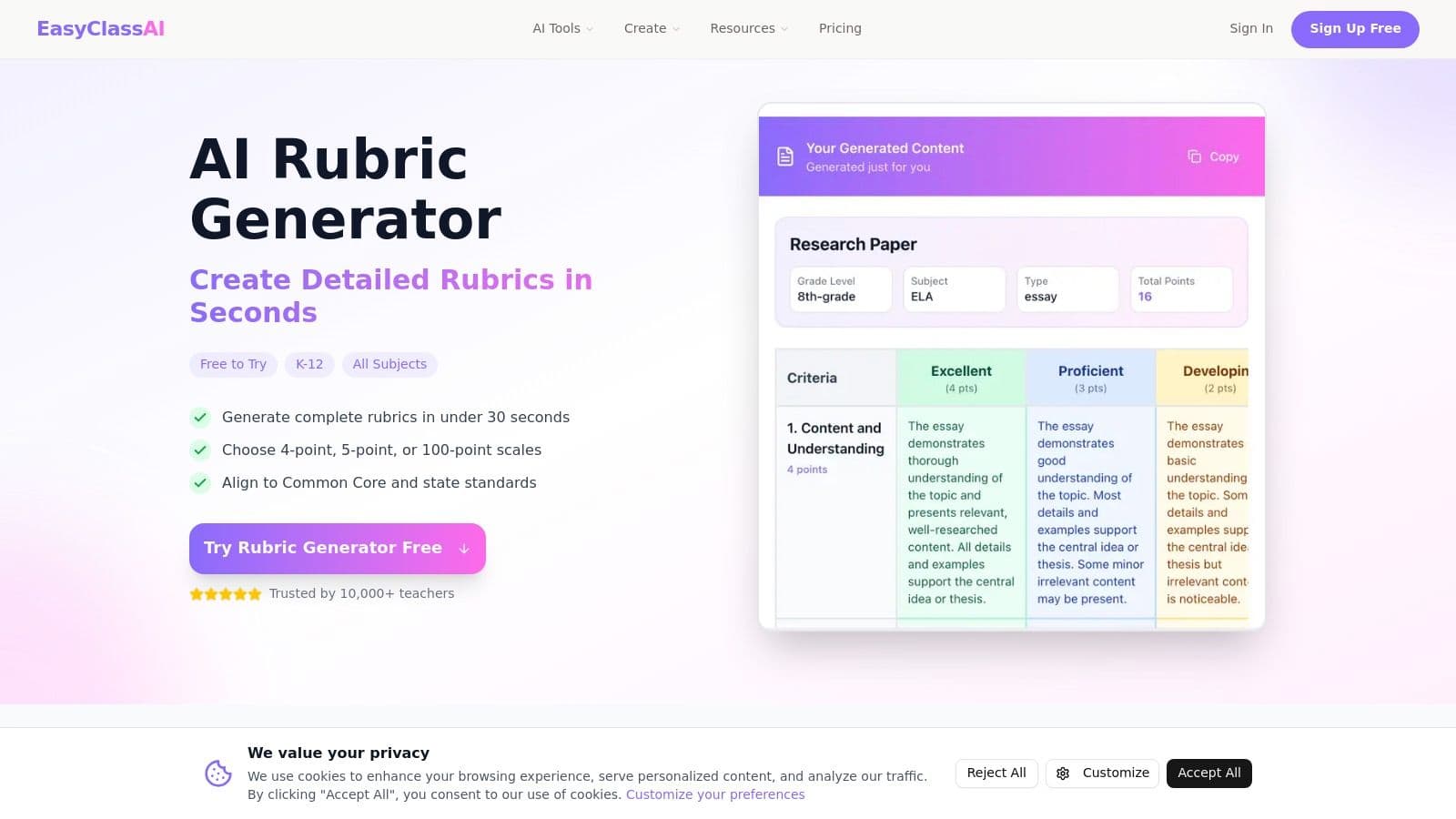
This dual-offering makes it a powerful rubric creator free of charge, as you can generate a new rubric or browse over 70 pre-made, standards-aligned templates without creating an account. This flexibility supports both individual teacher needs and broader district initiatives for consistent evaluation. The core rubric tools are free, but deeper integration with the platform’s AI grading workflows may require a trial or paid plan. This is a common model for AI-powered education tools, similar to how platforms like Kuraplan offer advanced AI generation as part of a broader lesson planning ecosystem.
Key Features & Usability
- Best For: Teachers and administrators seeking a mix of AI-powered custom rubric creation and a library of standards-aligned templates.
- Pros: Combines AI generation with a ready-to-use rubric library, supports state standards alignment, no signup required for the basic generator.
- Cons: Full AI grading and other advanced platform features may be gated behind an account or subscription.
- Price: Generator and library are free; full platform access may require a subscription.
Top 12 Free Rubric Creators — Feature Comparison
| Tool | Core features ✨ | UX/Quality ★ | Price & Value 💰 | Target audience 👥 | Unique selling point 🏆 |
|---|---|---|---|---|---|
| Quick Rubric | Browser-based table builder; print-ready layouts | ★★★★☆ | 💰 Free, no account needed | 👥 Individual teachers who need speed | 🏆 Fastest, ultra-simple rubric creation |
| Tech4Learning Rubric Maker | Drag‑and‑drop components; prefilled levels; PDF export | ★★★★☆ | 💰 Freemium (upgrades for exports/folders) | 👥 Teachers/teams needing templates + org tools | 🏆 Clear upgrade path + company support |
| iRubric (RCampus) | Massive public rubric gallery; grading & analytics; LTI | ★★★★ | 💰 Freemium / institutional licensing | 👥 Departments & districts standardizing rubrics | 🏆 Largest community template library |
| Google Classroom (built‑in) | Create/reuse rubrics on assignments; Sheets import | ★★★★ | 💰 Free with Google Workspace | 👥 Google Workspace classrooms & schools | 🏆 Native workflow, no extra sign‑in for students |
| GC Rubric (Alice Keeler) | One‑click Sheets → Classroom rubric formatting | ★★★★ | 💰 Free add‑on | 👥 Teachers who store rubrics in Google Sheets | 🏆 Streamlines Classroom imports via Sheets |
| Microsoft Teams for Education | Rubric builder in Assignments; AI suggests descriptors | ★★★★☆ | 💰 Free with M365 (district may enable AI) | 👥 Districts using Microsoft 365 | 🏆 Built‑in AI starter + Teams assignment integration |
| Canva for Education | Drag‑and‑drop rubric templates; export to PDF/DOCX | ★★★★☆ | 💰 Free for verified educators | 👥 Teachers prioritizing student‑friendly design | 🏆 Attractive, editable rubric templates |
| Teachers Pay Teachers (Free Rubrics) | Marketplace of free rubric templates; filters & reviews | ★★★★ | 💰 Mixed (free + paid marketplace) | 👥 Teachers seeking ready‑to‑use, peer‑created rubrics | 🏆 Massive variety and peer ratings |
| BestRubrics.com | In‑browser build, grade, save, print; teacher‑made | ★★★★ | 💰 Free | 👥 Individual teachers wanting quick grading loop | 🏆 100% free, teacher‑focused workflow |
| Brisk Teaching (AI Rubric Generator) | AI generates editable rubrics; export to Docs/Word | ★★★★ | 💰 Free AI generator (review/edit recommended) | 👥 Teachers drafting standards‑aware rubrics fast | 🏆 Rapid AI‑drafts aligned to goals |
| GradeWithAI (Free Rubric Maker) | Prompted rubric generation; PDF export; LMS integrations | ★★★★ | 💰 Free tool + paid platform features | 👥 Teachers scaling toward AI grading workflows | 🏆 Easy exports + LMS connectivity |
| EasyClass AI | AI generator + 70+ state‑aligned rubrics library | ★★★★☆ | 💰 Free generator & templates; paid features optional | 👥 Districts/teachers needing standards alignment | 🏆 Combines standards library with AI generation |
Making Assessment Meaningful, Not Hard
Finding the right free rubric creator can feel a lot like lesson planning: full of choices, potential, and the occasional dead end. The best tool isn't the one with the most features; it's the one that fits into your teaching practice and genuinely lightens your workload.
From the straightforward simplicity of Quick Rubric to the integrated power of Google Classroom and Microsoft Teams, there are options for every comfort level and classroom need. We've seen how add-ons like GC Rubric can supercharge a familiar platform, while creative suites like Canva can turn rubrics into engaging, student-friendly documents.
Key Takeaways for Your Classroom
Finding the perfect rubric creator free of charge comes down to a few core ideas. First, your purpose dictates the platform. A quick check-in requires a different tool than a detailed, standards-aligned final project.
Second, integration is king. The less you have to switch between tabs, the more time you save. If you live in your LMS, start there. If you're a Google power user, a Sheets-based solution might be your best bet.
Finally, don't underestimate AI. Tools like Brisk Teaching, GradeWithAI, and EasyClass AI aren't futuristic concepts anymore; they are practical, time-saving partners. They can generate a strong first draft in seconds, letting you spend your valuable time refining and personalizing criteria rather than starting from scratch. Think of them as your co-pilot, not your replacement.
Choosing Your Next Step
So, where do you start? The best approach is to experiment. Choose one or two tools from this list that fit your immediate needs and teaching style.
- If you need speed and simplicity: Try Quick Rubric for your next assignment. You can create, save, and reuse a rubric in just a few minutes.
- If you're all-in on an LMS: Dedicate 30 minutes to mastering the rubric features in Google Classroom or Microsoft Teams. The long-term payoff is huge.
- If you're feeling overwhelmed with grading: Explore an AI-powered option like Brisk Teaching or Kuraplan to see how it can slash your prep time.
The goal is to reclaim your time so you can focus on what matters most: providing meaningful feedback and helping students grow. A well-crafted rubric, supported by the right technology, is a powerful tool for clarity and communication. It transforms assessment from a chore into a conversation, making learning transparent for you, your students, and their families.
Ready to move beyond just rubrics and streamline your entire lesson planning process? Kuraplan integrates AI-powered rubric generation with comprehensive unit and lesson planning tools, helping you create cohesive, standards-aligned curriculum in a fraction of the time. Discover a smarter way to plan at Kuraplan.