You're probably looking at next week's plans with a mix of urgency and dread. The standards are there. The pacing guide is there. The students are definitely going to show up tomorrow with a full range of needs, energy levels, and unfinished work. What's missing is the clean line from “what I have to teach” to “what will work in my room.”
That gap is where a lot of teachers burn time.
Good instructional design for teachers doesn't mean turning into a curriculum theorist or writing a formal design document for every lesson. It means planning with intention so your objective, your task, your assessment, and your supports all point in the same direction. When that happens, teaching gets calmer. The lesson feels tighter. Students spend less time confused, and you spend less time fixing preventable problems in the middle of class.
Beyond the Textbook A New Look at Lesson Planning
Sunday night planning often goes wrong in a familiar way. A teacher starts with the textbook page, the slideshow from last year, or a fun activity saved somewhere in Google Drive. Then comes the scramble to connect it back to the standard, adjust for the class, and hope it all lands.
That approach works sometimes. It also creates a lot of extra work.
Instructional design gives you a different starting point. Instead of asking, “What can I do on Tuesday?” you ask, “What do students need to learn, and what would prove they learned it?” That one shift turns lesson planning from a pile of materials into a sequence with a purpose.
What matters most is that teachers themselves stay in the driver's seat. Research published in Frontiers in Education found that teacher-created instructional materials are rated as the most useful by 90.1% of educators, and 94.1% of teachers report high autonomy in selecting and adapting these materials, which is tied to stronger classroom confidence (teacher autonomy and teacher-created materials research).
That rings true in practice. The lesson that works best usually isn't the prettiest one. It's the one you shaped for your students.
Practical rule: If a lesson looks polished but doesn't fit your class, it will create more stress than clarity.
A solid planning routine doesn't need to be complicated. It needs to answer a few grounded questions:
- What are students learning: State the goal in plain language, not just standard codes.
- What will students do: Pick tasks that move them toward the goal.
- How will I know: Decide what evidence you'll collect during and after the lesson.
- Where will they struggle: Build support before the struggle becomes behavior.
If your planning process feels messy, it helps to return to a simple structure like this lesson plan guide for teachers. Not because every lesson needs a template, but because tired teachers need a repeatable process.
Start with the End in Mind Using Backward Design
The strongest lessons don't begin with an activity. They begin with a destination.
Too many plans start with, “My students will like this,” or, “I found a good video.” Engagement matters, but engagement without direction turns into busy work fast. Backward design keeps that from happening by forcing the lesson to answer the most important question first. What should students know and be able to do when this is over?
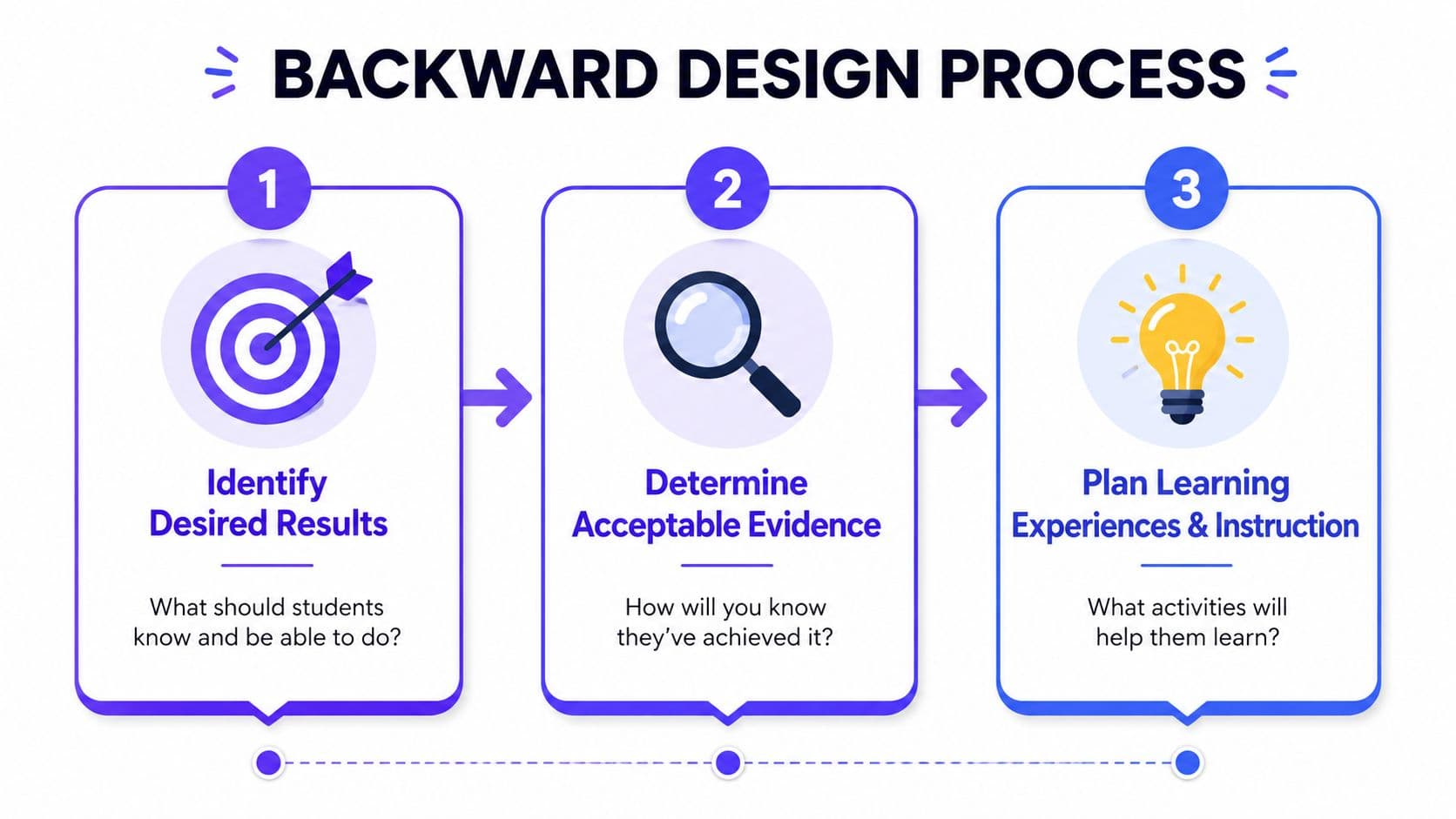
The process is simple enough to use every week. The standards-based design approach follows three steps: first identify desired results, second determine the summative assessment, and third plan learning experiences. The same source notes that this is the backward design method that Kuraplan implements by automatically mapping objectives and including assessment rubrics in minutes (backward design in standards-based planning).
Think destination first
Planning a lesson is a lot like planning a road trip. You don't get in the car and start driving east because the highway looks nice. You pick the destination first, then decide what route makes sense, what you'll need along the way, and how you'll know you've arrived.
Classroom planning works the same way.
If the standard says students should compare fractions, your destination isn't “complete fraction worksheet.” Your destination is something closer to: students can compare two fractions and justify which is greater using visual models or common denominators. That statement changes everything that follows.
Step one Identify desired results
Here, you unpack the standard into student-friendly language.
A vague plan sounds like this: “Teach the American Revolution.”
A useful result sounds like this:
- Knowledge target: Students know major causes of the American Revolution.
- Skill target: Students can explain how specific events increased tension between colonists and Britain.
- Student version: I can explain why colonists became more willing to break away from Britain.
That last version matters because it gives students something they can aim for.
When students can say what success looks like, they're more likely to notice whether they're getting there.
Step two Determine acceptable evidence
This is the checkpoint that saves teachers from teaching a great lesson that never proves learning.
Ask yourself: what would count as strong evidence of mastery? Not activity completion. Not participation alone. Real evidence.
A few examples:
| Goal | Weak evidence | Stronger evidence |
|---|---|---|
| Compare fractions | Finished worksheet | Short written explanation with models |
| Explain causes of a war | Took notes | Paragraph citing events and their effects |
| Solve multistep equations | Watched example | Independent solution with reasoning |
The key is alignment. If the standard asks students to explain, your assessment should require explanation. If the standard asks students to analyze, a matching quiz by itself won't tell you enough.
Step three Plan learning experiences
Only after the goal and evidence are clear should you choose activities.
Often, teachers feel relief. You no longer need ten ideas. You need the right two or three.
A backward-designed sequence usually includes:
- A clear launch: Activate prior knowledge and name the learning target.
- A modeled example: Show students how the thinking works.
- Guided practice: Let them try it with support.
- Independent application: Give them a chance to show what they can do.
- A quick check: Gather evidence before the lesson ends.
That order won't fit every subject or grade level perfectly, but it keeps the lesson moving toward mastery instead of wandering through disconnected tasks.
Crafting Clear and Measurable Learning Objectives
A lesson can have a worthy standard and still go sideways because the objective is too fuzzy. “Students will understand theme” sounds fine until you try to assess it. What does “understand” look like? What would a student say, write, or do that proves it?
That's where SMART objectives help. Effective instructional design uses the SMART framework, meaning Specific, Measurable, Achievable, Relevant, and Time-bound, and tools like Kuraplan can generate objectives that match those criteria (SMART learning objectives in instructional design).
Fix vague objectives before they cause problems
A weak objective usually creates one of two headaches. Either the lesson turns into a broad conversation with no clear endpoint, or the assessment reveals that students were practicing something different from what you thought you taught.
Here's a simple before-and-after example from upper elementary math.
| Before | After |
|---|---|
| Students will understand fractions | Students will compare two fractions with unlike denominators using visual models and explain their reasoning by the end of the lesson |
| Students will learn about the American Revolution | Students will identify two causes of the American Revolution and explain how each contributed to colonial resistance in a short written response |
The “after” version is easier to teach because it tells you exactly what to model, what students should produce, and what to look for when you check understanding.
Make objectives student friendly
Teachers need formal objectives. Students need plain language.
That's why I like converting the objective into an “I can” statement after writing the teacher version. It gives the class a target they can use.
For example:
- Teacher objective: Students will analyze how a character's actions reveal motivation using text evidence.
- Student-facing version: I can explain why a character acts a certain way and prove it with details from the text.
This isn't just a display move for the whiteboard. It changes how students approach the work. They stop guessing what matters.
A strong way to sharpen the wording is to choose precise action verbs. This list of Bloom's Taxonomy verbs for lesson objectives helps when every draft starts sounding like “understand,” “know,” or “learn.”
Classroom shortcut: If you can't picture what students will do to show the objective, the objective still needs work.
A quick SMART check
Before finalizing an objective, run it through these questions:
- Specific: Does it name the content and skill?
- Measurable: Can I observe it in speaking, writing, drawing, solving, or performing?
- Achievable: Can students reasonably do this with the support and time I've planned?
- Relevant: Does it match the standard?
- Time-bound: Is the scope right for one lesson or one unit?
This takes less than a minute once you get used to it. It also prevents a lot of reteaching.
Designing Assessments That Actually Measure Mastery
Teachers don't need more grading. They need better evidence.
A lot of frustration with assessment comes from using one tool for every job. A quick thumbs-up check can tell you whether students are following along, but it can't tell you whether they can write a strong argument or solve independently. On the other hand, a polished final project won't help much if half the class got lost three days earlier and nobody caught it.
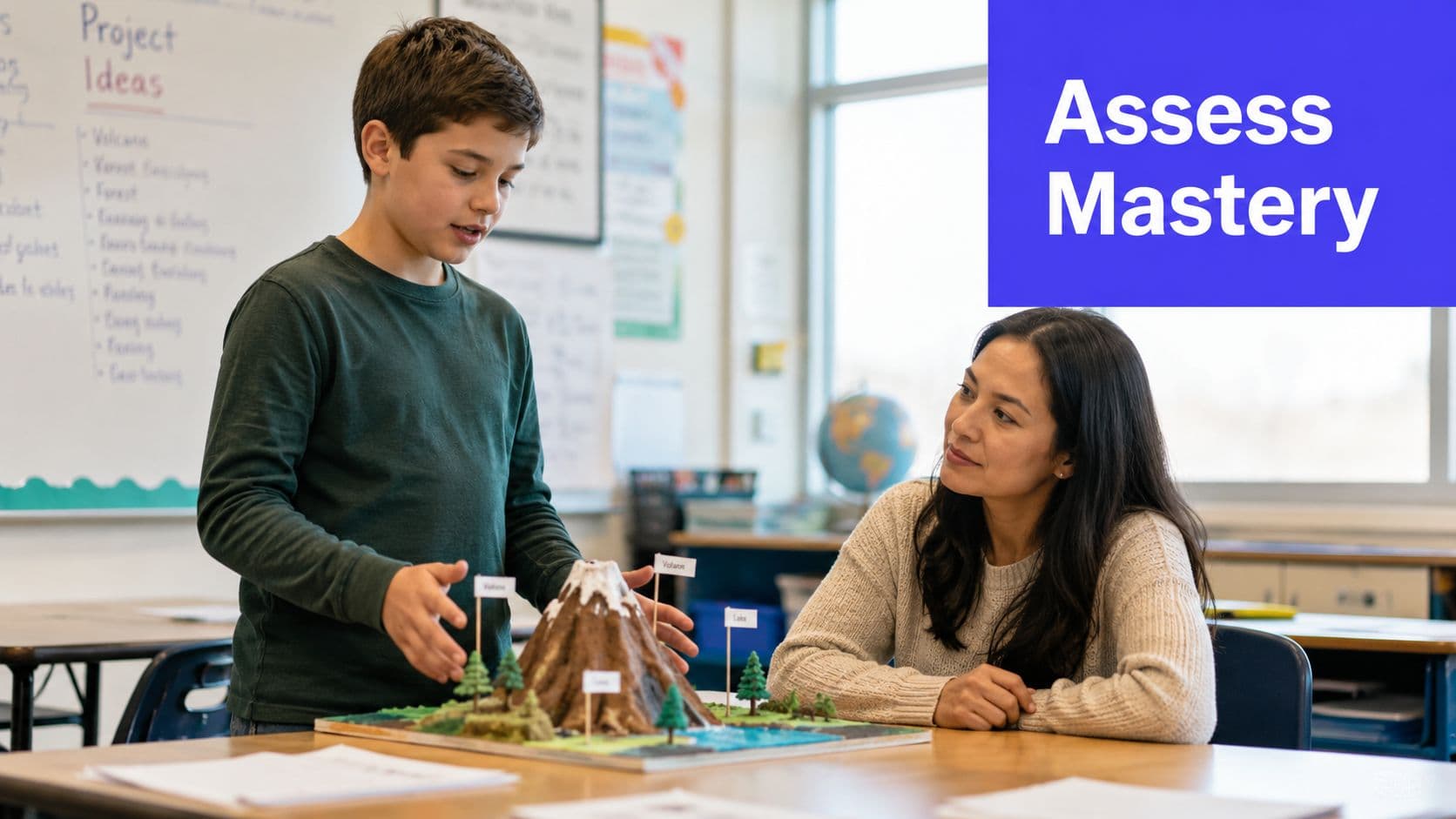
The easiest way to clean this up is to think in two categories. Formative assessments are checkpoints. Summative assessments are finish lines. If you want a fuller breakdown, this guide on formative vs summative assessment in K-12 planning lays out the distinction clearly.
Formative checks tell you what to do next
Formative assessment happens during learning. Its job is not to produce a grade. Its job is to reveal confusion early enough for you to respond.
Good formative checks are fast and specific. They help you answer questions like:
- Did students grasp the concept or just copy the example?
- Who needs another model?
- Who is ready to move ahead?
- Which misconception is showing up across the room?
Data-driven instructional design calls for collecting calibration data at multiple points through the year, including the beginning, middle, and end, so teachers can proactively support student learning. The same source notes that a tool such as Kuraplan can support that process through a 24/7 AI teaching assistant for planning questions (using calibration data to improve instruction).
In the classroom, that larger habit starts with small routines.
Here are low-prep checks that work tomorrow:
- Exit ticket: One question that matches the day's objective.
- Show me board: Students solve or respond on mini whiteboards so you can scan the room.
- Turn and talk: Listen for the language students use, not just whether they're talking.
- One-sentence summary: Great for science, social studies, and reading.
- Error analysis: Give students a wrong answer and ask them to explain the mistake.
Summative assessments should match the standard
Summative assessments come after the learning sequence. At this point, students show what they can do with less support.
The biggest mistake here is mismatch. Teachers assign a task that looks impressive but does not measure the target skill. A decorative poster won't tell you much about historical reasoning. A multiple-choice quiz won't fully show whether students can write a persuasive paragraph.
Use a simple match-up:
| If students need to... | Consider... |
|---|---|
| Explain reasoning | Written response or conference |
| Apply a process | Performance task or worked problem |
| Analyze text or evidence | Short essay, annotation, or discussion rubric |
| Create something based on learning | Project with clear criteria tied to content goals |
A short visual explanation can help when you're tightening this part of your planning process.
Use assessment to adjust, not just record
The point of assessment isn't a spreadsheet. It's a teaching decision.
If half the class missed the same idea, that's not a student sorting moment. It's a signal to reteach differently.
When teachers use assessment this way, planning gets more efficient. You stop guessing what students need because the evidence is already in front of you.
Sequencing Activities for Engagement and Equity
A lesson can have a strong objective and a solid assessment but still fall flat because the sequence makes no sense for actual learners. The task might be too hard too early. The background knowledge may be missing. The example may be abstract when students need something concrete first.
That's why sequencing matters so much in instructional design for teachers. Good sequencing doesn't just organize time. It builds access.
Build from clarity to complexity
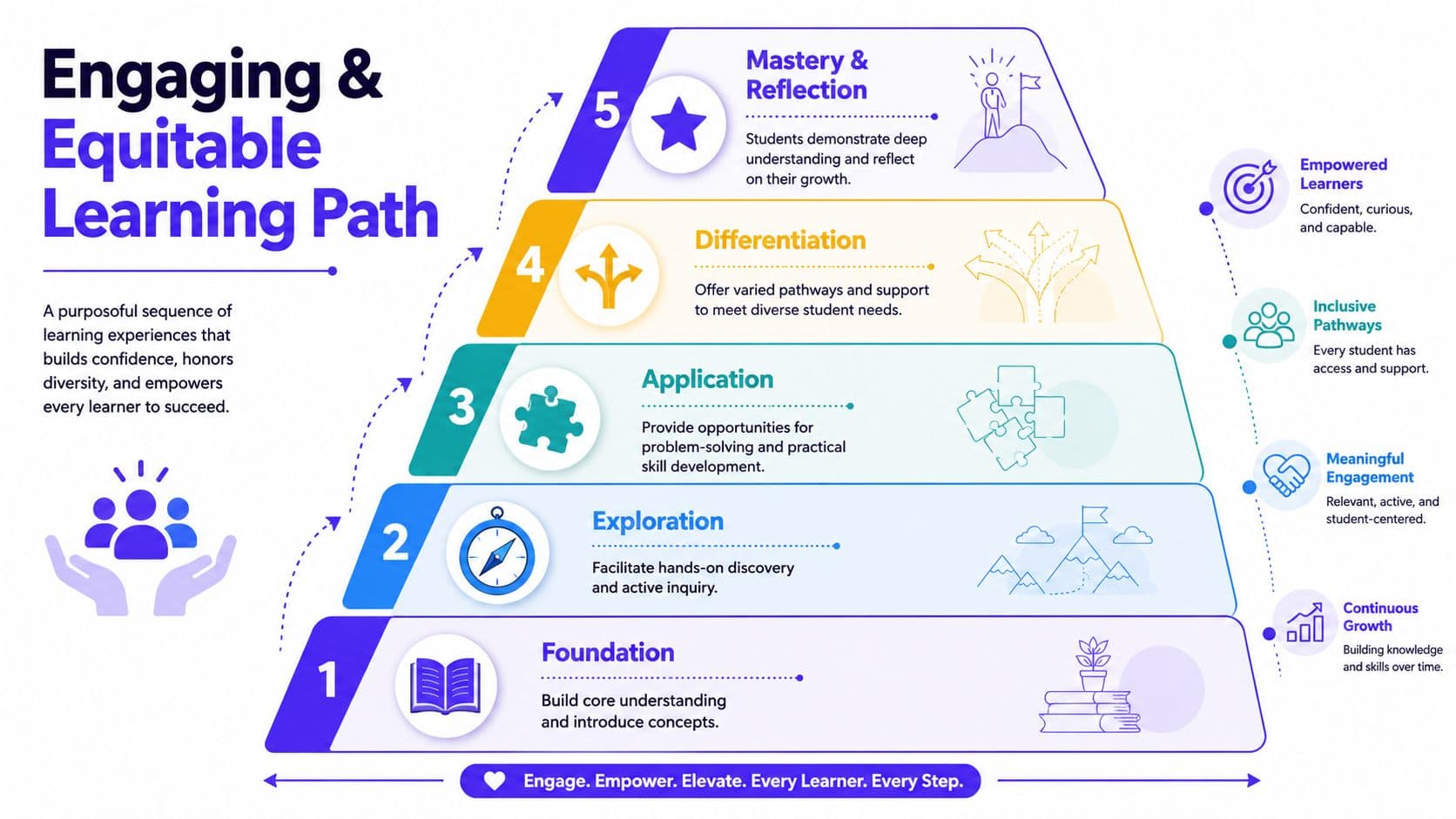
The strongest lesson sequences usually move through a few recognizable phases. Not rigidly, but with intention.
A practical sequence often looks like this:
Foundation
Start by naming the goal and connecting it to what students already know. If they don't know why the lesson matters, you'll spend the whole period pulling them back in.Exploration Let students encounter the concept through a worked example, text, image, demonstration, or short discussion. Confusion should be safe and visible during this phase.
Application
Give students a chance to use the skill with support. This is the middle of the lesson where productive struggle belongs.Differentiation
Adjust the pathway. Some students need sentence stems, manipulatives, reduced text load, or a visual model. Others need a tighter challenge.Mastery and reflection
End with a task that shows what they learned and a brief reflection on what still feels difficult.
This sequence supports engagement because students know where they're headed. It supports equity because the lesson doesn't assume every learner starts in the same place.
UDL and differentiation belong in the original plan
Teachers often hear “differentiate” as if it means writing three extra lesson plans. That's not sustainable.
A more realistic approach is to design with options from the start. Universal Design for Learning works well here because it asks teachers to provide multiple ways for students to access content, stay engaged, and show what they know.
A few examples:
- Multiple means of representation: Pair text with visuals, modeling, or read-aloud support.
- Multiple means of engagement: Offer choice in examples, partners, or response formats.
- Multiple means of expression: Let students explain through writing, speaking, drawing, sorting, or building when appropriate.
These choices don't water down rigor. They remove barriers that have nothing to do with the target skill.
A student who can explain a science concept orally but freezes during long written directions still understands science. The design needs to account for that.
Use examples students can actually connect to
One of the easiest improvements a teacher can make is swapping generic examples for realistic ones. Instructional design best practices call for giving learners examples that relate to their own world, and platforms such as Kuraplan can support that by generating standards-aligned worksheets and visuals that mirror real classroom scenarios (realistic examples in instructional design practice).
That principle matters more than many planning documents admit.
If you're teaching ratios, sports stats may connect with one group, but recipe conversions, music playlists, or classroom supplies may connect with others. If you're teaching argumentative writing, ask students to argue something they encounter in their lives, not just a canned debate prompt no one cares about.
A simple sequencing test
Before teaching, ask four questions:
- Does each task prepare students for the next one
- Is the first independent task too hard without support
- Have I given more than one way into the content
- Can students show understanding in more than one reasonable way
If the answer is no to any of those, the fix is usually in the sequence, not in your energy.
Streamline Your Workflow and Avoid Common Pitfalls
Most teachers don't struggle because they lack dedication. They struggle because planning takes too many decisions, too much formatting, and too much reconstruction from scratch.
That's why the core promise of instructional design for teachers isn't elegance. It's efficiency with purpose.
The common planning mistakes are predictable. Teachers skip the analysis because they're short on time. They grab an activity before locking in the objective. They build the lesson, then tack on an assessment at the end. Those habits create misalignment, and once that happens, the lesson gets harder to teach and harder for students to follow.
Common instructional design pitfalls include inadequate needs assessment and skipping the Analysis phase, which leads to misaligned objectives. One instructional design source reports that 68% of ineffective instructional design cases stem from poor initial learner analysis (analysis-phase pitfalls in instructional design).
What analysis looks like in a real classroom
For teachers, analysis doesn't mean a formal report. It means taking a quick, honest inventory before planning:
- Prior knowledge: What do students already know, and what are they likely to misunderstand?
- Reading load: Can they access the text independently, or do you need supports?
- Classroom conditions: How much time do you really have, and what interruptions are likely?
- Learner variability: Who needs language support, visual structure, or a smaller step into the task?
Skipping these questions is what makes a lesson look good on paper but fall apart by second period.
Let tools handle the repetitive parts
AI planning tools can be useful if you use them carefully. The best role for them isn't replacing teacher judgment. It's handling the repetitive design work that drains time.
A tool like Kuraplan can take a standard and generate a standards-aligned lesson or unit plan with mapped objectives, differentiated activities, rubrics, worksheets, and printable materials. Used well, that kind of platform functions like a smart planning assistant. It speeds up the drafting, formatting, and organizing so the teacher can focus on the parts software can't do, like anticipating misconceptions, adjusting for a specific class, and deciding what tone or example will land.
That trade-off matters. Teachers shouldn't spend their best thinking time resizing boxes or rewriting the same objective format for the tenth time.
Use the tool for the first draft. Use your professional judgment for the final draft.
What works and what doesn't
Here's the plain version.
| Works | Doesn't work |
|---|---|
| Start with the standard and intended outcome | Start with a random activity |
| Write a measurable objective | Use “understand” and hope for the best |
| Plan checks during the lesson | Wait until the unit test to discover confusion |
| Build supports into the sequence | Add accommodations at the last minute |
| Use tools to reduce clerical work | Let tools make all instructional decisions |
The goal isn't perfect planning. No teacher gets that every week. The goal is to make your process lighter, clearer, and more repeatable so you can spend more of your energy where it belongs, with students.
If you want a faster way to turn standards into workable lessons, Kuraplan can help with the repetitive parts of planning, including objectives, assessments, worksheets, visuals, and lesson sequencing, while still leaving the final instructional decisions in the teacher's hands.