It's 7:15 a.m., and you're looking at a lesson that will work for a good share of the class but still leave a few students stuck before you even start. One needs audio support to get through the text. Another understands the content but freezes when every response has to be written. A third will do fine if the task has a clear structure, but not if the directions stay buried in a paragraph. Most teachers patch those gaps in real time. The trade-off is familiar. More scrambling during class, less time for actual teaching.
Universal Design for Learning, or UDL, offers a better way to plan. The federal definition describes it as a framework for building flexibility into how students access information, stay engaged, and show what they know, while keeping expectations high for all learners. This distinction is important. UDL is not a separate set of accommodations you bolt on later. It is a way to design lessons so fewer students hit preventable barriers in the first place.
In practice, that leads to fewer one-off fixes and more intentional options from the start. A text can come with audio support. Directions can include a model, not just a paragraph. A student can show understanding through writing, speech, video, or a structured visual response when the target allows it. Tools can help here too. For example, some teachers use text-to-speech, captioning, or voice tools such as Elevenlabs for creative workflows when they need another access point for students.
This article stays practical. You'll find eight universal design for learning examples that teachers can use in real classrooms, not just in training slides. Each one breaks down the classroom activity, how to set it up without creating extra prep for every lesson, what to assess, and the barrier that commonly gets in the way. That structure matters because UDL works best when it moves from broad principles to specific teaching moves.
1. Multiple Means of Representation With Multimodal Content
A student opens the page, stares at a dense block of text, and waits. Another student starts right away because the same idea also appears as a diagram and a short model. That gap is often a design problem, not a motivation problem. Multiple means of representation helps by giving students more than one way to take in the same concept.
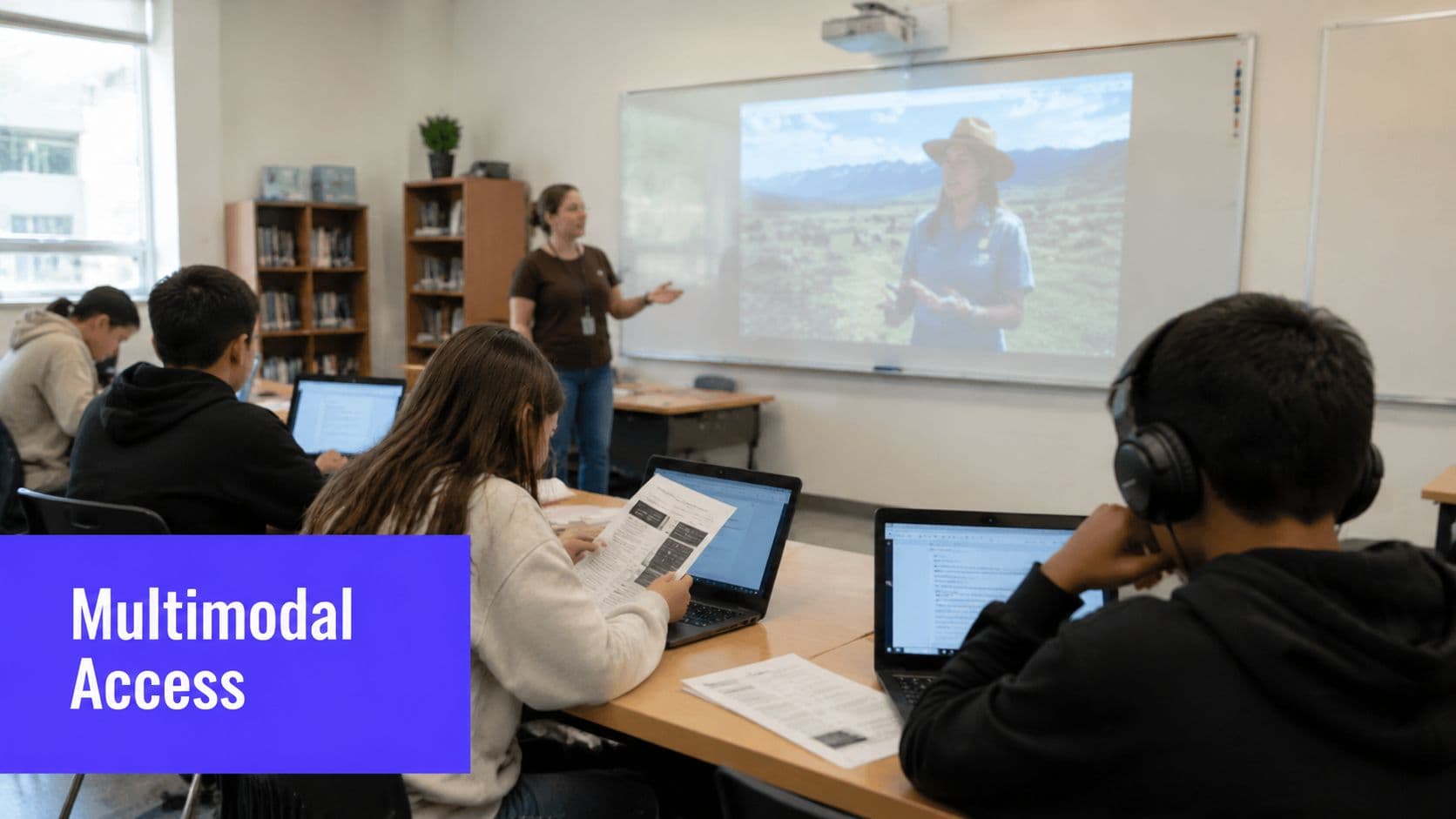
In a fractions lesson, that might mean written problems, fraction tiles, pie-chart visuals, and a short recorded explanation students can replay. In history, it can be a brief text excerpt paired with primary source images and a simple timeline. In science, students may read a concise explanation, study a labeled diagram, and watch a short animation before they handle materials in a lab. The goal is not novelty. The goal is reducing avoidable access barriers while keeping the learning target the same.
The practical mistake is overbuilding. Teachers do not need four polished versions of every lesson. A better starting point is one hard concept per unit. If students regularly get stuck on equivalent fractions, main idea, or the water cycle, build two or three strong representations for that concept first and watch what changes.
A classroom activity that works
Try a “three-access-point” lesson. Present the core idea through a short teacher explanation, one visual or model, and one student-controlled format such as a replayable video, audio directions, or annotated digital text. Then give students a quick task that checks whether they can use the content, not just sit through it.
For example, after introducing equivalent fractions, students can:
- read one worked example
- manipulate fraction tiles or view a matching visual
- watch a 60-second recorded explanation again if needed
- solve two practice items and explain which representation helped most
That last step matters because it shows which format removed the barrier and which one just added noise.
How to set it up without adding hours of prep
Reuse your core materials. Turn one set of notes into a clean visual, a brief oral explanation, and a chunked student handout instead of creating separate lessons from scratch. If your slides are text-heavy, cut the wording, add one strong visual, and record directions once. That is often enough.
Kuraplan can help with this kind of prep. A grouping and planning tool can save time when you are organizing materials for different access needs, especially if you are adjusting supports for small groups without rebuilding the whole lesson.
Use these moves consistently:
- Keep the concept fixed: Change the format, not the learning target.
- Add captions and transcripts: Students miss oral directions for all sorts of reasons.
- Name what the visual shows: A diagram helps more when the key relationship is stated directly.
- Trim visual clutter: Clear headings, chunked directions, and white space improve access fast.
- Limit the options: Two or three formats usually work better than five loosely connected ones.
Practical rule: If a student misses your live explanation, the materials should still let them recover the task independently.
What to assess
Assess the target, not the format. If the goal is understanding fraction equivalence, check whether students can identify and explain equivalent fractions after using different representations. A short exit ticket works well here. Ask one content question and one reflection question about which support helped them access the idea.
That gives you useful planning information for the next lesson without turning UDL into a separate grading system.
Common barrier
The biggest barrier is teacher workload. Multimodal instruction can become unsustainable if every lesson turns into a full redesign. Start small, reuse formats across units, and build a shared bank of visuals, recordings, and models over time.
Audio tools can help when spoken directions or narrated supports would remove a barrier. If you create those materials, Elevenlabs for creative workflows can fit into that process, as long as you still review the final version for clarity, pacing, and age-appropriateness.
2. Flexible Grouping Strategies
A fixed group becomes a label fast. Students know who's in the “high” group, who gets pulled for help, and who coasts. Flexible grouping works better because it changes with the task, the data, and the day.
In reading, that might mean one small guided group working on decoding, partner fluency practice for another set of students, and an independent comprehension task for students ready to work alone. In math, groups can rotate through fact fluency, reteaching, and open-ended problem solving. In project work, mixed-strength teams often work well when roles are clear and purposeful.
How to make grouping useful instead of chaotic
The strongest grouping decisions come from quick evidence. Exit tickets, a short warm-up, or a single problem on mini whiteboards tell you more than a hunch. Keep instructional groups small when you're teaching a skill directly. For collaborative projects, larger groups can work, but only if each student has a defined role.
A simple way to speed up the logistics is using a tool like Kuraplan's group generator. It won't replace your judgment, but it can save time when you need to regroup quickly based on readiness, support needs, or collaboration patterns.
- Use fresh data: Yesterday's exit ticket is better than last month's benchmark for making tomorrow's groups.
- Teach group behavior directly: Don't assume students know how to take turns, summarize, or disagree productively.
- Rotate roles: Reader, recorder, checker, and speaker roles keep one student from carrying the whole group.
- Keep regrouping normal: Students should expect groups to change often.
What doesn't work is pretending every task needs small groups. Some lessons need whole-class modeling first. Some students need brief independent work before they're ready to collaborate. Flexible grouping is about purposeful variation, not constant movement.
When grouping is working, students talk about the task, not about what group they're “in.”
Assessment can stay light here. Listen to group talk, collect one shared response, or have students complete a brief reflection on how the group helped them learn. If the same students are always dependent on peers, the grouping structure needs adjusting.
3. UDL Lesson Planning Frameworks
Third period starts in five minutes. You have the standard, the worksheet, and a class full of students who will not all enter the lesson the same way. A planning framework helps you catch that before the lesson begins.
The most useful UDL planning move is also the simplest. Build each lesson around three decisions. How will students get the content? How will they stay involved long enough to work with it? How will they show what they learned? Teachers who ask those questions early spend less time patching holes during instruction.
A planning model teachers can actually reuse
Take a social studies lesson on civic participation. Students can learn the core idea through a short article, a political cartoon, a documentary clip, or a classroom simulation. They can process it through discussion, quiet note-making, or a structured debate. They can show understanding with a paragraph, a visual explanation, or a recorded response.
That same framework holds up across subjects because it starts with barriers, not activities. In math, a fractions lesson might include manipulatives, diagrams, and a short animation before students solve problems in more than one format. In ELA, a narrative writing lesson might begin with mentor texts, audio read-alouds, and story maps, then give students different paths for planning and drafting.
The lesson gets stronger when those options are still tied to one clear goal. If the objective is analyzing civic participation, every pathway should still lead students back to that analysis. Choice without a tight target can turn into busywork fast.
If you want a starting template, this guide to writing a lesson plan is useful because it keeps the focus on objectives, supports, and assessment. For teachers who want to map support from modeling to independence, this gradual release of responsibility overview fits well with UDL planning.
The trade-off is real. Front-loading this kind of planning takes longer, especially the first few times. It saves time later because directions are clearer, support options are ready, and fewer students stall out waiting for a rescue version of the assignment.
Start with one lesson that keeps missing the mark
Pick a lesson you reteach every year, the one where directions fall apart, participation drops, or half the class needs extra clarification. Rebuild that lesson with the three UDL questions and keep the changes small enough to repeat.
A practical planning routine helps:
- Name the barrier before the activity: Decide whether the usual problem is access, engagement, or expression.
- Prepare two or three access points: One strong text, one visual or model, and one supported option is often enough.
- Limit the choices: Too many options create management problems. Start with two ways to practice or respond.
- Match assessment to the goal: If students are learning the concept, don't let handwriting, reading load, or speaking confidence become the thing you are really grading.
- Save what worked: Keep a folder of prompts, visuals, sentence frames, graphic organizers, and response formats you can reuse.
Special educators, interventionists, and related service staff often improve this planning step because they notice barriers that are easy to miss when you are focused on pacing. Their input is most useful before the lesson, not after it fails.
Good UDL planning is less about writing a perfect lesson and more about building a lesson that can hold up when real students walk into the room.
4. Scaffolding and Gradual Release of Responsibility
Monday, the class can explain a skill while you are standing beside them. Wednesday, half of them freeze when the support is gone. That pattern usually points to a scaffolding problem, not a motivation problem.
Scaffolding works best when teachers plan both parts of it up front. What support will help students start, and what evidence will tell you it is time to pull that support back? Without that second decision, temporary help turns into a permanent prompt.
The familiar sequence still holds up. I model, we practice, students try it independently. In writing, that might look like a think-aloud during brainstorming, one paragraph built together, and then independent drafting with a planning frame. In math, it might be one fully modeled problem, one solved with class input, and a short set of similar problems completed with a checklist nearby.

Build supports you can remove
The job of a scaffold is independence. If students still need the same sentence starters, graphic organizer, or worked example long after the skill has been introduced, the support is doing too much of the work.
A common mistake is modeling the finished product without modeling the decisions behind it. Students copy the shape of the task but miss the reasoning. Say the quiet part out loud. Explain why you picked that evidence, why you rejected one strategy, or why you revised a weak sentence. That is often the difference between compliance and transfer.
For a clear sequence teachers can apply across subjects, this gradual release of responsibility overview lays out the stages in a practical way. It fits UDL well because students get access to the work without lowering the level of thinking.
Three classroom moves tend to pay off fast:
- Keep supports visible: Anchor charts, checklists, worked examples, and graphic organizers help students keep going after direct instruction ends.
- Fade one support at a time: Remove the word bank before the organizer, or the organizer before the model. That makes it easier to see what students can now do on their own.
- Check independence before grading: Use mini whiteboards, quick writes, short partner explanations, or a brief conference to see whether students can apply the skill without heavy prompting.
In practice, this section is where UDL becomes useful instead of theoretical. A scaffolded lesson needs more than a model. It needs a concrete activity, a clear plan for reducing support, a quick assessment check, and an honest look at barriers. If students with weak working memory keep losing track of steps, use a checklist. If multilingual learners can explain thinking aloud but not yet in writing, keep the cognitive demand high and add language supports for the written piece.
Remove support in stages, not all at once. Students should feel the challenge increase, not the floor disappear.
5. Choice and Student Agency in Learning
Choice helps. Unstructured choice can overwhelm. Both are true.
The most effective UDL classrooms offer bounded choices. Students pick from a small set of strong options that all lead to the same learning goal. That might mean choosing between a novel, graphic novel, audiobook, or podcast on the same topic. It could mean selecting a project format from a menu instead of everyone producing the same poster or essay.
Give choice with guardrails
A good example is a science inquiry board with three paths: run an experiment, analyze real-world observations, or research and present findings. All three require students to explain the same target concept. The task changes. The standard doesn't.
This section is where teachers sometimes drift into “anything goes.” That usually backfires. Students who struggle with planning or working memory often need structure, not unlimited freedom. Too many open-format options can create anxiety, uneven quality, and a lot of teacher confusion at grading time.
A practical rule is two to four choices, all explained clearly, all matched to the same rubric. Choice boards, menus, and simple planning conferences help students make decisions they can carry through.
- Establish the essential requirements first: Define the content, skill, and evidence you need before adding options.
- Teach students how to choose: Ask, “Which format helps you explain your thinking best?”
- Use checkpoints: Quick progress checks keep students from picking a format they can't sustain.
- Debrief the choice: Have students reflect on whether their chosen path helped or hindered their learning.
One of the strongest universal design for learning examples here is the assessment menu. For a book response, students might write an essay, record a podcast, build an annotated timeline, or produce a short presentation. The trap is assuming every option is equally manageable for every student. It isn't. Offer freedom, but keep the path visible.
6. Assistive Technology and Accessibility Tools
The quiz has started. One student is still decoding the directions, another knows the content but cannot get ideas onto the page fast enough, and a third missed half the video yesterday because the room speakers were poor. In that classroom, accessibility tools are not extras. They are how students get to the task.
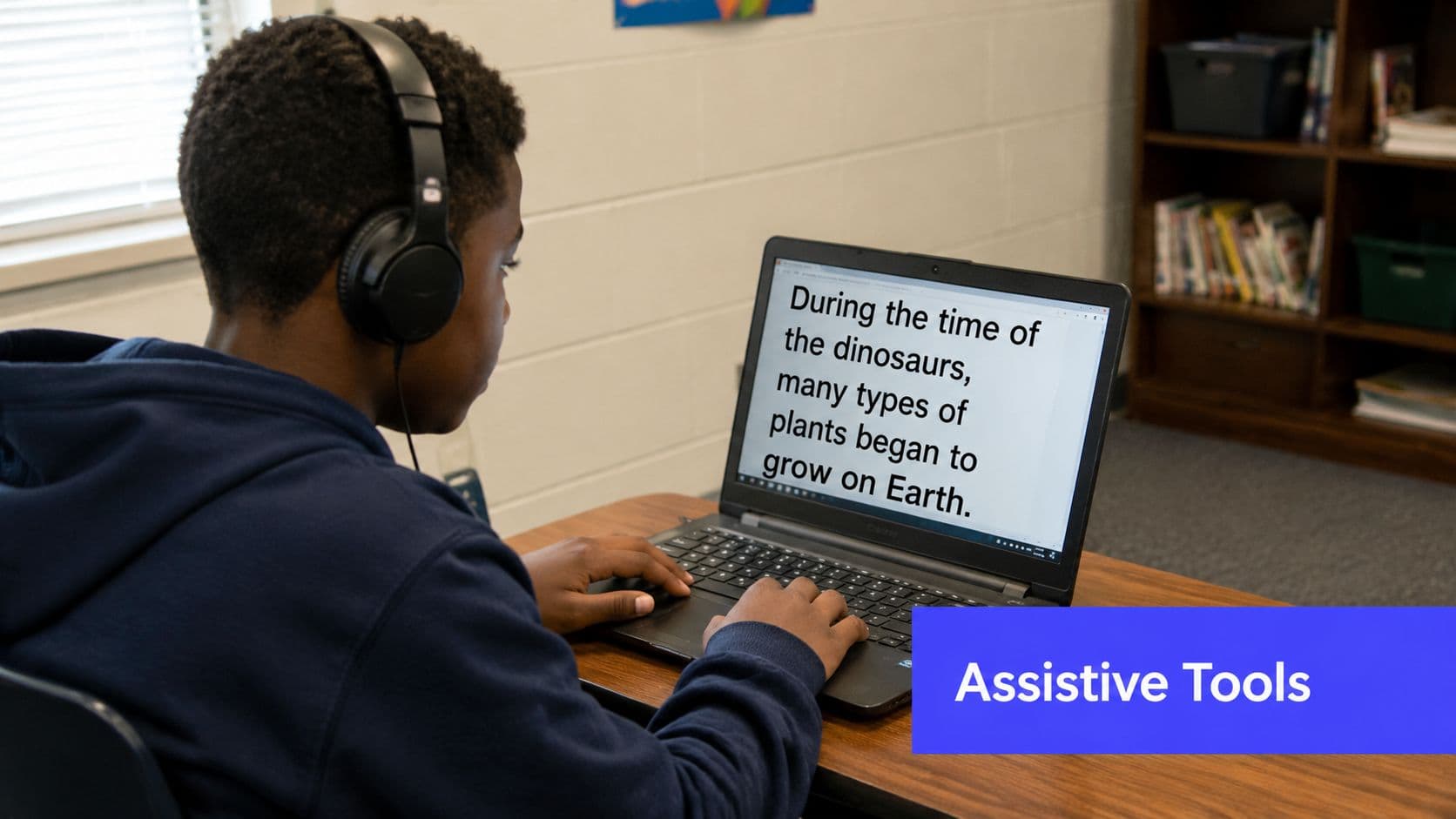
Among the clearest universal design for learning examples, assistive technology stands out because teachers can apply it right away and see whether it removes a real barrier. A student with dyslexia uses text-to-speech to read a chapter. A student with writing difficulties drafts with speech-to-text. A student who is blind uses a screen reader with digital text. Captions support deaf or hard-of-hearing students and often help multilingual learners follow academic vocabulary more accurately.
The practical lesson is simple. Build access in before a student falls behind. Waiting for formal paperwork can delay support that is already available on school devices.
Start with the tools you already have
Many schools already have useful accessibility features sitting idle. Read-aloud, enlarged text, contrast settings, captions, voice typing, and playback speed controls solve a surprising number of day-to-day problems. Before buying a new platform, check what students can already turn on in their browser, LMS, Chromebook, iPad, or Microsoft and Google tools.
The trade-off is training time. A tool only helps if students can use it without a lot of prompting. Dropping speech-to-text on a student during a timed writing task usually creates more stress, not less. Teachers need practice too. Test the feature yourself, build in a low-stakes trial, and decide where it fits.
Here's a classroom explainer worth embedding for staff discussion or student support planning:
A workable rollout is small and routine. Introduce one or two access features to the whole class. Use them during regular instruction, not only during interventions or accommodations meetings. That keeps the tool from feeling like a public label and gives every student a chance to figure out what helps.
- Teach access tools to everyone: Model captions, voice typing, read-aloud, zoom, and contrast settings during normal lessons.
- Match the tool to the barrier: Use text-to-speech for reading access, speech-to-text for written output, and captions for audio-heavy content.
- Practice before grading: Let students try tools during notes, warm-ups, and drafts before expecting them to use them on tests or final products.
- Create a quick access routine: Post a short checklist so students know how to turn on the supports they need.
- Coordinate with specialists: Special education staff, related service providers, and AT specialists can help troubleshoot tool fit and student stamina.
Assessment needs the same clarity. If a student uses speech-to-text to explain a science concept, score the science explanation unless conventions are part of the target. If the goal is historical analysis, a screen reader or captioned source should not lower the rigor. It changes how the student reaches the material.
Common barriers are predictable. Devices are inconsistent across classrooms. Wi-Fi fails. Students may feel self-conscious using read-aloud in a quiet room. Headphones go missing. Plan for those realities. Keep spare headphones, offer offline options when possible, and make digital materials readable by screen readers from the start.
That is what makes this UDL example useful in practice. It is not a theory statement. It is a set of concrete classroom moves, clear tool choices, and assessment decisions that remove barriers without lowering the learning goal.
7. Culturally Responsive Teaching and Inclusive Curriculum Design
Students engage more readily when the curriculum reflects lives, communities, and histories they recognize. That's not a side issue. It's access.
An inclusive curriculum doesn't mean adding one heritage month text and calling it done. It means students regularly encounter diverse voices, examples, and perspectives across the year. In primary grades, that might be a community helpers unit that includes a wider range of cultural and family contexts. In upper grades, it could mean history taught through multiple primary sources rather than a single textbook narrative.
Relevance is an academic support
A math problem about local bus routes, neighborhood businesses, or community events can foster participation for students who tune out abstract textbook scenarios. In ELA, text selection matters. So do whose voices are centered in discussion and whose experiences are treated as “normal.”
This is also where teachers need to be honest about gaps. Many classrooms still run on inherited materials that overrepresent some groups and flatten others. A curriculum audit helps. Look at your anchor texts, examples, visuals, and historical perspectives. Ask who appears repeatedly, who appears only during special units, and who is missing.
- Audit what you already teach: Check your texts, images, word problems, and mentor examples for missing perspectives.
- Use families and communities as resources: Guest speakers, community artifacts, and local stories can strengthen relevance.
- Protect complexity: Don't reduce cultures to food, festivals, and famous firsts.
- Display belonging visibly: Student work, multilingual signage, and community-connected visuals tell students whose identities matter in the room.
One useful way to think about this through a UDL lens is engagement. Students are more likely to persist when material feels meaningful and respectful. Representation matters in the broader sense, too. It's not just about media formats. It's also about whose knowledge is represented.
A curriculum can be academically rigorous and culturally narrow. UDL asks for rigor with access.
Assessment here can include reflection, discussion, comparative analysis, or community-connected projects. What matters is that students can connect learning to real contexts without being forced to leave their identities outside the room.
8. UDL Assessments and Multiple Means of Expression
A student understands the content, but freezes at the words “write an essay.” Another can explain the concept clearly out loud, yet struggles to organize a polished paragraph on paper. UDL assessment addresses that problem by keeping the learning goal steady while giving students more than one valid way to show mastery.
That distinction matters. If the target is explaining photosynthesis, students can meet it through a written explanation, a labeled diagram with oral commentary, a short video, or a physical model with a spoken defense. If the target is literary analysis, the options might include an essay, a podcast, an infographic with evidence-based commentary, or an annotated visual timeline. The standard stays the same. The path to expression changes.
Score the learning target, not the format
This is usually where teachers hesitate, and for good reason. More choice can create more grading variation if the criteria are vague. The fix is not to limit every student to one format. The fix is to tighten the rubric.
Build the rubric around what you teach and assess: accuracy, use of evidence, reasoning, clarity of ideas, and command of the concept. If visual design, audio editing, or presentation style are not part of the standard, they should not carry much weight in the score. Otherwise, you end up grading production skills instead of learning.
Kuraplan is useful here because it can generate standards-aligned rubrics and adapt them across formats. That saves planning time when students are creating different products and you still need one consistent scoring tool.
In practice, the strongest version of this strategy is structured choice, not unlimited choice. Too many options can create confusion, uneven quality, and a pile of one-off grading decisions for the teacher.
- Offer two or three equivalent formats: A short menu is easier to teach, support, and score.
- Use one shared rubric: Keep success criteria consistent across every option.
- Add a brief reflection: Ask students to explain why they chose the format and how it helped them communicate their thinking.
- Set format-specific guardrails: Give clear expectations for length, required evidence, and submission components.
- Plan for access barriers: Some students need sentence frames, checklists, exemplars, or rehearsal time before they can use choice well.
One real trade-off is time. A class set of essays is faster to skim than a mix of recordings, visuals, and live presentations. I have found that this stays manageable when the options are limited, the rubric is shared, and students submit one common planning sheet before they start. That front-end structure cuts down on confusion later.
Assessment flexibility also does not mean every assignment needs multiple formats. Some tasks should stay uniform, especially when you are explicitly teaching a specific genre or communication skill. UDL works best when teachers decide where flexibility protects access and where a single format is part of the learning goal itself.
Used well, this approach gives teachers a practical way to assess the same standard across different products. It also makes this list of UDL examples more than theory. The strategy only works when the activity, scoring method, classroom routines, and likely barriers are planned together.
UDL Examples: 8-Point Comparison
| Strategy | Implementation Complexity 🔄 | Resource & Tech Requirements ⚡ | Expected Outcomes 📊 | Ideal Use Cases | Key Advantages ⭐ | Practical Tip 💡 |
|---|---|---|---|---|---|---|
| Multiple Means of Representation (MMR) with Multimodal Content | Moderate–High; multi-format design and coordination | High; multimedia authoring, captioning, devices, skills | Broader access, improved comprehension & retention | Abstract concepts, ELL support, blended lessons | Inclusive access across sensory modalities; richer engagement | Start with 2–3 representations per concept; ensure captions/transcripts |
| Flexible Grouping Strategies | Moderate; ongoing planning and transitions | Low–Moderate; assessment data, flexible space, timers | Targeted instruction, peer learning, reduced stigma | Small-group instruction, centers, remediation | Responsive differentiation; builds collaboration and confidence | Use quick pre-assessments; keep groups 2–4 and rotate roles |
| UDL Lesson Planning Frameworks | Moderate; mindset shift but scalable once learned | Moderate; planning time, UDL resources or AI planners | Built-in differentiation; consistent inclusive lessons | Unit planning, curriculum redesign, school-wide adoption | Reduces retrofitting; aligns standards with accessibility | Pilot one lesson; use UDL-aligned tools (e.g., Kuraplan) to scale |
| Scaffolding & Gradual Release of Responsibility | Moderate; requires real-time judgment and timing | Low–Moderate; organizers, templates, focused small-group time | Faster progression to independence and mastery | Skill-building lessons, complex procedures, new strategies | Supports mastery, reduces frustration, clarifies expectations | Define success criteria; fade supports responsively based on checks |
| Choice & Student Agency in Learning | Moderate–High; designing equivalent, manageable options | Moderate; varied resources, choice boards, monitoring tools | Increased motivation, ownership, varied demonstrations of learning | Project-based learning, assessments, engagement-focused units | Boosts intrinsic motivation and decision-making skills | Offer 2–4 aligned choices; teach decision-making and reflection |
| Assistive Technology & Accessibility Tools | Low–Moderate; setup and training required | Moderate–High; devices/software, subscriptions, tech support | Removes access barriers; increases independence and equity | Students with disabilities; universal access baseline | Levels the playing field; benefits many learners beyond target | Start with built-in tools; train all students and staff; test tools first |
| Culturally Responsive Teaching & Inclusive Curriculum | High; ongoing reflection, material curation, relationship work | Low–Moderate; PD, diverse materials, community partnerships | Greater relevance, engagement, improved outcomes for marginalized students | Literature, social studies, community-linked units | Strengthens identity, critical consciousness, inclusive environment | Audit curriculum for missing voices; partner with families and communities |
| UDL Assessments & Multiple Means of Expression | Moderate–High; rubric design and logistical management | Moderate; tools for multimedia submissions and grading time | Fairer evidence of learning; reduced test anxiety; richer assessment | Summative projects, performance tasks, unit assessments | Captures diverse strengths; aligns assessment with goals | Build clear rubrics for equivalent options; limit to 2–3 assessment paths |
Putting UDL into Practice: Your Next Steps
Third period starts, and the usual friction shows up fast. Two students are stuck on the directions, one avoids the reading entirely, and another understands the content but freezes when the only way to show learning is a written response. That is where UDL earns its place. It gives teachers a way to plan for predictable barriers before they eat up class time.
The most workable next step is small and specific. Pick one recurring problem in your classroom and design around it. If directions break down, add a visual model and chunk the task. If one assessment format shuts students out, offer two equivalent response options. If students stall during independent work, add a scaffold and decide in advance when you will remove it.
That approach holds up better than trying to redesign everything at once.
Across these eight examples, the pattern is consistent. Strong UDL planning is structured, not loose. It means choosing supports on purpose, setting guardrails, and checking whether the change helped students access the lesson, stay engaged, or express what they know. It also means accepting trade-offs. Extra choice can create hesitation. New tech can pull attention away from the learning target. A support that helps one student may be unnecessary for another.
In practice, the best UDL moves are often plain ones. Captions. Clearer page layout. A worked example. A labeled diagram. A short teacher conference before students choose how to complete a task. These changes remove barriers without watering down the thinking.
That is the standard to keep.
As noted earlier, UDL is rooted in flexible access, flexible response, and high expectations for all learners. That combination matters. Access is the goal, but challenge stays in place. Students still do the thinking. Teachers just stop making avoidable barriers part of the assignment.
If you want more consistency across planning, a tool can help. Kuraplan is one option for building lessons with planned choices for representation and expression, creating visuals and worksheets, and drafting rubrics for different assessment formats. Used carefully, it does not replace teacher judgment. It cuts down repetitive prep so you can spend that time adjusting instruction based on what students need.
Start with one repeatable change this week. Add captions to one video. Rewrite one set of directions with icons or examples. Build one choice board with only two or three strong options. Small adjustments, repeated often, are what turn UDL from a good idea into a classroom routine.