A good pacing guide template for teachers is the single best tool for turning a chaotic list of standards into a clear, manageable roadmap for the entire school year. It's your game plan to make sure every required topic gets covered without that frantic end-of-year scramble.
Think of it as the secret to transforming overwhelming curriculum demands into achievable weekly goals.
Why Pacing Guides Are a Teacher's Best Friend
Let’s be real: the school year is a marathon, not a sprint. Without a map, it’s ridiculously easy to get lost somewhere between the first day of school and spring break. A solid pacing guide is that map.
It's the tool that prevents that sinking feeling in April when you realize you still have three major units left to teach. It helps you work smarter, not harder, by turning that massive, state-issued list of standards into a logical, week-by-week plan.
Creating Calm from Curriculum Chaos
The true magic of a pacing guide is how it brings clarity and predictability to a job that’s often anything but. It gives you a high-level overview, letting you see the whole year at a glance.
This means you can strategically place complex units away from chaotic times (like the week before winter break) and align topics with relevant seasons or holidays. This kind of foresight is a massive stress reducer.
A well-crafted pacing guide doesn’t restrict your creativity; it creates the structure needed for creativity to flourish. When you aren't worried about hitting every standard, you have the mental space to design engaging, memorable lessons.
More Than Just a Schedule
A great pacing guide is so much more than a list of topics and dates. It quickly becomes the central hub for your entire instructional strategy.
Here’s how it leads to better teaching:
- Ensures Equity and Consistency: When all teachers in a grade level or department use an aligned pacing guide, it guarantees every student gets instruction on the same core concepts, no matter whose classroom they're in.
- Aligns Instruction Vertically: It helps you see how your curriculum connects to the grade levels before and after you. You can confidently build on prior knowledge and prep students for what's coming next.
- Streamlines Collaboration: Sharing a common roadmap makes team planning sessions so much more productive. Conversations shift from, "What are you teaching next week?" to, "How are we going to teach this standard effectively?"
This matters. A 2023 Ipsos survey found that only 26% of people globally rate their education systems as 'very good'. Tools like a well-structured pacing guide template for teachers are fundamental to improving instructional quality and student outcomes.
Ultimately, a pacing guide is about reclaiming your time and energy. It's a form of strategic planning—and understanding effective project management best practices shows just how valuable this structured approach is. Your guide empowers you to leave work at a reasonable hour, confident that your students are on track and your year is under control.
Designing Your Pacing Guide Template From Scratch
Ready to build a pacing guide that actually works for your classroom—one that doesn't just gather dust in a folder? Let's get practical. Building a guide from scratch is all about starting with the "big rocks"—the non-negotiables of your school year—and then drilling down to the daily details.
First things first: the calendar. Before you even think about standards or units, pull up your official school district calendar. You need to map out the entire year and mark every single day that isn't a regular instructional day.
This one simple act can take you from feeling completely overwhelmed to having a clear, confident plan.
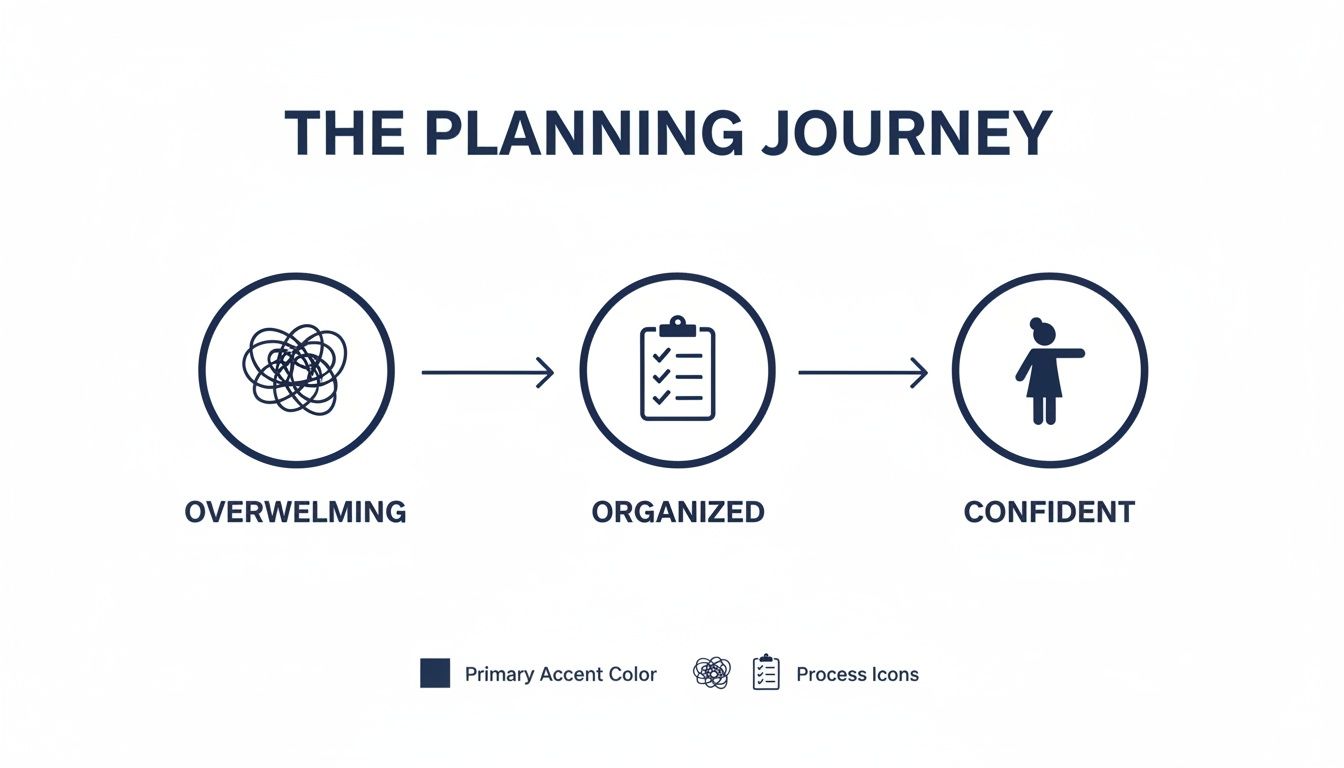
Starting with this framework turns the massive task of yearly planning into an organized path forward, giving you clarity and confidence right from the start.
Starting with Your Calendar Non-Negotiables
Your instructional time is limited, so you have to know exactly how many teaching days you're working with. Grab a highlighter or open a digital calendar and start blocking out everything that pulls you and your students away from regular instruction.
Be brutally thorough here. Don't just mark the big holidays; account for all the little interruptions that eat up time over the year.
Here’s what to block out first:
- Holidays and Breaks: Winter break, spring break, and any federal or local holidays.
- Teacher Work Days: Mark all professional development, planning, and records days.
- Standardized Testing Windows: Block off the entire testing period, since instruction is almost always disrupted.
- School-Wide Events: Think assemblies, field days, picture day, and spirit weeks.
- End of Grading Periods: Note these, as they often involve review and assessment instead of new content.
Once you’ve marked everything, count your remaining instructional days. That number is your new reality—it’s the actual amount of time you have to teach.
Chunking Your Curriculum Into Logical Units
Okay, now you know your timeframe. It’s time to tackle the curriculum. Staring at a year's worth of standards is a surefire way to feel overwhelmed. The key is to "chunk" it all down into logical, thematic units.
Think of it like sorting a giant pile of LEGOs by color and size before you start building. You want to group related standards together to create cohesive units that flow naturally from one to the next. For instance, a history teacher might group standards into units like "Colonial America," "The American Revolution," and "A New Nation."
As you get into this, remember your pacing guide is the big-picture map, and your daily lessons are the steps you take along the way. Having a solid grasp of creating effective lesson plans is crucial, since those lessons are the building blocks of your larger guide.
This kind of structure really matters for student success. In fact, a 2023 OECD report highlighted that the United States has an impressive 87% upper secondary completion rate, well above the international average. That success is directly tied to how structured curriculum pacing ensures all key standards are covered before the year is out.
Allocating Time and Building in Buffers
With your units defined, you can start slotting them into the calendar. Get realistic about how many weeks each unit will take. Some complex topics just need more time than others, and that’s okay. A great pro-tip is to color-code your units on the calendar to get a clear visual overview of the year.
The single biggest mistake I see teachers make is not building in buffer days. Your pacing guide is guaranteed to fall apart without them. Plan for the unexpected, because in teaching, the unexpected is a daily event.
As a rule of thumb, plan for one "flex" or "buffer" day for every three to four weeks of instruction. This is your secret weapon against falling behind.
You can use these buffer days for:
- Reteaching: For when a quick check-in shows students just didn't get a key concept.
- Enrichment: For students who have mastered the material and are itching for a deeper challenge.
- Catch-Up: For when a snow day, fire drill, or surprise assembly throws your whole schedule off.
And if you find yourself needing to create a lot of individual lesson plans to fill these units, you can save a ton of time by grabbing some free lesson plan templates for teachers to speed things up.
Aligning Assessments and Mapping Vertically
Your pacing guide isn't just about what you teach; it's also about how you'll know students learned it. As you place each unit on the calendar, map out your major assessments, too. Plot your unit tests, projects, and midterms right on the guide. This helps you avoid scheduling a big project right after a long break or a major test on the same day as the school-wide spelling bee.
Finally, think vertically. How does your plan connect to what students learned last year and what they’ll need for the year ahead? A quick chat with teachers in the grades above and below you is invaluable. This coordination creates a seamless learning journey for students, preventing frustrating gaps and redundant lessons.
For teachers looking to get a major head start, this is where a tool like Kuraplan comes in handy. Its AI can generate a standards-aligned pacing guide for you in minutes, suggesting logical unit breakdowns and timelines that you can then tweak and customize. It can save you hours on the initial setup.
What Every Effective Pacing Guide Includes
A truly useful pacing guide is more than just a calendar of topics. It's the command center for your entire school year, the one document that keeps you grounded when everything else feels chaotic. Think of it as the ultimate cheat sheet—it goes beyond what to teach and gets into the how and why.
When your pacing guide template for teachers has the right stuff, it seriously speeds up weekly lesson planning. The goal is to create something you’ll actually use, not a file that collects digital dust after the first week of school.
Let's break down the anatomy of a pacing guide that genuinely works.
Core Instructional Components
These are the non-negotiables. Without them, your guide is just a schedule. These elements connect your day-to-day teaching back to the big picture.
- Units and Topics: Clearly label each major unit and the specific topics inside it. A 4th-grade science unit on "Ecosystems," for example, might include topics like food chains, habitats, and human impact.
- Timeline and Duration: Give each unit a set number of weeks or days. This is your anchor, letting you know at a glance if you're falling behind or flying ahead.
- Learning Standards: List the exact standards you’re hitting in each unit. Pro tip: Instead of just writing "RI.5.1," I always copy and paste the full standard. It saves me from looking it up a dozen times and keeps the learning target front and center.
Getting this level of detail right is what turns a simple calendar into a powerful curriculum map.
Elements That Deepen Learning
Okay, with the basics down, it’s time to add the layers that make a guide a truly rich resource. These components bridge the gap between your curriculum and what actually happens in the classroom.
A great pacing guide doesn't just list what to cover; it sparks ideas for how to make the content come alive for students. It should be a source of inspiration, not just a list of obligations.
Try adding columns or sections for these:
- Essential Questions: What are the big, meaty questions you want students to wrestle with? For a high school English unit on The Great Gatsby, this could be, "Is the American Dream a reality or an illusion?"
- Key Vocabulary: Jot down the non-negotiable, tier-three vocabulary words students need to master. Having this list ready makes building quizzes, word walls, and activities so much faster.
- Core Activities and Resources: Note your favorite activities, labs, or online resources for each topic. You can even drop in hyperlinks to websites or your Google Drive folders to keep everything one click away.
This is also a great place to link out to new ideas. If you're stuck on a unit, you could explore how to create unit plans using AI and paste the best prompts or activities right into your guide.
Assessment and Differentiation Strategies
Finally, a truly effective pacing guide has to answer two critical questions: How will you know they've learned it, and how will you support every student? Weaving these in from the start makes differentiation feel natural, not like a last-minute add-on.
Plan both your small checks and your big tests ahead of time. It ensures your daily activities are actually building toward that final assessment.
- Formative Checks: Note ideas for quick checks like exit tickets, think-pair-share prompts, or mini-quizzes.
- Summative Assessments: Clearly identify the end-of-unit test, project, or essay. I find it helpful to put the assessment date right on the guide, too.
For differentiation, create a small section for each unit to brainstorm supports and extensions before you even start teaching.
To make sure you've covered all your bases, here’s a quick checklist of what every solid pacing guide should include.
Pacing Guide Template Checklist
| Component | Purpose | Example |
|---|---|---|
| Unit/Topics | Organizes content into logical chunks. | Unit 3: The American Revolution |
| Timeline | Allocates instructional time. | 4 weeks (Sept 15–Oct 10) |
| Standards | Aligns instruction to required curriculum. | SS.8.A.3: Analyze the causes, course, and consequences... |
| Essential Questions | Drives inquiry and critical thinking. | What is worth fighting for? |
| Key Vocabulary | Identifies critical academic language. | Loyalist, Patriot, Tyranny, Revolution |
| Activities/Resources | Lists core instructional materials. | Primary source analysis, debate, Crash Course video |
| Assessments | Measures student learning. | Formative: Exit Ticket; Summative: DBQ Essay |
| Differentiation | Plans for diverse learner needs. | Scaffolds: Sentence frames; Enrichment: Research a lesser-known figure. |
When you build a pacing guide template for teachers with these components, you create a living document that acts as your co-pilot for the entire school year. It’s what keeps your teaching intentional, aligned, and ready for whatever comes your way.
Making Your Pacing Guide Flexible for Real Students
We've all been there. You spend hours in August crafting the perfect, color-coded pacing guide, only to have a surprise assembly, a fire drill, and a week of unexpected student struggles throw the whole thing off by mid-September. The truth is, no plan ever survives first contact with a real classroom full of kids.
That’s why the best pacing guide template for teachers isn't a rigid contract; it's a flexible framework. Think of it as a living document designed to bend without breaking, allowing you to respond to your students' needs in real time without feeling like you've failed the plan.
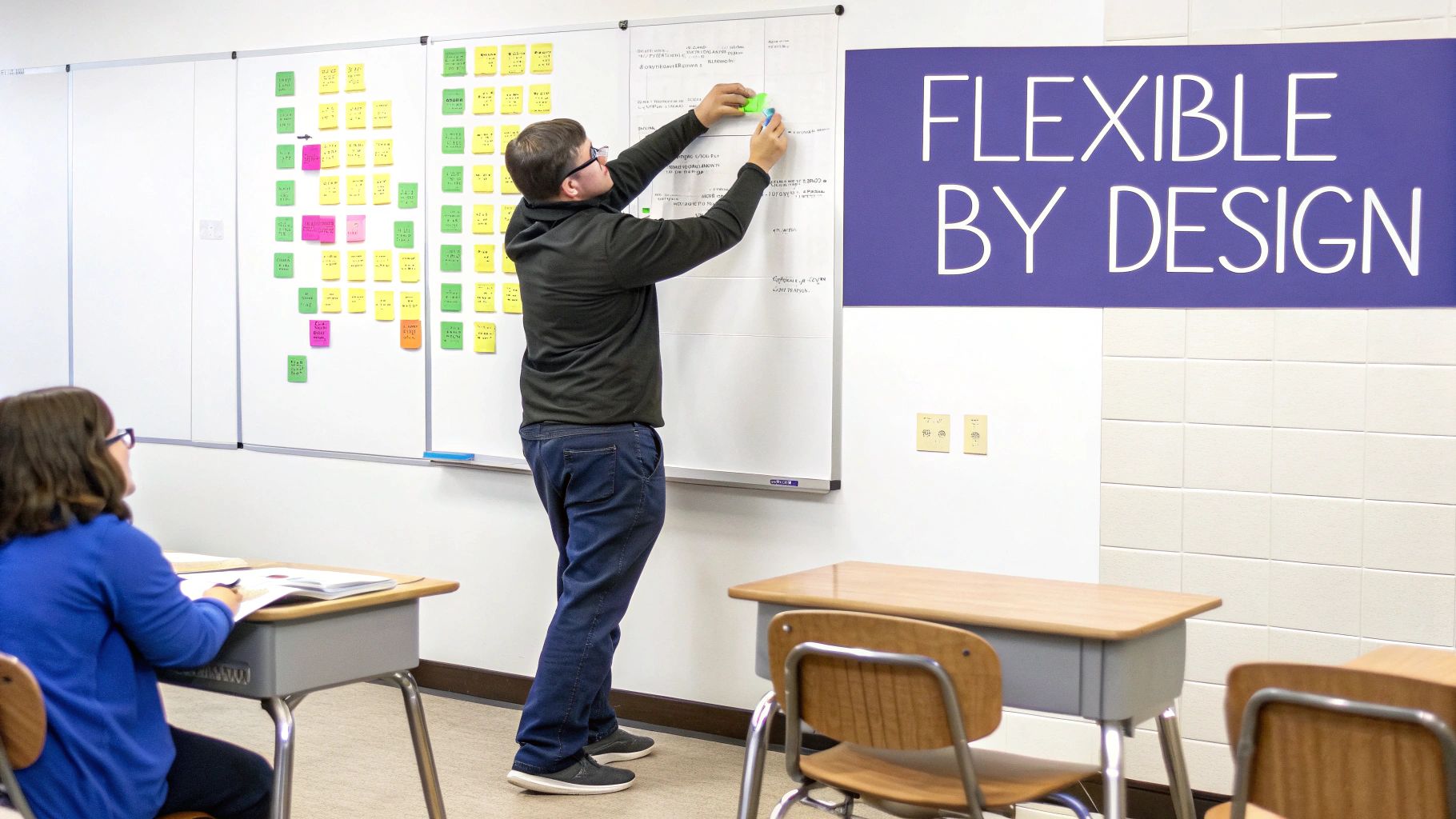
Building Differentiation into Your Template
Differentiation isn't an add-on; it's something you build in from day one. Your pacing guide is the perfect place to start thinking about how you'll support every learner before you even teach the first lesson. Instead of just listing a topic, try adding a small section or column in your template for differentiation ideas.
This simple structural change makes a huge difference. For example, when you’re planning a unit on fractions, you can proactively jot down specific strategies.
It might look something like this:
- For English Language Learners (ELLs): "Create a visual vocabulary anchor chart with terms like numerator and denominator."
- For Students with IEPs: "Provide pre-cut fraction manipulatives and sentence starters for explaining their thinking."
- For Gifted Learners: "Challenge them to solve multi-step word problems involving adding and subtracting unlike fractions."
Embedding these ideas right in your guide means you’re not scrambling for strategies the morning of a lesson. It just becomes a natural part of your workflow.
Using Your Guide for Flexible Grouping
Your pacing guide can also be a powerful tool for planning strategic, flexible groups. As you map out a unit, you can anticipate which concepts might be the trickiest for students and pencil in time for small-group instruction right on your guide.
A flexible pacing guide gives you permission to pause. It’s a reminder that teaching is about student mastery, not just covering content. If half the class is lost, your guide should be the tool that helps you adjust, not the one that pushes you forward.
This kind of pre-planning helps you stay intentional. You could block out a 20-minute window on a Thursday for a reteaching group on a specific skill, while another group works on an extension activity. It’s all about creating a structure that allows for responsiveness and moving beyond a whole-group-only model.
When You Get Ahead or Fall Behind
It’s going to happen. You’ll either finish a unit three days early or find yourself a week behind schedule. Don’t panic—this is where your guide’s flexibility really shines.
If you fall behind:
- Identify the Essentials: Look at the remaining standards. What is absolutely critical? Prioritize the "need-to-knows" over the "nice-to-knows."
- Combine or Condense: Can two smaller lessons be merged? Can an activity be streamlined without sacrificing core learning?
- Use Your Buffer Days: This is exactly what those flex days we talked about are for!
If you get ahead:
- Enrich and Extend: This is a golden opportunity. Dive deeper with a project, a lab, or a debate that extends the unit's concepts.
- Review and Reinforce: Use the extra time for review games or to work on skills from previous units that students found challenging.
- Front-load the Next Unit: Introduce key vocabulary or concepts for the upcoming unit to give students a head start.
This structured approach is common worldwide. ISC Research’s 2023 Curricula Report shows that 77% of international schools adopt rigorous pacing frameworks like the IB or Cambridge curricula, which rely on templates to ensure developmental alignment. These schools know that a guide provides a necessary sequence while demanding teacher flexibility. You can learn more about these global curriculum trends in their report.
Using Technology to Simplify Your Planning
Let's be honest, manually creating a pacing guide in a spreadsheet can feel like a chore. It’s tedious, clunky to share with your team, and a pain to adjust when a snow day inevitably throws a wrench in your plans. While spreadsheets have their place, modern tools are designed to make your life much, much easier.
It’s time to move beyond static documents. The right tech can turn your pacing guide into a dynamic, collaborative hub for your entire school year, and that's where dedicated planning tools become an absolute game-changer.
Ditching Static Spreadsheets for Dynamic Tools
The biggest problem with a traditional spreadsheet guide is that it's just a grid of text. It doesn't do anything for you. Digital platforms, on the other hand, bring your plan to life.
Imagine being able to:
- Link Resources Directly: Instead of just writing "Fraction Video," you can embed the YouTube link or attach the worksheet file right into your plan. No more hunting through endless folders.
- Collaborate in Real Time: Share your guide with your grade-level team and see everyone's updates instantly. This ends the nightmare of tracking multiple versions of the same file.
- Adjust with Drag-and-Drop: Realize your unit on 'The Great Gatsby' needs an extra week? Simply drag the unit block to extend it, and everything else shifts automatically.
This shift from a static document to an interactive dashboard is a huge leap forward. It turns your pacing guide from a simple schedule into a command center for your curriculum. For a deeper look at organizing your planning digitally, exploring a guide to the best digital teacher planner can offer even more ideas.
The Power of an AI Planning Assistant
The next evolution in planning is bringing AI into the process. This isn’t about replacing teachers; it's about giving us an assistant to handle the most time-consuming parts of curriculum mapping.
This is exactly where a tool like Kuraplan shines. Instead of starting with a blank pacing guide template for teachers, you can have its AI generate a complete, standards-aligned pacing guide for your subject and grade level in minutes.
The real value of AI in planning is reclaiming your time. Imagine getting a fully mapped-out year—complete with suggested activities and differentiation strategies—in less time than it takes to drink your morning coffee. This frees you up to focus on the creative, human side of teaching.
This technology does the heavy lifting that used to take hours. For example, Kuraplan can:
- Instantly Align to Standards: Just tell it your state and grade, and it pulls in all the relevant standards, mapping them to logical units.
- Suggest Activities: Stuck for ideas on how to teach a tricky concept? The AI can suggest engaging activities, discussion prompts, and project ideas.
- Embed Differentiation: It can build differentiation strategies for various learners directly into the plan, saving you the step of adding them yourself later.
Having an AI assistant handles the tedious admin side of planning. It takes care of the structure and the standards so you can pour your energy into what you do best: inspiring your students. Technology isn't just about making planning simpler; it's about making it smarter and more responsive to the realities of the classroom.
Common Questions Teachers Ask About Pacing Guides
Even with the best template in hand, diving into pacing guides can bring up a lot of questions. Let's tackle some of the most common ones I hear from fellow teachers.
Think of this as the quick, practical advice you'd get from a veteran teacher in the staff lounge.
What Is the Difference Between a Pacing Guide and a Curriculum Map?
This is a big one, and it's easy to see why they get mixed up. I like to think of them as different maps for your school year journey.
A Scope and Sequence is the 30,000-foot view—like a world map showing the continents (major topics) you'll visit and the general order. It lists what you'll teach, but not when or how.
A Curriculum Map zooms in a bit, like a country map. It adds more detail, connecting topics to specific standards, key assessments, and essential questions. It shows the major cities and highways within each unit.
A Pacing Guide is your turn-by-turn GPS for the school year. It takes the curriculum map and plots it onto your actual calendar, assigning specific weeks to each unit and accounting for real-world roadblocks like holidays, testing days, and assemblies.
For your day-to-day planning, the pacing guide is the most practical of the three.
How Do I Create a Pacing Guide if My District Does Not Provide One?
You are definitely not alone! Many teachers find themselves in this exact spot. The upside is you have the freedom to build something that truly fits your classroom.
Start by gathering your non-negotiables: the official school calendar, your state standards, and any required textbooks. First, block out all the non-instructional days—holidays, PD days, testing windows. Then, group your standards into logical, thematic units and make a realistic estimate of how many weeks each will take.
My most important tip? Always build in buffer time. Seriously. Add a "flex week" after every major unit. If you don't use it, great—you're ahead. But when an unexpected assembly pops up or a topic takes longer than planned, you'll be so glad it's there.
This is where technology can be a lifesaver. Tools like Kuraplan can generate a complete, standards-aligned pacing guide template for teachers based on your grade and subject. You get a solid draft in minutes that you can then tweak to perfection.
How Often Should I Revise My Pacing Guide?
Your pacing guide should be a living document, not something you carve in stone in August. The whole point is for it to reflect the reality of your classroom.
I recommend a quick, informal check-in at the end of each week. Are you generally on track? No need to panic if you're a day or two off.
Plan for a more formal review at the end of each unit or grading period. Did that unit on plant cells take way longer than you thought? Make a note of it for next year and adjust the timeline for your upcoming units. A useful pacing guide is one that adapts with you.
My Pacing Guide Feels Too Restrictive. How Can I Leave Room for Teachable Moments?
This is such an important question because it gets to the heart of what great teaching is all about! A pacing guide shouldn't kill spontaneity; it should create the structure that makes spontaneity possible.
The secret is to build flexibility into the guide from the start. Instead of planning every single day down to the minute, plan in weekly blocks.
Here are a couple of strategies that work wonders:
- Designate a 'Flex Day' every other Friday. Use this for reteaching, extension projects, or review games.
- Build in 'Inquiry Time' where students can explore topics that have genuinely sparked their curiosity.
Your pacing guide provides the guardrails. It ensures you cover all the essentials, which gives you the freedom to take a detour for a teachable moment without worrying that you've just thrown the whole year off course.
Ready to stop planning from scratch and build a flexible, standards-aligned pacing guide in a fraction of the time? Kuraplan uses AI to generate custom pacing guides, unit plans, and lessons, freeing you up to focus on what matters most—your students. Discover how Kuraplan can transform your planning today.