A good simple lesson plan template is a framework that zeroes in on what really matters—your objectives, activities, and how you’ll measure success—without all the administrative fluff. It's often just a single page, designed to bring clarity to your teaching and, most importantly, give you back some precious time.
Less Planning, More Teaching With a Streamlined Template
Let's be honest. Most lesson plan templates feel like they were designed by someone who hasn't set foot in a real classroom in years. They're bloated with jargon and endless boxes that seem to exist only to satisfy some administrative checklist, not to actually help you teach better.
I got so tired of the clutter. That's why I created my own simple, one-page template that focuses only on what truly matters for a great lesson. This isn't about filling out forms; it's about creating a clear, actionable roadmap for student learning.
The Power of Simplicity
When you take a minimalist approach to lesson planning, something powerful happens: you're forced to prioritize. Instead of getting lost in the weeds, you concentrate on the core components that actually drive a successful lesson.
This stripped-down format helps you:
- Clarify Learning Goals: Pinpoint exactly what you want students to know or be able to do by the end of the hour.
- Design Engaging Activities: Brainstorm and sequence tasks that directly serve those learning goals. No more busywork.
- Plan for All Learners: Intentionally build in differentiation and support without having to write three separate plans.
- Measure Understanding: Think through how you'll check for comprehension, from quick thumbs-up checks to simple exit tickets.
This is the template I wish I had when I first started teaching. It’s a practical tool that cuts through the noise, clarifies your thinking, and gives you back your weekends.
Built for Any Classroom
The real beauty of a simple lesson plan template is how adaptable it is. Whether you're teaching 1st-grade phonics or 11th-grade history, the core principles of good instruction are the same. This framework is flexible enough to fit any subject, grade level, or teaching style.
You can download the template I use every single week right here. Forget the overwhelming paperwork and get back to focusing on what you do best—teaching.
How To Use Your New Lesson Plan Template
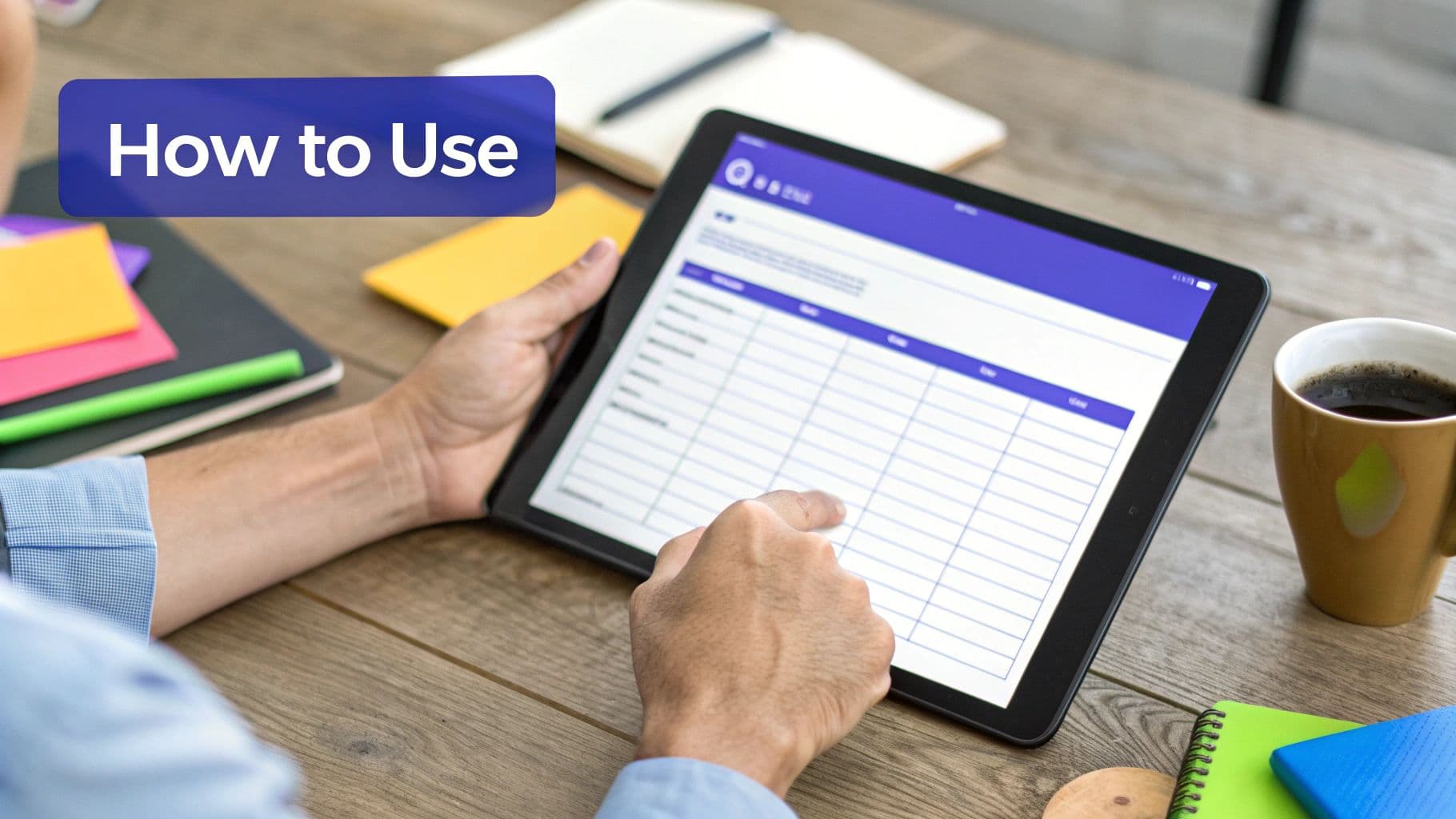
Alright, you’ve got the template. So, what's next? Let's walk through how to turn those blank spaces into a solid roadmap for an effective lesson. Think of this as a quick-start guide, not a rigid set of rules—the goal is to make this template work for you and your classroom.
Before you jump into the fun stuff like activities, every great lesson plan starts with the learning objectives. This is your foundation. Instead of thinking about what you’ll be doing, shift your focus to what your students will be able to do by the time the bell rings.
H3: Anatomy Of The Simple Lesson Plan Template
To help you get started, here's a breakdown of each section in the template. I've explained what each part is for and added a few pro tips from my own experience to help you fill it out quickly and effectively.
| Template Section | What It Is For | Pro Tip From A Teacher |
|---|---|---|
| Lesson Title | A clear, simple name for your lesson. | Keep it student-friendly! "Water Cycle Adventure" is more engaging than "Hydrologic Cycle Introduction." |
| Learning Objectives | The specific, measurable skills students will master. | Use action verbs. Instead of "understand," try "identify," "label," "compare," or "solve." |
| Materials/Resources | A checklist of everything you'll need for the lesson. | List everything, even the small stuff like pencils or scrap paper. It prevents last-minute scrambling. |
| Activities & Timing | The step-by-step flow of your lesson. | I love the "I Do, We Do, You Do" model. It provides a natural progression from teacher-led to student-led work. |
| Differentiation | How you'll support diverse learners. | Jot down just one idea for support (e.g., sentence starters) and one for a challenge (e.g., an extension question). |
| Assessment | How you'll check for understanding. | Think simple. An exit ticket with one question or a quick thumbs-up/thumbs-down check is often all you need. |
Filling out these sections ensures you've thought through the entire lesson, from the big picture down to the nitty-gritty details, without getting bogged down.
H3: Start With Clear, Student-Centered Goals
Crafting clear, measurable objectives is a total game-changer. A vague goal like, "Students will learn about the water cycle," doesn't give you much to work with. It's not specific, and you can't really measure it.
Now, try this instead: "Students will be able to label the four main stages of the water cycle on a diagram." See the difference? The first is passive, but the second is active, observable, and easy to assess. You know exactly what success looks like.
For a deeper dive, our guide on how to write objectives for lesson plans is packed with practical examples that will help you nail this part every time.
H3: Connect Every Activity To Your Objectives
Now for the fun part: brainstorming activities! The most important thing here is alignment. Every single game, discussion, or worksheet you plan should directly help students achieve the objective you just wrote. If an activity doesn't connect back to that goal, it might be fun, but it’s not moving learning forward.
Think about a logical flow for your lesson:
- The Hook: How will you grab their attention in the first five minutes? A surprising question, a short video clip, or a quick "turn-and-talk" works wonders.
- Instruction & Modeling ("I Do"): This is your direct teaching moment. Keep it focused and concise.
- Guided Practice ("We Do"): Now, work through a few examples together as a class or in small groups. This is where you iron out misconceptions.
- Independent Practice ("You Do"): Give students a chance to try the skill on their own.
- Closing: A quick wrap-up is crucial. Review the main point and check for understanding with an exit ticket or a quick poll.
This simple structure provides a clear beginning, middle, and end, guiding students smoothly from introduction to mastery.
Don't overcomplicate it. Sometimes the best activity is a simple, well-structured conversation or a hands-on task with clear instructions. Your simple lesson plan template is there to ensure every piece has a purpose.
H3: Plan For Differentiation And Assessment
Finally, let's touch on differentiation and assessment. These two areas can feel overwhelming, but a simple template helps you plan for them without having to write three different lessons.
Differentiation can be as simple as noting how you'll support learners who need a bit of a scaffold (e.g., providing a word bank) or how you'll challenge those ready for more (e.g., asking a higher-order thinking question). Just jot down one or two quick ideas in the box.
For assessment, think small and frequent. A quick formative check-in, like asking students to show a thumbs-up or thumbs-down, gives you valuable real-time data. Just note how you’ll measure the objective you set at the beginning.
For those of us who are always short on time, AI-powered platforms can be a lifesaver. Tools like Kuraplan can automatically suggest differentiated activities and create simple rubrics based on your objectives. They do some of the heavy lifting so you can stay focused on what matters most—your students.
See The Template In Action With Two Real Examples
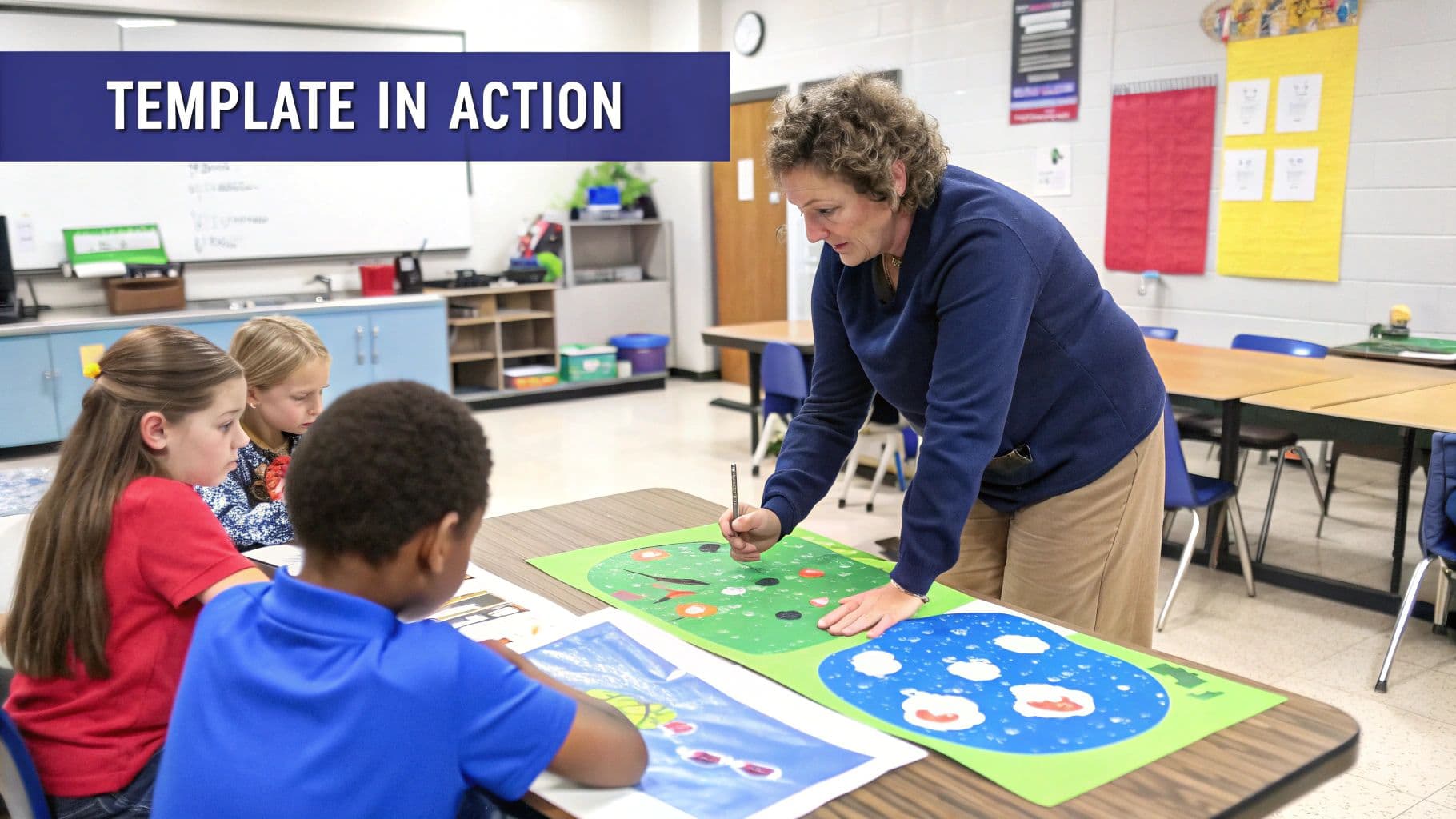
Talking about lesson planning is great, but seeing a filled-out template is where the lightbulb really goes on. I’ve put together two examples from completely different classrooms to show you just how practical this thing is.
The goal isn't for you to just copy these. Look closer. Pay attention to the thinking behind the plan—how every activity ladders up to the main objective and how support for all learners is baked right in from the start.
Elementary Example: 3rd Grade Science
Let's start with a classic: the water cycle. This lesson is all about getting little hands busy and making the science stick.
- Lesson Title: The Water Cycle Adventure
- Learning Objectives: By the end of this lesson, students will be able to label the four main stages of the water cycle (evaporation, condensation, precipitation, collection) and explain each stage in one sentence.
- Materials: Whiteboard, markers, water cycle diagram anchor chart, clear plastic baggies, water, blue food coloring, permanent markers, video clip of a water cycle song.
- Activities & Timing:
- Hook (5 min): Kick things off by asking, "Where does rain come from?" I'll jot their ideas on the board. Then, we'll watch a short, catchy water cycle song to really grab their attention.
- I Do - Introduce (10 min): I’ll use our anchor chart to introduce and define the four key terms. We’ll come up with hand motions for each one, like hands rising up for evaporation.
- We Do - Baggie Experiment (15 min): This is the fun part. I’ll guide the students as they create a "water cycle in a bag." They add a bit of blue-colored water to a baggie, seal it, and draw the sun on the outside before we tape them to the window.
- You Do - Diagram Labeling (10 min): Students get a blank water cycle diagram and work on their own or with a partner to label the four stages.
- Closing (5 min): Everyone will "turn and talk" with a partner to explain one stage of the water cycle using the hand motions we learned.
- Differentiation:
- Support: I’ll provide a word bank on the worksheet for students who need it and pull a small group to work with during the "You Do" time.
- Challenge: Early finishers can flip their worksheet over and write a sentence explaining what would happen to the water cycle if the sun disappeared.
- Assessment: The labeled diagram is my main check for understanding. I’ll also be listening in on those closing conversations to see who’s got it.
Secondary Example: 9th Grade English
Now for a total shift to high school English. The thinking gets more abstract here, but the simple lesson plan framework still holds everything together perfectly.
- Lesson Title: Analyzing Symbolism in "The Scarlet Ibis"
- Learning Objectives: By the end of the lesson, students will be able to identify key symbols in the text and analyze how the author uses them to develop a central theme.
- Materials: Copies of "The Scarlet Ibis" by James Hurst, chart paper, markers, student notebooks, access to Google Docs.
- Activities & Timing:
- Hook (5 min): I’ll project an image of a red bird and ask students to free-write three words that come to mind. We'll share a few to get the conversation started around color symbolism.
- I Do - Mini-Lesson (10 min): A quick, direct instruction on what symbolism is. I'll model my thinking out loud as I analyze the color red on the first page of the story.
- We Do - Group Analysis (15 min): In small groups, students get a specific symbol to tackle (the ibis, the storm, etc.). Their job is to find textual evidence of its meaning and jot their ideas on chart paper.
- You Do - Written Response (15 min): Back in their seats, students write a single paragraph answering the prompt: "Choose one symbol and explain how it connects to the theme of pride."
- Closing (5 min): Each group will share one big takeaway from their chart paper discussion with the whole class.
- Differentiation:
- Support: I’ll offer sentence starters for the written response (e.g., "The author uses the symbol of... to show..."). I’ll also be strategic with my groups to mix abilities.
- Challenge: I'll push these students to connect their symbol to a second theme in the story and find evidence to back it up.
- Assessment: That independent paragraph is my key formative assessment. It will tell me right away who can move beyond just identifying a symbol to actually analyzing its purpose.
These examples show that a simple lesson plan template isn't about boxing you in; it's about giving your creativity a clear path to follow. It provides a logical flow that works whether you're making a water cycle in a bag or deconstructing a complex literary theme.
Supercharge Your Planning With Smart Tools And Tips
A great template is your starting point, but the real magic happens when you pair it with strategies that actually save you time. As teachers, our time is the one resource we can't get back, so we have to be smart about protecting it.
One of the biggest game-changers for me was switching to batch planning. Instead of scrambling to plan one lesson at a time, I started blocking out a chunk of time to plan an entire week or unit at once. It helps you get into a creative rhythm, and you start seeing how lessons can build on each other in a much more connected way.
Another trick? Start your own personal activity bank. Every time you come up with a killer discussion prompt, a clever exit ticket, or a review game that the kids actually enjoy, save it. Just drop it into a folder. Over a semester, you'll build this incredible library of go-to resources you can pull from, which means no more reinventing the wheel every Sunday night.
Embrace Modern Technology
Beyond these simple habits, technology can be a massive help. This is where AI platforms are making a real difference in lesson planning. Imagine generating standards-aligned objectives, brainstorming activities for differentiation, or creating a solid rubric in a fraction of the time.
These tools aren't here to replace us. They're here to give us back our time. They handle the administrative grind so we can focus on the creative, human side of teaching—the part we all got into this for.
Tools like Kuraplan can generate a whole list of activities tailored to your specific objective and grade level in seconds. Stuck on how to support your English learners or challenge your high-flyers? An AI assistant can give you targeted ideas immediately, turning what used to be a major planning headache into a quick fix. You can see just how much time it can save in our guide on how to use AI for lesson planning.
The Power of Instructional Design
If you really want to level up your planning, look into the principles of instructional design. Understanding instructional design best practices helps you think more systematically about how students learn, making your lessons stickier and more engaging. It’s the theory behind the practice.
When you combine a simple, solid template with smarter habits and the right digital tools, your planning system starts working for you. You finally get to reclaim your evenings and walk into the classroom feeling more prepared and confident than ever.
Turning Your Digital Plan Into Classroom Reality
A great lesson plan on your screen is one thing, but it only really comes to life in the classroom. Your plan is the blueprint; the real magic happens when you turn those ideas into materials your students can actually get their hands on.
This final step is all about bridging that gap. It’s where you take your well-thought-out objectives and activities and convert them into printable worksheets, vibrant anchor charts, or interactive slides. You don't need to be a graphic designer to do this well. The goal is always clarity and a direct link back to what you want your students to learn.
From Plan To Printables
This is where having the right tools can be a game-changer. Instead of spending hours fighting with formatting, you can use platforms that do the heavy lifting for you, creating clear instructions and engaging visuals that support your lesson.
For example, a tool like Kuraplan can automatically generate custom diagrams, kid-friendly illustrations, and different question types for worksheets—all pulled directly from the lesson plan you just made. This keeps everything connected, turning your digital document into a dynamic learning experience.
The best classroom materials feel like a natural extension of your lesson, not a separate task. They should reinforce concepts without adding new hurdles like confusing layouts or cluttered designs.
Connecting With Today's Learners
There’s no denying the shift toward digital tools in the classroom. These skills are more important than ever, especially for teachers navigating online or hybrid models. To get the most out of your digital materials, exploring some practical online course tips can really boost the effectiveness of your lessons.
Ultimately, a simple lesson plan template is most powerful when it flows seamlessly into the resources your students will use. To learn more about keeping all your digital assets in one place, check out our guide to the ultimate digital teacher planner.
Got Questions About Lesson Planning?
Even with the best template in hand, questions pop up. It’s totally normal. Here are a few common ones I hear from teachers who are switching to a simpler planning style.
How Can I Make This Template Work For Co-Teaching?
This is a great question. A simple template can actually be your best friend in a co-teaching or inclusion setting because it forces clear communication. No more wading through pages of fluff to figure out who’s doing what.
My go-to trick is to add a small column right next to the "Activities" section and label it "Teacher Roles." In that space, you can quickly note who’s leading and who’s supporting. For example: "Ms. Smith - Direct Instruction" and "Mr. Davis - Circulate/Support." It’s a simple, at-a-glance way to keep the partnership running smoothly.
In the "Differentiation" box, you can also get super specific about accommodations for students with IEPs or 504s. I also like adding a "Specialized Materials" row to make sure we’ve got everything from manipulatives to specific assistive tech ready to go.
Is This Simple Template Really Enough For My Administrator?
Yes, absolutely. Most administrators aren't looking for a novel. They want to see that your lesson has a clear purpose and is directly tied to standards. A clean, simple lesson plan shows them you’ve cut through the noise and are focused on what matters.
Just pop in a "Standards" section right under your "Learning Objectives." You can list the exact codes (like CCSS.ELA-LITERACY.RL.9-10.4) there. This doesn't just check a box for your admin; it keeps the core goal of your lesson front and center for you.
A crowded template doesn't automatically mean it's a better one. Clarity and purpose are what administrators really look for, and a simple plan shows you've focused on what truly matters for student learning.
This is also a spot where a little tech can save you a ton of time. An AI tool like Kuraplan can find and map the right state or national standards to your objectives automatically. No more hunting through dense curriculum documents.
Should I Be Planning Daily Or Weekly?
Honestly, this comes down to your personal workflow and what your school expects. There’s no single right way to do it, but I’ve found that a weekly rhythm works best for many teachers.
You can sit down on a Friday afternoon or Sunday evening and map out a simple plan for each subject for the week ahead. This gives you a bird's-eye view of where you're going, but it’s flexible enough to leave room for those "teachable moments" that always pop up.
On the other hand, if you're deep into project-based learning, one plan might cover several days. The beauty of a simple template is its adaptability—it’s quick enough to use for daily check-ins but solid enough to guide an entire week.
Ready to stop drowning in paperwork and start planning with purpose? Kuraplan is an AI-powered platform that helps you create standards-aligned lesson plans, worksheets, and visuals in minutes, giving you back your time to focus on your students. Start planning smarter today.