Monday morning, first period starts in eight minutes, and your browser already has too many tabs open. One tab has a shared drive folder with last week's slides. Another has an email from a parent asking where the missing assignment is. A third holds a quiz tool that doesn't talk to your gradebook. Somewhere in that mess is the worksheet you meant to post before the bell.
Most teachers have lived some version of that day.
A learning management system helps when digital teaching starts to feel like carrying six tote bags into school at once. Instead of scattering lessons, messages, due dates, submissions, and feedback across different tools, you get one central place to run the digital side of class. For students, that means fewer “Where do I find it?” questions. For teachers, it means less hunting and more teaching.
Introduction to Learning Management Systems
Sarah, a high school English teacher, used to post readings in a shared drive, collect essays by email, message reminders in a class app, and track late work in a spreadsheet she updated during lunch. None of those tools was terrible on its own. Together, they created a system that only made sense to Sarah, and barely.
Then a student asked a very normal question: “Which app are we using for today's assignment?”
That's the moment many schools start taking learning management systems seriously. An LMS acts like the front office of your digital classroom. It holds lesson materials, assignments, assessments, discussions, and feedback in one place, so students don't have to decode your workflow before they can learn.
Districts are moving in this direction for a reason. The global LMS market is valued at USD 34.1 billion in 2026 and projected to surge to USD 123.78 billion by 2033, according to Grand View Research's learning management systems market analysis. That projection points to a broad shift toward AI-driven learning tools and cloud-based environments, not a passing tech fad.
What an LMS changes in day-to-day teaching
A good LMS doesn't magically fix instruction. It does remove a lot of avoidable friction.
- One home base: Students know where to look for classwork, announcements, and feedback.
- Cleaner routines: Teachers can reuse modules, organize units, and keep due dates visible.
- Better follow-through: Missing work, quiz results, and discussion participation are easier to track.
- More consistent communication: Families and students get fewer mixed messages when information lives in one system.
A strong LMS doesn't replace good teaching. It clears the clutter around it.
In K to 12 settings, that matters even more because students need predictable structure. Younger learners need simple navigation. Older students need tools that support independence without turning every class into a scavenger hunt. Administrators need visibility. Instructional coaches need usable data. Families need one clear place to check what's happening.
When colleagues ask me what an LMS really is, I usually say this: it's the digital classroom shell that keeps the important things from falling on the floor.
Understanding Key Components and Core Features
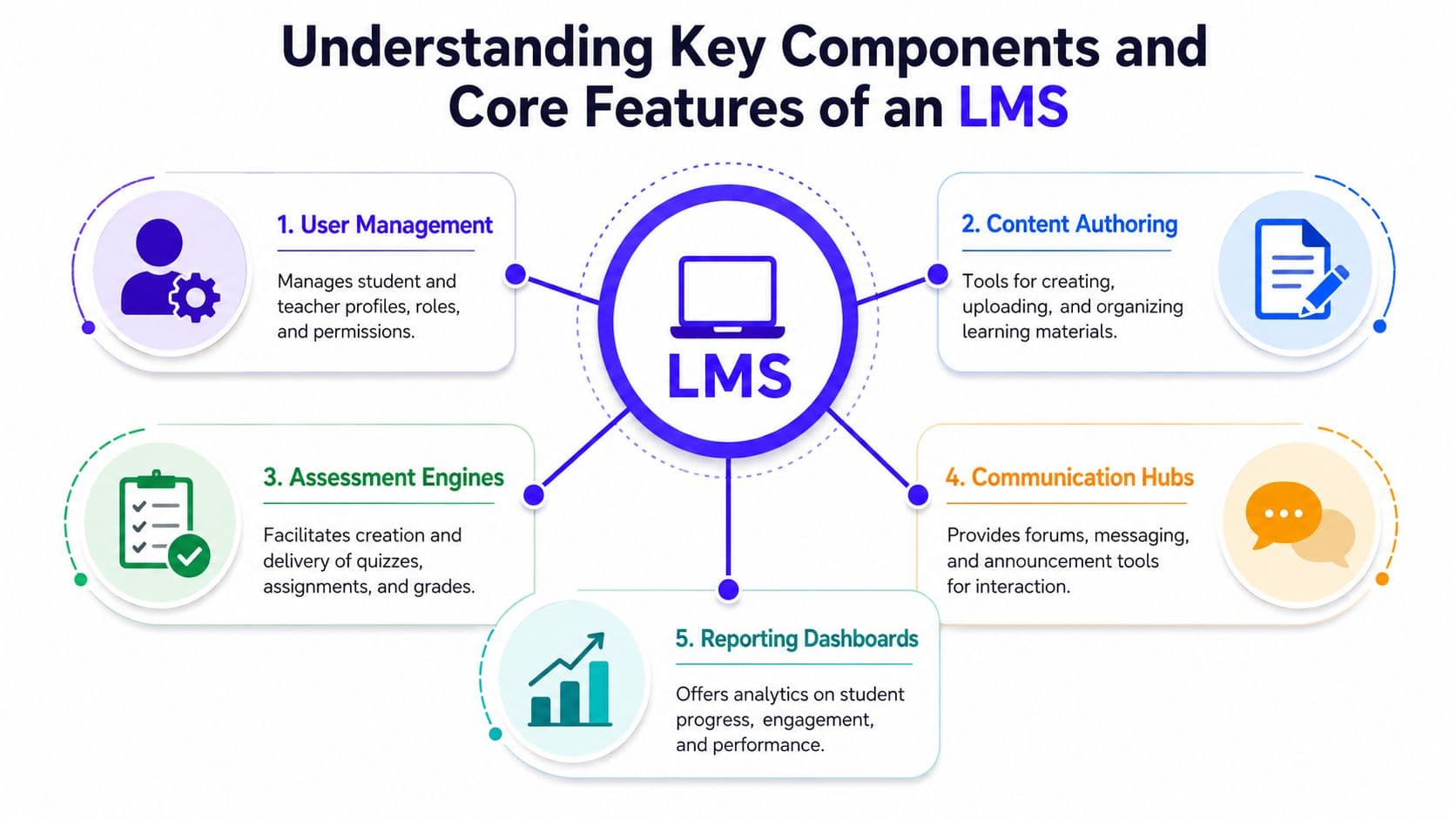
When teachers first look at learning management systems, the feature lists can feel like vendor alphabet soup. I find it easier to explain an LMS as a school building in digital form. You need a front desk, classrooms, a place to post work, a way to talk to people, and a record of how things are going.
User management and content authoring
User management is the front office. It handles rosters, roles, permissions, and access. In a school setting, that means students see the right classes, teachers can edit their own courses, and support staff can access what they need without opening everything to everyone.
Content authoring is your classroom setup. It involves building units, uploading files, embedding videos, posting directions, and sequencing learning materials. In practical terms, a third grade teacher might organize a reading unit by week, while a high school science teacher might build a lab module with slides, safety notes, and a reflection form in one place.
If you're comparing platforms, it helps to review real product examples rather than abstract promises. Kuraplan's classroom planning and workflow features give a useful picture of how teachers often want planning tools and instructional delivery tools to connect.
Assessment engines and communication hubs
Assessment is where many schools discover whether an LMS is built for teaching or just for storing files. Modern LMS must support multi-format assessments, including MCQs, true/false, matching, image-based prompts, video prompts, and written work, as outlined in the LMS technical specification document from E4E. That matters because different standards call for different evidence of learning.
A few K to 12 examples make this concrete:
- Elementary science: Students label parts of a plant on an image-based question.
- Middle school social studies: Students answer a mix of matching and short written responses.
- High school English: Students submit a written analysis with a rubric attached.
- World languages: Students respond to a video prompt and record or type an answer.
Communication hubs are the hallways and bulletin boards. Announcements, direct messages, discussion boards, and parent-facing updates all live here. Without this piece, teachers end up returning to email chains and scattered apps.
Reporting dashboards
Reports are the clipboard you wish carried itself. A reporting dashboard should help teachers spot missing work, weak standards, quiz patterns, and participation trends without needing an extra spreadsheet.
Here's the plain-language version of the five components:
| Component | What it does in school |
|---|---|
| User management | Organizes who can see and do what |
| Content authoring | Builds and stores lessons and resources |
| Assessment engine | Delivers quizzes, assignments, and feedback |
| Communication hub | Keeps announcements and messages together |
| Reporting dashboard | Shows progress, patterns, and next steps |
If one of these pieces is weak, the whole experience starts to wobble.
Benefits and Challenges in K–12 Settings
Learning management systems can make school life calmer. They can also create fresh headaches when the rollout is rushed, the training is thin, or the platform doesn't match classroom reality. Both things can be true.
The biggest benefit I see in K to 12 schools is consistency. Students know where assignments live. Teachers stop repeating directions across three platforms. Grade-level teams can share templates and routines. Parents have a better chance of finding what they need without emailing four people first.
What schools gain when the LMS fits
A strong LMS supports the ordinary work of school. That sounds less glamorous than “digital transformation,” but ordinary work is where teachers win or lose time.
- Better organization: Units, handouts, links, and due dates stay attached to the class that needs them.
- Smoother communication: Announcements and reminders are less likely to vanish into inbox clutter.
- Clearer feedback: Rubrics, comments, and returned work remain tied to the assignment.
- Stronger continuity: If a student is absent, the class still has a visible structure.
For instructional coaches, there's another advantage. Shared course shells and common templates make it easier to support teams without forcing every teacher to teach the same way.
Practical rule: If students need a teacher to explain where every item lives, the digital system isn't doing enough of the organizing.
Where schools get stuck
The challenge is that many platforms promise simplicity and deliver extra maintenance. Adoption remains uneven. Only 15% of potential users globally have adopted an LMS, and 37% of organizations plan to replace their current system within a year, according to Programs.com's LMS statistics roundup. That tells you something important. Buying an LMS and being happy with it are not the same thing.
In schools, the friction usually shows up in familiar places:
- Training gaps: Teachers get a login, one workshop, and a lot of optimism.
- Digital equity issues: Students don't all have the same device access or home internet conditions.
- Integration pain: The LMS may not connect cleanly with your student information system, content tools, or grading workflows.
- Role confusion: Families, aides, specialists, and co-teachers often need access patterns that weren't thought through.
- Budget pressure: License costs are only part of the picture. Support time, coaching, migration, and cleanup all cost staff energy.
A district can survive a clunky platform for a while. Teachers usually patch the holes. But patchwork systems wear people down, and eventually someone says what everyone was already thinking: this tool is making routine work harder, not easier.
That's why a realistic LMS conversation should sound less like “Which platform has the most features?” and more like “Which platform will our teachers and students use well by October?”
How to Choose the Right LMS with a Practical Checklist
Choosing among learning management systems gets easier when you stop asking which platform is “best” and start asking which one fits your school's actual work. A great demo can hide a lot. Your checklist shouldn't.
The six pillars worth checking every time
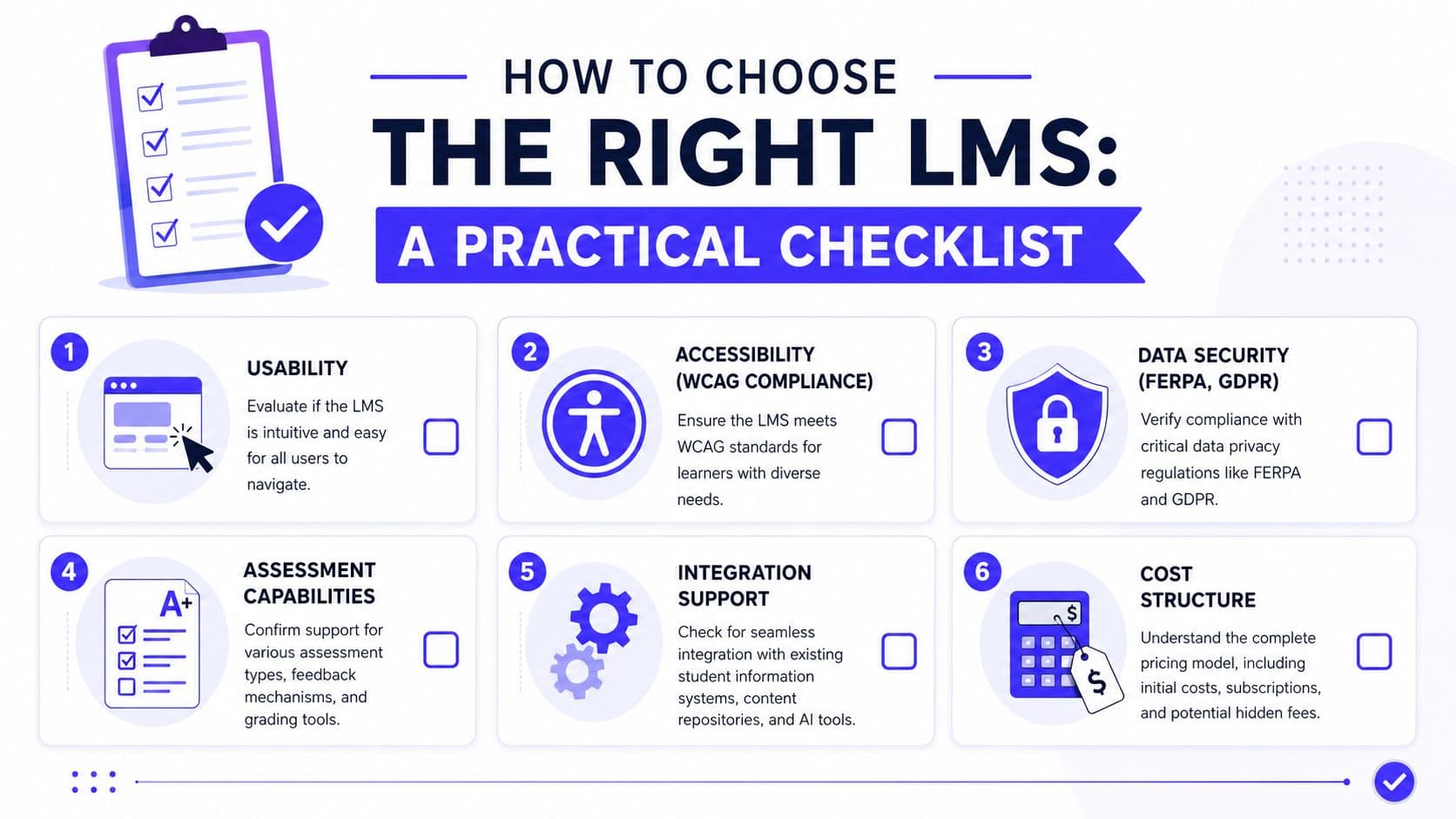
Usability comes first because if teachers and students can't find their way around the system quickly, the rest doesn't matter. Ask a vendor to show the student view, not just the admin dashboard. Have them post an assignment live. Have them submit one as a student.
Accessibility is not optional. Expert benchmarks require strict compliance with GDPR, WCAG 2.0, FERPA, and ISO standards, and non-compliant systems often face up to 40% higher dropout rates due to inaccessible content, according to Ensync's guide to LMS evaluation criteria. In school terms, inaccessible design means some students hit barriers before they even start the lesson.
Data security needs plain answers. Ask where data is stored, how permissions work, and what controls exist for student privacy. If the answer sounds slippery in the demo, it will sound worse during a parent complaint.
Questions to bring into vendor demos
I like to use a short working checklist with school teams:
- Can a new teacher learn the basics in one sitting?
- Can a student with support needs complete core tasks without extra workarounds?
- Can the platform handle varied assessment types and rubric-based grading?
- Does it connect with your existing systems without constant manual fixing?
- Can parents or guardians access what they need without confusion?
- Can your school afford the full implementation, not just the first invoice?
Red flags that show up early
Some warning signs appear fast if you know where to look.
- Too many clicks: Simple tasks take too long.
- Weak mobile experience: Students can view content, but not complete work comfortably.
- Shallow assessments: The system handles only basic quizzes well.
- Messy permissions: Co-teachers, specialists, or substitute access become awkward.
- Hidden costs: Support, migration, and training seem separate from the “main” price.
Ask the vendor to show your ugliest real workflow, not their prettiest sample course.
A practical comparison table
| Pillar | What to ask | Red flag |
|---|---|---|
| Usability | Can teachers post and grade quickly? | Demo looks smooth, real setup looks slow |
| Accessibility | How does the system support WCAG-aligned use? | Accessibility is treated like an add-on |
| Security | How are FERPA and GDPR handled? | Vague privacy answers |
| Assessment | Can it support quizzes, media prompts, and written work? | Limited question formats |
| Integration | What connects out of the box? | Too much manual importing |
| Cost | What will year one and year two require in staff time and money? | Key services priced separately |
The right LMS usually isn't the flashiest one. It's the one your teachers can trust on a normal Wednesday.
Implementation Roadmap and Change Management
An LMS rollout isn't mainly a tech install. It's a habit change project for adults and students. If that sounds less exciting than a launch announcement, good. Calm rollouts usually work better than dramatic ones.
Phase 1 and Phase 2
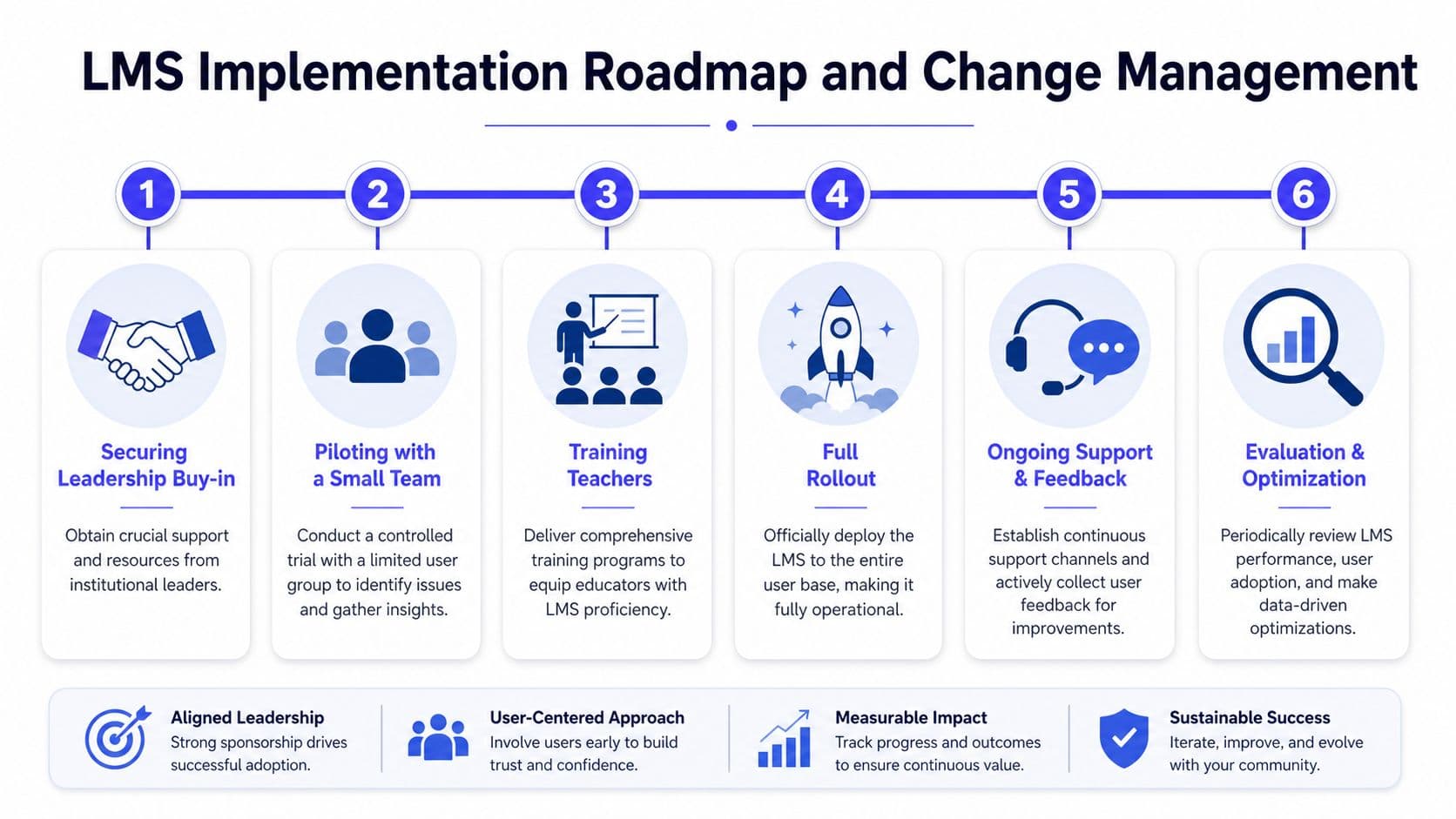
Start by securing leadership buy-in. School leaders don't need to master every feature, but they do need to protect time, set expectations, and explain why the change matters. If principals treat the LMS as optional background noise, staff will too.
Then pilot with a small team. Pick teachers who are practical, honest, and willing to test rough edges. Don't only choose your most tech-confident staff. You need feedback from people who represent everyday classroom conditions.
A useful pilot team often includes:
- One classroom realist: The teacher who spots workflow problems immediately.
- One early adopter: Someone who enjoys trying new tools and can suggest possibilities.
- One support specialist: A special education or intervention teacher who notices access issues.
- One administrator or coach: Someone who can connect classroom feedback to schoolwide decisions.
Phase 3 and Phase 4
Train teachers in short, job-based chunks. “How to set up your gradebook” is better than “Complete platform overview.” “How to reuse a unit” is better than “Advanced content architecture.” Teachers learn digital systems fastest when training starts with tasks they need this week.
For district teams planning at scale, it helps to look at examples of how schools structure implementation support. Kuraplan's school support page is one example of how providers can frame onboarding around real educator workflows rather than generic software activation.
Full rollout should happen only after the pilot team has surfaced the obvious pain points. By that point, schools should have agreed on a few core principles, such as naming conventions, where assignments are posted, how families receive updates, and what the minimum classroom setup looks like.
Roll out fewer expectations well. Teachers can build confidence on a stable base.
Phase 5 and Phase 6
Once everyone is in, support matters more than enthusiasm. Teachers need a place to ask “small” questions without feeling judged. Students need a simple help path. Families need a plain-language guide, not a technical manual.
Good support structures often include:
- Drop-in help sessions: Short office hours after school or during planning periods
- Power-user buddies: Experienced teachers paired with colleagues nearby
- Shared templates: Course shells that reduce setup time
- FAQ updates: Real questions collected from staff and families
Evaluation comes after use, not before. Look at whether teachers are posting consistently, whether students can interact with the system unaided, and whether support requests are declining. If common problems repeat, adjust training or simplify expectations.
A simple timeline schools can adapt
| Phase | Focus | Main question |
|---|---|---|
| 1 | Leadership buy-in | Do leaders understand the purpose and protect time? |
| 2 | Small pilot | What breaks under real classroom use? |
| 3 | Teacher training | Can staff complete core tasks confidently? |
| 4 | Full rollout | Are expectations clear and realistic? |
| 5 | Support and feedback | Where are people still getting stuck? |
| 6 | Evaluation and optimization | What should be simplified, revised, or expanded? |
The schools that do this well don't chase perfect compliance in week one. They build predictable routines, listen carefully, and improve the system without making teachers feel like they failed the software.
Integrations and AI Augmentation with Kuraplan
An LMS becomes more useful when it connects to the rest of a school's digital stack. On its own, a platform can organize coursework. Connected well, it can support planning, delivery, feedback, and revision without forcing teachers to retype the same work in three places.
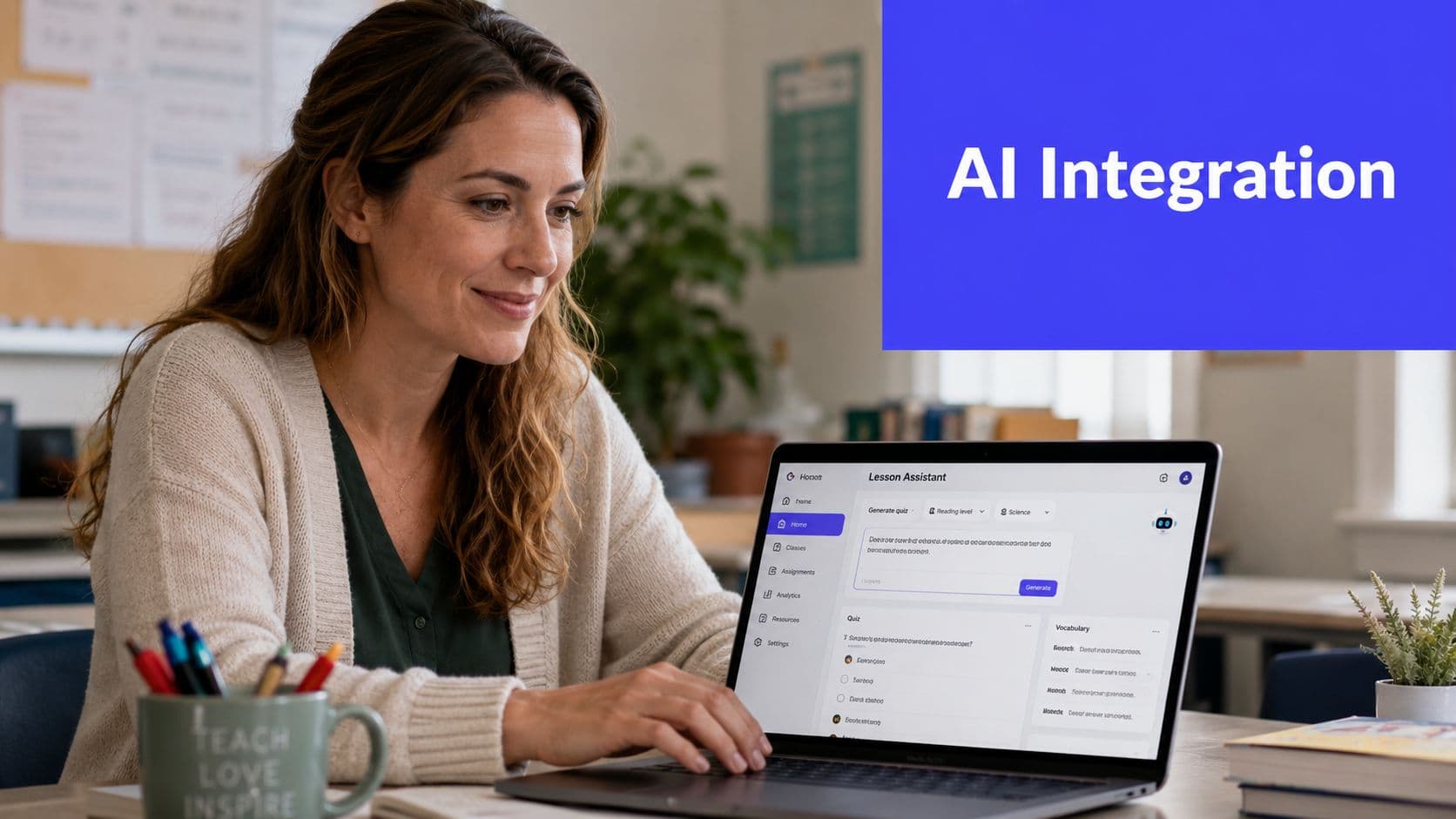
The missing piece in many LMS conversations is lesson planning. Teachers often build objectives, activities, checks for understanding, and differentiated supports outside the LMS, then manually move the final version into the platform students use. That split creates duplicate work. It also weakens alignment between planned instruction and posted instruction.
A more connected teacher workflow
An AI lesson-planning tool offers a practical way to extend LMS value. A teacher might draft a standards-aligned lesson sequence in Kuraplan, generate a worksheet or rubric, then post those materials inside the LMS for students. The LMS remains the student-facing home base. The planning tool handles the heavy lifting behind the scenes.
That kind of workflow helps in real classrooms because teachers rarely need “more tools” in the abstract. They need fewer repeated steps.
A simple example looks like this:
- Step one: Build the lesson objective and sequence in an AI planning tool.
- Step two: Generate instructional materials, prompts, or checks for understanding.
- Step three: Import or post those materials into the LMS module.
- Step four: Use LMS quizzes, submissions, and rubric tools to collect evidence of learning.
- Step five: Review student performance and revise the next lesson faster.
Schools that want to think more broadly about workflow automation sometimes also consult outside implementation specialists. A resource like an AI automation agency can be useful when district teams are mapping how multiple systems should connect without creating extra staff burden.
Where AI chat support helps
AI support becomes especially helpful during planning crunches. Teachers don't always need a full new lesson. Sometimes they need a better exit ticket, a differentiated version of directions, or a quick way to adapt tomorrow's activity for a student group.
Kuraplan's AI chat for teacher support points to that more immediate use case. Instead of treating AI as a novelty, schools can use it as a planning assistant that shortens the distance between an instructional idea and a classroom-ready resource.
A quick demo helps make this workflow easier to picture.
The key point is simple. The LMS should stay the stable center for student access and accountability. AI tools can strengthen what happens before materials reach students, especially in K to 12 settings where standards alignment, differentiation, and pacing changes eat up planning time.
Classroom Use Cases and Success Metrics
The best way to judge learning management systems is to watch how they behave in actual classrooms. Not in sales demos. In ordinary teaching.
Three school scenarios
A middle school science teacher runs a flipped lesson on ecosystems. Students watch a short video and answer a few prep questions in the LMS the night before class. The next day, the teacher groups students based on their responses and spends class time on discussion and lab work instead of whole-class review. The useful metrics here are assignment completion, quality of pre-class responses, and whether fewer students arrive unprepared.
An elementary literacy team builds a blended reading unit. The LMS holds read-aloud recordings, printable phonics practice, short comprehension checks, and family updates. Teachers monitor which students replay supports, who completes independent tasks, and which standards need reteaching. In this setting, the LMS helps teachers notice patterns early, especially when several adults support the same child.
A remote art teacher posts critique prompts, image submissions, and rubric-based feedback in one place. Students comment on one another's work using clear guidelines. The teacher can review submission timing, participation in critiques, and the quality of reflection over the course of the unit.
What to measure without overcomplicating it
You don't need a giant data dashboard to tell whether the LMS is helping. Start with a baseline and track a few classroom-facing indicators.
- Assignment completion: Are more students turning work in on time?
- Time on task: Are students getting started faster because directions are easier to find?
- Assessment evidence: Are quiz results or written responses showing clearer understanding?
- Student feedback: Do students say the class materials are easier to locate and follow?
If a metric doesn't help you teach better next week, it's probably not the first metric to track.
The most useful success measures are the ones teachers can act on. If the LMS shows that students are stalling at the same point in a unit, that's worth more than a polished report no one reads.
Conclusion and Next Steps
Learning management systems matter because school days are already complicated enough. Teachers need one dependable place for lessons, assignments, feedback, and communication. Students need consistency. Families need clarity. Administrators need a system that supports instruction instead of multiplying confusion.
The right platform won't solve every instructional problem. It will make the basic work of teaching more manageable. That's a big deal. A thoughtful selection process, realistic rollout plan, and clear support structure can spare your staff a lot of frustration later.
For schools ready to move, the next steps are practical. Run a small pilot. Use a vendor checklist during demos. Decide what “minimum effective use” looks like in every classroom. Build training around real tasks, not software tours. Track a few meaningful classroom metrics early and revise from there.
AI tools can strengthen that work when they reduce planning load and help teachers move faster from standards to ready-to-teach materials. Used well, they extend the value of the LMS instead of competing with it.
If you want a faster way to plan standards-aligned lessons, create worksheets, and support instruction before materials ever reach your LMS, take a look at Kuraplan. It's built for K to 12 educators who want to save planning time without giving up quality.