Monday morning hits fast. You've got sticky notes on the desk, a stack of quizzes to grade, and at least one student who can tell you the right answer on paper but can't show you how they got there. That's the exact moment portfolio assessment examples stop feeling like a nice idea and start looking like a practical fix, because portfolios catch the drafts, the revisions, the reflections, and the hard work students do while they learn.
That matters because portfolio assessment was built for growth, not just final answers. University guidance describes a portfolio as a “systematic collection of student work” gathered over time, with aligned assignments, rubric criteria, performance standards, and scoring practices designed for consistency (University of Hawaiʻi assessment guidance). WestEd's guidance also separates working portfolios from showcase portfolios, which is a useful distinction when you're trying to decide whether you want progress, mastery, or both (WestEd portfolio assessment guidance).
The good news is that you don't need to rebuild your whole classroom to try this. Start with one format, one subject, and one clean set of artifacts. Each of the examples below gives you copy-paste-ready artifact ideas, practical rubric language, and reflection prompts you can use this week, without turning your room into a paperwork factory.
1. Digital E-Portfolio for Everyday Classroom Use
A digital e-portfolio works best when it fits the tools you already use. Google Classroom, Schoology, Canvas, Seesaw, and Google Sites all make it easy for students to upload work, record reflections, and keep a running record that teachers and families can revisit anytime. In elementary classrooms, Seesaw is a natural fit for literacy samples, math screenshots, and social-emotional check-ins. In middle school, it works well for tracking writing from rough draft to final publication. In high school STEM, it fits lab reports, code snippets, and video explanations without forcing you into a new system.
What to collect
Keep the first version tight. A digital portfolio gets messy fast if students can dump everything into it, so start with a short, repeatable set of artifacts. That keeps the collection manageable for you and clearer for students who are still learning what counts as evidence.
- One finished assignment per unit: Pick a single anchor piece that clearly shows the skill.
- One reflection per artifact: Ask students why they chose it and what it shows about their learning.
- One photo, audio note, or video clip: Use multimedia when the work is hands-on or oral.
- One revision record: Keep the draft, teacher feedback, and final version together.
A useful rubric line is simple: “This artifact is clearly labeled, aligned to the target standard, and accompanied by a reflection that explains its learning value.” That language is clear enough for consistent scoring, and it still gives students a real target. For more student reflection ideas for class, you can also give students short prompts that fit the task instead of asking for a polished paragraph every time.
Practical rule: If a student can't explain why an artifact belongs in the portfolio, it probably doesn't belong there yet.
Kuraplan fits naturally here because it can help you build standards-aligned lessons that produce usable portfolio evidence, and it can generate assessment rubrics that match the task. If you're mapping assignments to standards in a digital platform, that saves time and keeps the artifact collection purposeful rather than random.
2. Reflection and Growth Portfolio
A reflection and growth portfolio works best when you want students to explain how their thinking changed, not just show finished work. It gives them a place to name strategies, notice patterns, and set a next goal in their own words. A third-grader can record an audio reflection after math, a middle school writer can annotate revisions, and a high school student can explain how a project shifted their view of college and career skills.
The portfolio works better when reflection is built into the routine. Students should collect evidence, choose what matters, reflect on it, format it, and submit it with clear directions, as outlined in the introduction. If the reflection only happens at the end, students tend to write vague summaries. If they reflect along the way, they notice what they did to learn and can point to the choices that helped.
A practical setup is to keep the artifact simple and make the reflection specific.
- Choose one artifact: a draft, a photo of the work, a lab note, or a short recording.
- Add one reflection prompt: ask what helped, what changed, or what comes next.
- Include one teacher check-in: a brief note that names the growth you see.
- Save one next-step goal: make the student state what they will try next time.
Teachers looking for student reflection ideas for class can find more prompt examples at Soul Shoppe. Short prompts usually work better than broad ones, because students can answer them without drifting into generic comments. Voice recordings and short video reflections can also be easier than long written responses, especially for younger students or for students who think faster than they write.
A clear rubric line here is, “The reflection explains the student's thinking, points to growth, and names a next step.” That keeps scoring focused on metacognition instead of essay length. If you want a rubric that matches that kind of language, use the Kuraplan rubric generator to draft criteria that stay tied to the task.
If you're setting this up in Kuraplan, build the reflection into the lesson itself so students complete it while the work is still fresh. That keeps the portfolio from becoming an extra chore at the end of the unit. It becomes part of the learning process.
3. Competency-Based Portfolio for Standards Mastery
A competency-based portfolio works well when a team needs evidence tied closely to standards. The question shifts from, “What work did the student do?” to, “What can the student do at each proficiency level?” That gives you a clearer fit for K–2 literacy, middle school math progressions, or high school STEM skills, where mastery can show up across more than one task.
In practice, this format is strongest when teachers need to separate a student's early attempt from real proficiency. A student may show partial understanding in a quiz, steady control in a lab task, and confident transfer in a project. The portfolio makes that progression visible without forcing every subject into the same kind of artifact.
The science portfolio framework from ERIC is a useful model because it organizes evidence across concept, process, application/connection, creativity, and attitude, using artifacts like concept webs, lab notebooks, performance tasks, photographs, sketches, and attitudinal surveys (science portfolio framework). That kind of structure helps when one assignment cannot show the full picture.
A usable structure
For each competency, keep the evidence stack short and easy to read.
Start with a sequence students and teachers can both follow:
- Emerging sample: early attempt, with teacher notes
- Proficient sample: a complete task that meets the standard
- Advanced sample: transfer task, extension, or application
- Student self-assessment: a short rating with evidence
- Teacher comment: one sentence naming what the student demonstrated
The point is to show movement, not accumulation. If the portfolio gets too crowded, the standard gets harder to see. I usually ask students to place the newest evidence beside the strongest earlier piece so the growth is obvious at a glance.
A rubric line that stays clear is, “This work demonstrates the competency independently, with evidence that can be traced to the stated standard.” If you can't point to the standard in the work, the portfolio is drifting. That wording also gives students a concrete target, since they can check whether the evidence matches the standard instead of guessing what counts.
If you want rubric language that stays tied to the task, Kuraplan's rubric generator is a practical shortcut. It helps you draft criteria and map lessons to standards, which makes it easier to build assignments that produce evidence you can score without a lot of cleanup later.
The best competency portfolios don't ask students to guess what counts. They show the standard, the evidence, and the level of performance side by side.
4. Showcase Portfolio for Best Work Selection
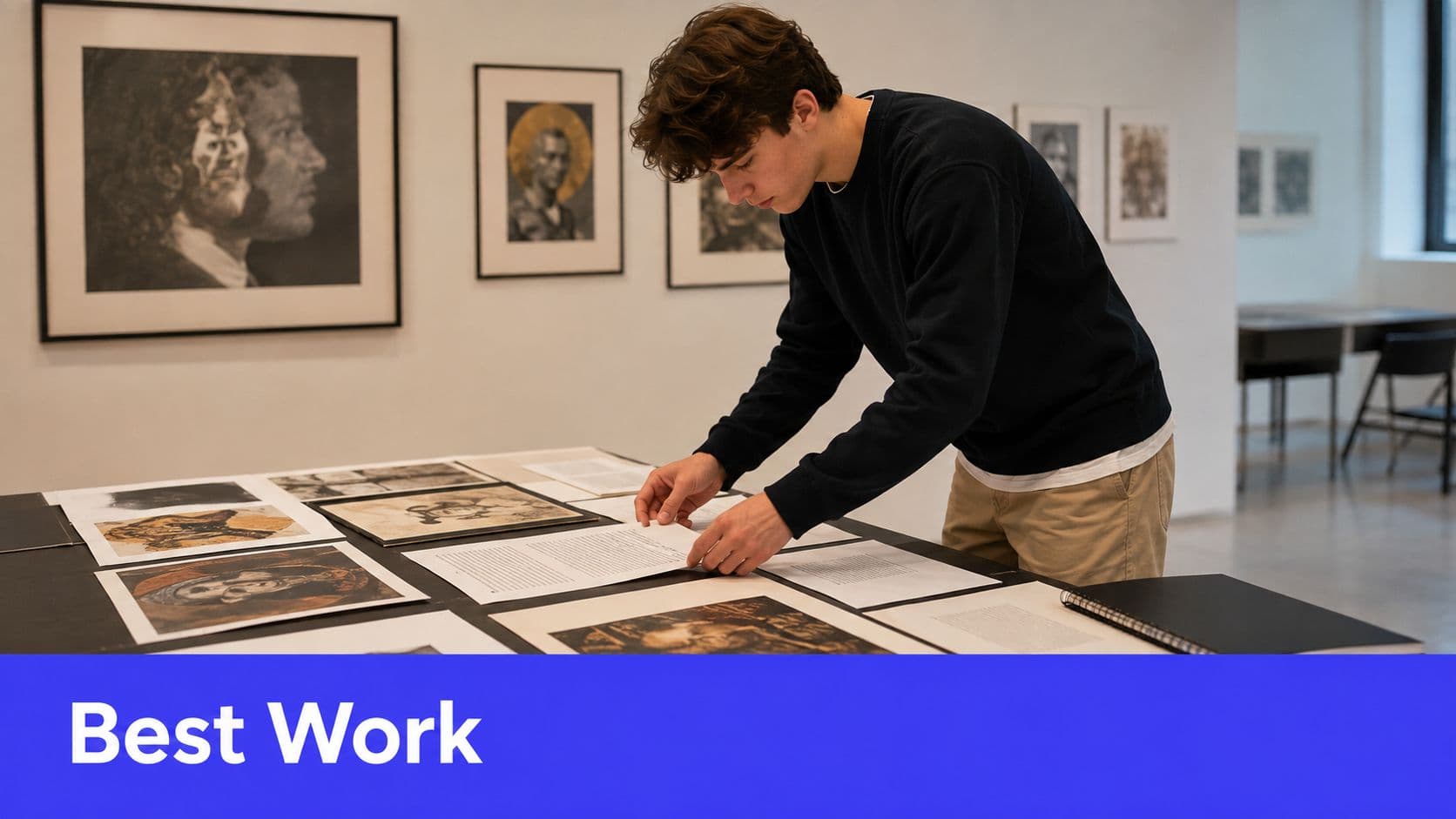
Showcase portfolios fit the end of a unit, semester, or year, when students choose the pieces that best represent what they can do now. As discussed earlier, showcase portfolios are summative, while working portfolios stay centered on progress. That difference matters in practice. If the goal is celebration and presentation, a showcase portfolio is a cleaner fit than a large archive.
This format works especially well in art, writing, capstone projects, and interdisciplinary work, because students can curate a small set of finished pieces instead of submitting everything they have ever made. An elementary art teacher might turn the portfolio into a hallway exhibition. A middle school team might combine research, writing, and multimedia. A high school senior capstone can bring together writing samples, research projects, and reflective essays that show readiness for graduation.
What makes a showcase piece earn its place
“Best work” needs a tighter definition than “favorite work.” Students usually pick favorites for personal reasons, while teachers need a selection that can be defended against the standard.
A useful way to set that boundary is to give students a short decision frame:
- Clear selection criteria: quality, originality, growth, or craftsmanship
- Student rationale: a short artist statement or “why I chose this” note
- Peer review: one round of feedback before final selection
- Public display option: gallery wall, digital showcase, or student-led conference
That list keeps the portfolio from turning into a random trophy case. It also helps students sort through strong work without guessing which pieces count. If you want a tighter way to build the rubric side of this, Kuraplan's formative assessment examples can help you shape the prompts that lead to portfolio-worthy evidence.
A strong rubric line is, “The selected piece is polished, representative, and accompanied by a clear explanation of why it belongs in the final collection.” It keeps the portfolio tied to quality and purpose, not just preference. It also gives students a concrete target, because they can check whether the work is finished, representative, and explained well enough to stand on its own.
Use Kuraplan when you want the assignments themselves to produce showcase-worthy work. If students only complete low-level tasks, the final portfolio will reflect that. If the unit asks for meaningful writing, real research, or rich problem-solving, the showcase has something worth showing.
5. Process Portfolio for Work in Progress
A process portfolio fits the days when a draft is still messy and students need to see that mess as part of the assignment. As noted earlier, working portfolios are formative, which makes them a strong match for writing, makerspace projects, and research tasks. The portfolio holds drafts, false starts, comments, and decisions, so students can show how the work changed instead of pretending they got it right on the first try.
Anna Lännström's low-key reading portfolio shows the same idea in a simple classroom routine. She has students turn in pictures of their work on Canvas, then submit the full materials as a portfolio twice a semester, with the emphasis on process rather than a polished final product (Wabash Center reading portfolio). That structure transfers well to K–12 settings when you want students to make their thinking visible over time.
Process artifacts worth saving
Give students a short, concrete list so they know what counts as process evidence in your room.
- Brainstorms and outlines: the first rough thinking
- Drafts with comments: teacher, peer, or self-feedback
- Revision notes: what changed and why
- Photos or screen captures: sketches, prototypes, or digital work
- Decision logs: brief explanations of important choices
A strong rubric line is: “The portfolio includes visible evidence of revision and explains how feedback shaped the final product.” That keeps the focus on revision without turning every mark on the page into a separate grading task.
For the checkpoints that keep students from saving everything for the end, Kuraplan's formative assessment examples gives practical prompt ideas you can drop into drafts, conferences, and exit tickets. Build those checkpoints into the unit, and the portfolio grows naturally instead of arriving as a last-minute pile.
6. Hybrid and Blended Portfolio for Mixed Evidence
Hybrid portfolios work well in classrooms where one format is not enough. A blended portfolio can hold standards-aligned evidence, reflections, student choice, and a few process pieces without asking students to juggle separate systems. For teachers, that usually means fewer moving parts and a clearer read on how a student is doing across different kinds of work.
The comparison section makes the same point in another way, strong portfolio design depends on clear evidence-to-outcome mapping, reflection, and calibration artifacts, not just stacks of completed work. A hybrid portfolio gives you that structure while still leaving room for different kinds of evidence. The key is making the layout visible enough that students know where each piece belongs.
A clean hybrid setup usually starts with one required section and then branches out from there.
- Standards section: required evidence by competency
- Showcase section: one or two student-selected pieces
- Reflection section: unit reflections, goal updates, or audio notes
- Process section: drafts, sketches, or revision history
- Extras section: optional artifacts, not required for scoring
That structure gives you flexibility without turning the portfolio into a catchall. A strong rubric line is: “The portfolio includes required evidence in the correct sections and shows how the student's work connects across formats.” It keeps the focus on organization and meaning, not on whether every artifact looks the same.
Kuraplan fits naturally here because it helps you plan the unit with the portfolio map in mind. If you know which assignment feeds which section before teaching starts, students can save evidence as they go instead of trying to reconstruct the whole thing at the end. That is easier for them and easier for you to score.
Hybrid portfolios work when the map is clear. Without that map, students just see folders.
7. Living Portfolio for Long-Term Growth
Living portfolios work best in schools that can support steady handoff and consistent review. Instead of rebuilding a portfolio from scratch each year, students keep one record that moves with them across grades and adds new evidence over time while still preserving earlier work. That long view matters in literacy, math, and the arts, because growth often stays hidden inside a single school year.
A useful example from the research brief comes from teacher education, where e-portfolios helped pre-service teachers track ongoing reflection, professional growth, and identity development over time (Springer e-portfolio study). The same idea works in K–12 when the goal is for students to spot progress they might otherwise miss. A third grader looking back at a first-grade sample and comparing it with a current response can see the change in reading, writing, or reasoning instead of only hearing that they have improved.
What living portfolios need
The structure has to make the transition between grades easy to manage. If the handoff is messy, the portfolio turns into a storage bin instead of a growth record.
- Transfer rules: decide what follows the student and what gets archived
- Teacher summary notes: one short handoff note for the next teacher
- Consistent folders or tags: keep older and newer evidence searchable
- Periodic reflection: compare early work with current work
- Privacy controls: especially when the portfolio follows the student to a new school
A strong rubric line is: “The student compares past and present work and explains what has changed in quality, strategy, or understanding.” That keeps the focus on growth over time, which is purpose of this format. The portfolio should help the student notice their own arc, not just collect artifacts.
Kuraplan's standards-aligned planning approach fits this model because the core expectations can stay consistent from year to year even when the assignments change. That consistency makes long-term comparison much easier for both teachers and students.
8. Competency-Based Digital Portfolio with AI-Assisted Organization
A student posts a lab report, a debate video, and a revised essay, then asks which standard each piece should sit under. A competency-based digital portfolio with AI-assisted organization handles that sorting faster than a teacher can do it by hand, while still leaving the final call with the teacher. The payoff is less time spent hunting through files and more time spent judging whether the evidence shows mastery.
Kuraplan fits this workflow because it centers standards-aligned planning, rubrics, and assessment support, and its guidance on AI in schools focuses on using AI to support teacher workflow without replacing teacher judgment (Kuraplan AI in schools guidance). That matters in portfolio work. AI can tag artifacts, group them by competency, and surface likely matches, but teachers still need to check whether the evidence really belongs where the system placed it.
What this setup looks like in practice
Start with a simple rule set, then let the technology handle the sorting.
- Students upload work digitally: no paper stack waiting at the end of the week
- The system tags evidence: by competency, standard, or proficiency level
- Teachers review organized artifacts: instead of digging through folders one by one
- Rubrics stay consistent: across units, grade levels, or classrooms
- Reports are easier to generate: for conferences, progress updates, or competency-based reporting
Teachers get the most value when they define what counts as evidence before the first upload. A science model, a written reflection, and a quiz retake should not all carry the same weight unless the rubric says they do. If the rules are clear, AI can speed up the sorting without blurring the standard.
A strong rubric line here is: “The artifact is accurately aligned to the competency, and the teacher has confirmed the match.” That final clause is the guardrail. Automation can suggest, but educators have to approve.
The trade-off is easy to see. This format saves time and makes reporting cleaner, yet it can create a tidy-looking portfolio with weak alignment if staff accept the tags without checking them. Teachers need a quick review habit, even when the system feels right on first pass.
8-Model Portfolio Assessment Comparison
| Portfolio Type | Implementation Complexity (🔄) | Resource Requirements (⚡) | Expected Outcomes (📊) | Ideal Use Cases (💡) | Key Advantages (⭐) |
|---|---|---|---|---|---|
| Digital E-Portfolio (LMS Integration) | Medium, platform setup & teacher training 🔄 | Reliable internet, devices, LMS subscription ⚡ | Accessible, organized evidence; improved parent/teacher access 📊 | Remote/hybrid classes; standards-aligned instruction; K–12 💡 | ⭐⭐⭐, Scalable access, multimedia support, easy sharing |
| Reflection and Growth Portfolio (Metacognitive Focus) | Medium, routines & sustained modeling 🔄 | Time for reflections; teacher feedback; low–medium tech ⚡ | Stronger metacognition, student ownership, growth insight 📊 | Growth-mindset programs, student-led conferences, K–12 💡 | ⭐⭐⭐, Deep insight into thinking; fosters self-regulation |
| Competency-Based Portfolio (Standards & Skills) | High, define competencies, rubrics, calibration 🔄 | Standards mapping, consistent evidence collection, training ⚡ | Clear mastery indicators; supports personalized pacing 📊 | Competency-based systems, standards-focused reporting 💡 | ⭐⭐⭐⭐, Transparency in mastery; reduces grading subjectivity |
| Showcase Portfolio (Best-Work Selection) | Low–Medium, curation & presentation skills 🔄 | Time for polishing; digital/gallery space; rubric for selection ⚡ | High-quality representative artifacts; motivates students 📊 | College apps, exhibitions, capstone presentations 💡 | ⭐⭐⭐, Celebrates achievement; manageable scope |
| Process Portfolio (Work-in-Progress Documentation) | Medium–High, checkpoints & guidance required 🔄 | Storage for drafts, multimedia capture tools; review time ⚡ | Visible iteration, improved revision and problem-solving 📊 | Project-based learning, maker/STEM, arts education 💡 | ⭐⭐⭐, Reveals effort/iteration; informs instruction |
| Hybrid/Blended Portfolio (Multi-Format Integration) | High, integrates multiple systems and rules 🔄 | Mix of digital & physical storage, strong org tools, training ⚡ | Multifaceted, comprehensive view of learning across measures 📊 | Schools needing multiple assessment purposes; gradual adoption 💡 | ⭐⭐⭐⭐, Flexible, customizable; balances depth and efficiency |
| Living Portfolio (Longitudinal Development) | High, cross-year systems and policies needed 🔄 | Long-term storage, institutional buy-in, privacy protocols ⚡ | Longitudinal growth patterns; smoother transitions over years 📊 | K–12 longitudinal tracking, Montessori, continuous-progress schools 💡 | ⭐⭐⭐⭐, Shows long-term development; supports transitions |
| Competency-Based Digital Portfolio with AI (Kuraplan) | High initially, setup and calibration; lower ongoing 🔄 | Advanced platform with AI, training, ongoing costs and support ⚡ | Automated alignment, mastery dashboards, time savings for teachers 📊 | District-scale competency systems; schools scaling portfolios 💡 | ⭐⭐⭐⭐, Automates mapping/reporting; scalable and consistent |
Choosing and Combining the Right Portfolio for Your Class
If you teach younger grades, start with a digital e-portfolio or a reflection and growth portfolio. Younger students need structure, visual cues, and short routines, not a complicated archive. If you teach middle or high school ELA, science, or CTE, a process portfolio or competency-based portfolio usually gives you the clearest evidence because students can show drafts, revisions, and mastery side by side. If you teach art, capstone, or project-based courses, a showcase portfolio gives students a real audience, which changes the quality of the work.
Time matters too. If you're already overloaded, don't start with a living portfolio across grades. Start with one unit, one standard, and one repeatable reflection routine, then build from there. Once the first portfolio works, layer in a second format only if it serves a different purpose. A good rule is simple. Use one portfolio to track learning, another to celebrate it, and never ask the same artifact to do three jobs at once.
The research points in the same direction. Portfolio assessment is strongest when it uses curated artifacts, explicit criteria, and reflection, not just a folder of student work (University of Hawaiʻi assessment guidance). It also gets much more reliable when assessors have clear evidence, anchor examples, and a consistent scoring process (UNSW portfolio guidance). That's why the smartest portfolio systems look simple on the surface and tightly designed underneath.
Portfolios aren't about more paperwork, they're about making student thinking visible.
If you want the planning layer under whichever format you choose, Kuraplan is worth opening before you build the next unit. It can help you align the standards, design the rubric, and create assignments that produce useful portfolio evidence. Pair that with a simple portfolio structure, and you'll spend less time sorting files and more time responding to what students are showing you.
Kuraplan helps K–12 teachers build standards-aligned lessons, rubrics, and assessments that feed directly into strong portfolio systems. If you want a cleaner way to plan the work, collect the evidence, and keep the standards visible, visit Kuraplan and use it as the planning layer for your next portfolio unit.