Sunday night planning has a way of turning a simple idea into a long detour. You need a few solid math word problems for tomorrow, but the worksheet you found is off-target, the numbers are awkward, and the “real-world” context feels like it was written for students you've never met.
That's why a good word problem maker matters. Not because it spits out more questions, but because it can help you build the right questions faster. The main benefit isn't volume. It's getting practice that matches your standard, your students, and the skill you're teaching.
Used well, AI can take one of the most annoying parts of math planning and turn it into a short, repeatable workflow. Used badly, it creates a pile of random problems you still have to fix. The difference comes down to how you guide it.
The End of Hand-Crafted Word Problems
At some point, most teachers build their own word problems out of necessity. You can't find a clean multi-step problem for your exact lesson, so you open a doc and start typing. Then you rewrite the names, swap the numbers, simplify the language, and realize you've spent far too long making three usable questions.
That old workflow made sense when most resources were static. You either pulled from a workbook, downloaded a PDF, or wrote the whole thing yourself. Modern tools changed that. Researchers described personalized mathematical word problem generation from structured inputs in IJCAI's 2015 paper on problem generation, and that shift is the real turning point. Instead of relying only on fixed templates, today's generators can build new problems dynamically.
What changed in practice
That technical shift matters because it mirrors what teachers need during planning:
- Fresh practice: New variations instead of the same recycled worksheet.
- Tighter fit: Problems adjusted by topic, grade, or difficulty.
- Faster revision: A rough draft you can edit instead of a blank page.
Wolfram Problem Generator is a familiar example of this move toward on-the-fly generation rather than a static bank of questions, and that idea has spread widely into classroom tools. Teachers no longer have to choose between speed and customization quite as often as we used to.
Hand-written word problems aren't gone. They're just no longer the only way to get something tailored.
If you're comparing AI tools more broadly, not just for math but for planning and classroom content in general, PhotoMaxi's content creation guide is a useful roundup. It helps put educational generators in the broader context of tools teachers are already borrowing from.
Why this saves real planning time
The biggest benefit isn't fancy technology. It's that you stop starting from scratch. When a word problem maker gives you a decent first draft, your role shifts from writer to editor. That's a much better use of teacher expertise.
And that's the classroom hack. You don't need a machine to replace your judgment. You need it to handle the repetitive drafting so you can focus on alignment, clarity, and student readiness.
Start with Your Standard Not the Tool
The mistake I see most often is starting with the tool window open and no instructional target in mind. That's when you type “make me 5th grade word problems” and get a set that looks polished but doesn't fit the lesson.
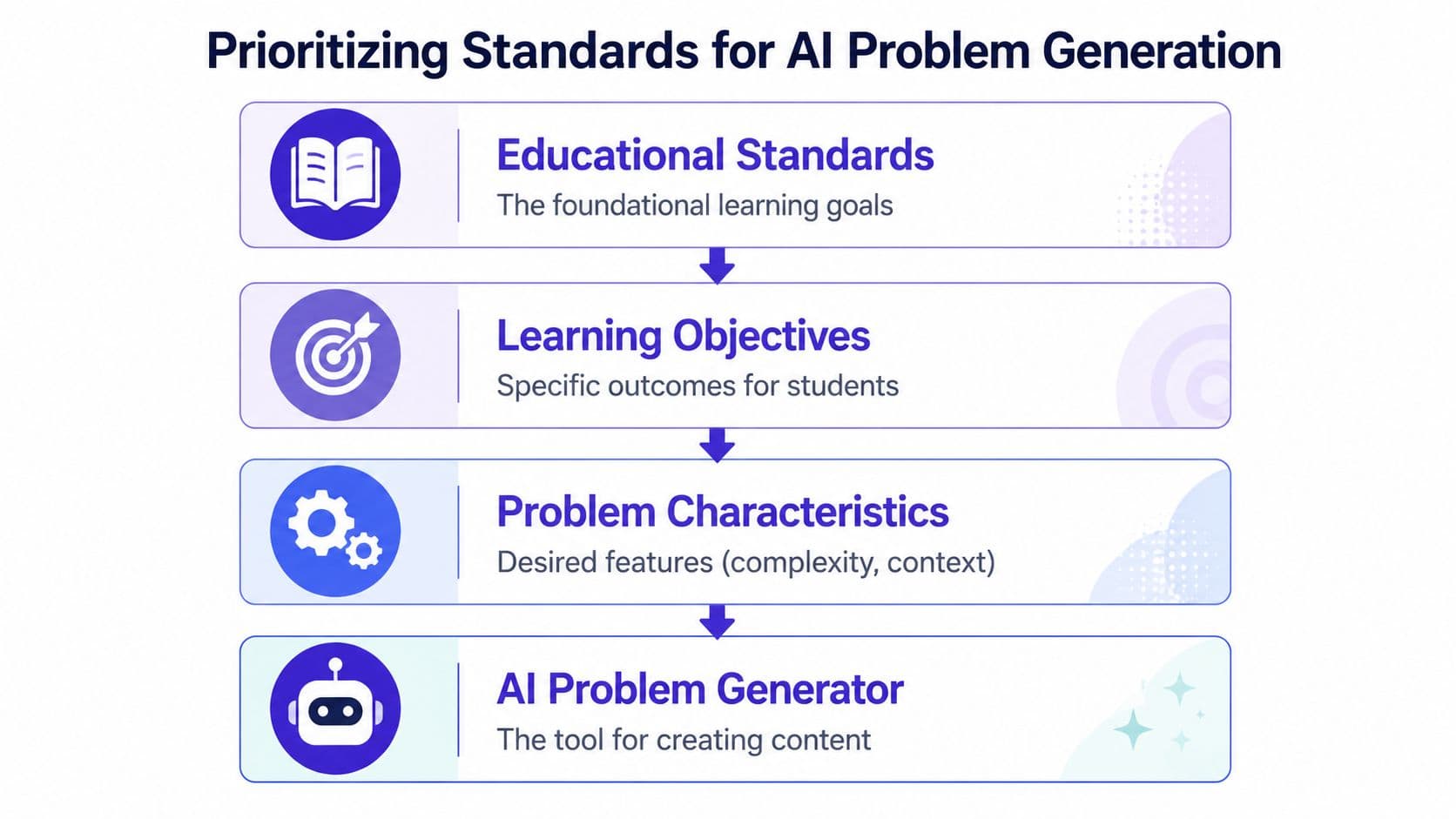
Teachers need something more precise. Many guides skip the most important step, which is aligning generated problems to standards and learning objectives. That matters because, as Made for Math notes in its discussion of visual word problem solving, the primary challenge for students is translating a situation into a mathematical model, not just doing random practice.
Your pre-flight check
Before generating anything, pin down four things on paper or in your planning tool.
The exact skill
Be specific. “Fractions” is too broad. “Add fractions with like denominators in a real-world context” is workable.
The learning objective
Ask what students should demonstrate by the end of the task. Solve? Explain? Compare? Model?
The prerequisite knowledge
A weak problem often isn't mathematically wrong. It's just built on missing background knowledge. If students are still shaky on the prerequisite, the word problem becomes a reading struggle plus a math struggle.
The acceptable level of complexity
Decide whether you want one-step, multi-step, low-language load, or rich context with extra information.
A simple planning frame
I like to think about word problems in this order:
| Planning move | What to decide |
|---|---|
| Standard | What content am I teaching today? |
| Objective | What should students be able to do with it? |
| Context | What setting will help the math make sense? |
| Constraints | Number size, steps, vocabulary, supports |
That order keeps the lesson teacher-led instead of tool-led.
Practical rule: If you can't describe the target skill in one clear sentence, you're not ready to generate problems yet.
What this looks like in real planning
Suppose you're teaching comparison problems with multiplication. Instead of asking for “fun multiplication word problems,” define the lane:
- Standard focus: multiplicative comparison
- Objective: students identify the relationship before solving
- Prerequisite: students understand groups of and times as many
- Problem characteristics: one-step, everyday context, no distracting extra numbers
That level of clarity changes the output dramatically. It also makes revision faster, because you know what to reject immediately.
How to Write Prompts That Actually Work
Prompting a word problem maker isn't about sounding clever. It's about giving the system the same kind of direction you'd give a student teacher writing tomorrow's practice.
Generic prompts create generic work. Specific prompts create material you can use.
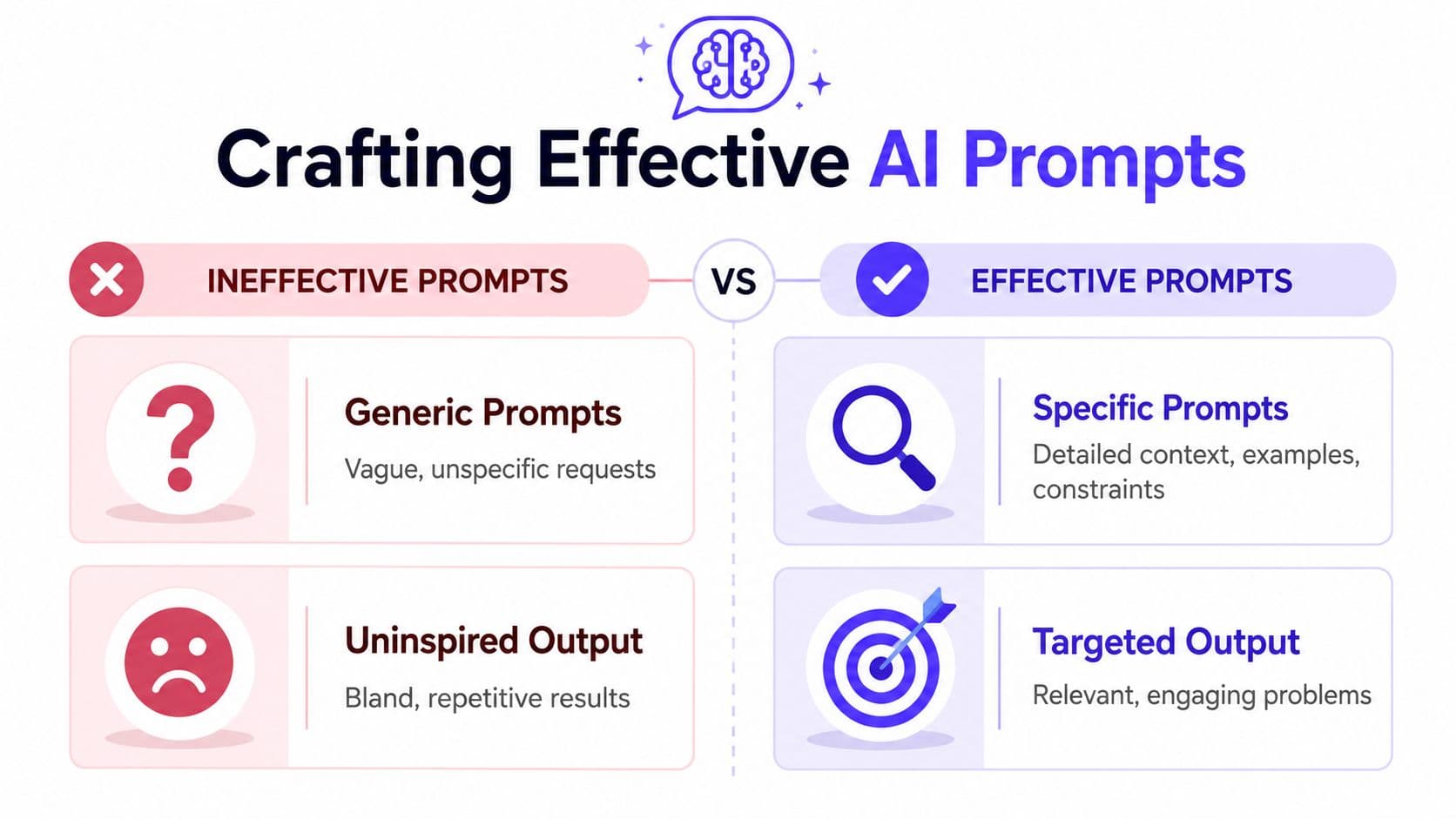
Weak prompt versus usable prompt
Here's the weak version:
Make 4th grade fraction word problems.
That leaves too much undecided. Which fraction skill? How many steps? What reading level? What kind of context? Are students solving, modeling, or explaining?
Now compare that with this:
Create 6 word problems for 4th grade students on adding fractions with like denominators. Use school and snack contexts. Keep each problem one step only. Use clear, age-appropriate language. Avoid mixed numbers. Include an answer key.
The second prompt gives the generator boundaries. That's what improves quality.
The parts that matter most
When I write prompts for classroom use, I include these ingredients:
- Grade or age band: This helps control vocabulary and structure.
- Specific math skill: Name the operation or concept clearly.
- Problem type: One-step, two-step, compare, equal groups, measurement, and so on.
- Context: Sports, classroom supplies, pets, cooking, field trips.
- Language constraints: Short sentences, accessible verbs, no trick wording.
- Output format: Worksheet-ready set, answer key, space for work, or explanation prompts.
A purpose-built platform can make this easier. Kuraplan is one example because it guides teachers through standards, objectives, differentiation, and worksheet creation instead of making you write every parameter from scratch.
Copy and adapt these prompt patterns
Try these as templates.
For intervention
- Create 4 one-step subtraction word problems for grade 2.
- Use classroom and lunch contexts.
- Keep numbers within a range my students can handle.
- Use short sentences and simple verbs.
- Include answers only, not explanations.
For on-level practice
- Write 8 multi-step decimal word problems for middle school students.
- Focus on shopping and measurement scenarios.
- Require students to choose the correct operation.
- Include an answer key and brief solution notes.
For enrichment
- Generate 5 word problems involving proportional reasoning.
- Use realistic scenarios.
- Make each problem require a written explanation, not only a numerical answer.
- Include one problem with extra information students must ignore.
If you want to sharpen your prompt-writing habits beyond education tools, LocalChat's prompt guide is worth a read. The best ideas there carry over well to lesson prep because they stress clarity, constraints, and revision.
A quick demo can also help if you're new to this workflow:
A prompt trick that cuts cleanup later
Ask for the non-math features too.
Don't just specify the computation. Specify tone, sentence length, familiar contexts, and whether you want unnecessary information removed. A lot of teacher frustration comes from fixing language, not fixing math.
The prompt isn't a command. It's a draft brief for instructional materials.
That mindset helps. You're not chatting casually with AI. You're assigning a planning task.
Reviewing and Refining Your AI Problems
A generated problem isn't finished just because it reads smoothly. Teachers still need to check it with a cold eye. That's not skepticism for the sake of it. It's basic quality control.
Benchmark-style evaluations show that AI math problem generators can fail in two common ways: mathematical invalidity and poor language quality. The AI for Good and Business Impact work highlighted this problem and described a math consistency constraint approach that validates the underlying equation while also improving relevance and wording in generated problems, as discussed in this presentation on math word problem generation.

Trust it enough to use it. Verify it enough to teach it
I use a short review pass before anything reaches students.
First check the math
- Are the quantities consistent?
- Does the question match the information given?
- Is there one clear solvable path, or are students forced to guess your intent?
Then check the language
- Is the wording age-appropriate?
- Are students likely to trip over syntax instead of reasoning?
- Does the context feel natural, or does it sound assembled by a machine?
Finally check instructional fit
- Does this problem target today's objective?
- Is the difficulty where you need it?
- Would your strongest and struggling students both access it in the intended way?
Common failure points
Here are the issues I catch most often:
| Problem | What it looks like |
|---|---|
| Misaligned question | The setup suggests one operation, the answer requires another |
| Awkward context | Students get distracted by a strange scenario |
| Hidden reading barrier | Vocabulary is harder than the math |
| False rigor | The problem is longer, but not deeper |
If a problem needs heavy editing, keep the structure and rewrite the surface. That's faster than trying to rescue every line.
For answer support, worked examples, or checking how explanations are formatted, I also like reviewing samples such as this answer-with-explanation worksheet example. Seeing the final student-facing version often reveals whether the original problem is classroom ready.
The fastest way to refine difficulty
You usually don't need a brand-new problem. You need a tuned version of the same problem.
- To simplify: reduce the number of steps, shorten the sentences, remove irrelevant details.
- To increase challenge: add comparison language, require justification, or include information students must sort.
- To improve relevance: swap names, settings, or objects so the context fits your class.
That editing step is where teacher expertise shows up most clearly. AI can draft. Teachers still decide what belongs in front of students.
Turning Problems into Printable Worksheets
Once the problems are ready, formatting becomes the next trap. A good set of questions can still turn into a messy worksheet if you have to copy and paste across docs, fight spacing, and build an answer key by hand.
That's why an integrated workflow matters more than typically realized.
Raw text is not a classroom resource
A list of generated problems sitting in a chat box isn't finished instructional material. Teachers still need:
- Clear numbering: Students need a clean sequence to follow.
- Readable spacing: Enough room to annotate or solve.
- Answer support: Keys or explanations for fast checking.
- Visual consistency: A handout that doesn't look improvised.
That last part matters more than people admit. Students read worksheet design as a signal. If the page is cluttered, they expect the thinking to be cluttered too.
Why worksheet generation matters
A dedicated worksheet builder solves a very practical problem. It turns edited problem text into something printable without another round of formatting work. That includes layout, answer keys, and reusable templates for repeated practice.
If that's the bottleneck in your planning routine, using a platform with built-in worksheet generation tools makes the process much smoother. The gain isn't just convenience. It reduces the friction between “I have the right problems” and “my students can use them tomorrow.”
The less time you spend nudging text boxes and line breaks, the more likely you are to keep creating targeted practice instead of settling for whatever worksheet was easiest to print.
Classroom Ideas for Your New Problems
Once custom problem sets are easy to make, you stop treating word problems like a unit-end event. They become flexible daily tools.
That lines up with what the market for these tools suggests. Products like GradeWithAI and SchoolAI emphasize rapid creation of printable, contextualized problems for different grades, and resources such as Education.com position word problems as a way to help students apply math to real-world situations in its statistics word problem worksheet collection. Teachers want quick, usable practice because students need repeated exposure, not a single worksheet every few weeks.
Practical ways to use them tomorrow
One strong use is the warm-up. Put one carefully chosen problem on the board and ask students to identify the math before they solve. That small shift moves them away from number grabbing and toward sense-making.
Another easy move is small-group differentiation. Print one version with simpler numbers and another with added steps or extra information. The structure stays familiar while the demand changes.
A third option is partner design. After students solve a problem, ask them to write a similar one with the same mathematical structure. If you want a model for that style of real-world practice, this real-life math scenarios worksheet shows the kind of context-rich format that works well.
A short list worth keeping on hand
- Exit tickets: Use two tightly aligned problems to check understanding fast.
- Intervention folders: Generate focused sets for one shaky skill.
- Centers: Give groups parallel problems with different contexts.
- Homework: Send home practice that matches the current lesson.
- Student creation: Have students revise a generated problem to improve clarity.
The best word problems don't just ask students to compute. They help students decide what the situation means mathematically.
That's the shift that makes a word problem maker useful in real classrooms. Not more problems. Better-matched ones.
If you want a faster way to go from standard to printable practice, Kuraplan is built for that teacher workflow. It helps generate standards-aligned materials, turn them into worksheets, and keep the planning process focused on what students are meant to learn.