TechnologyFreePrintable

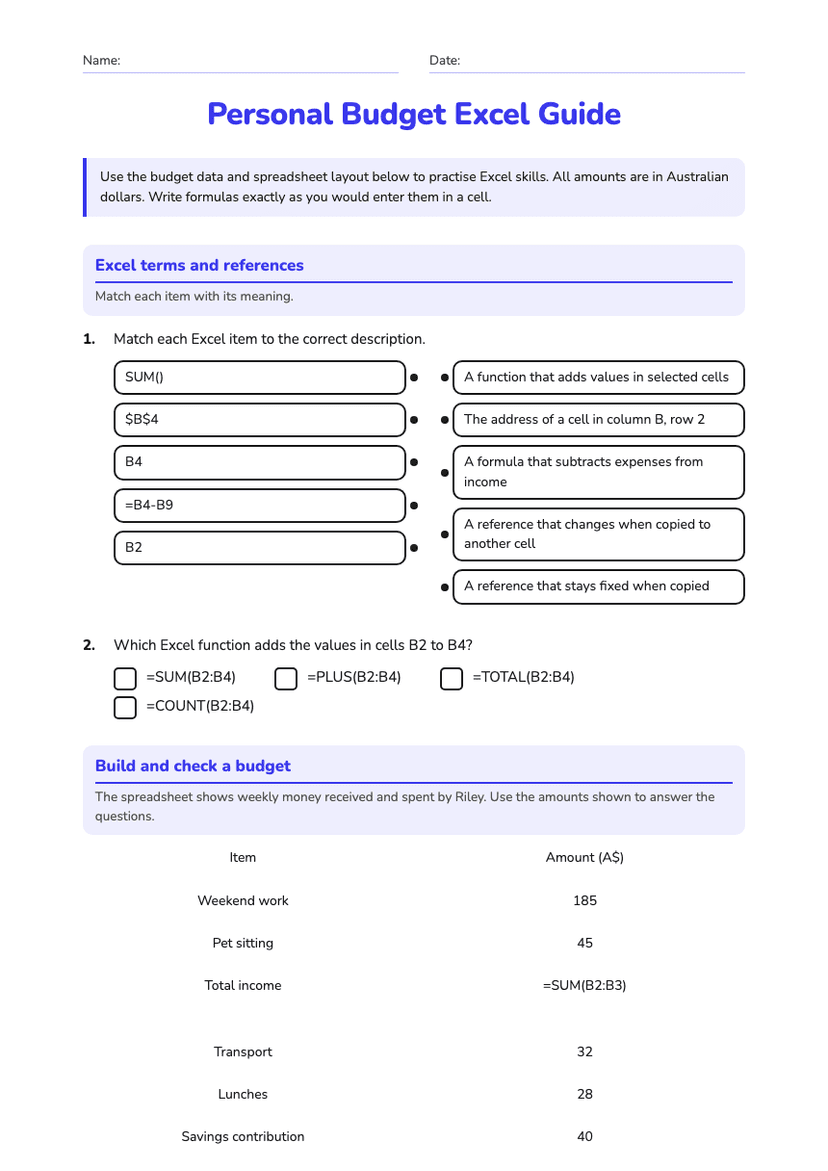
Budgeting with Excel Formulas

A free technology worksheet ready for your classroom. Open in Kuraplan to grab the print-ready PDF, customize it for your students, or generate a fresh version in seconds.
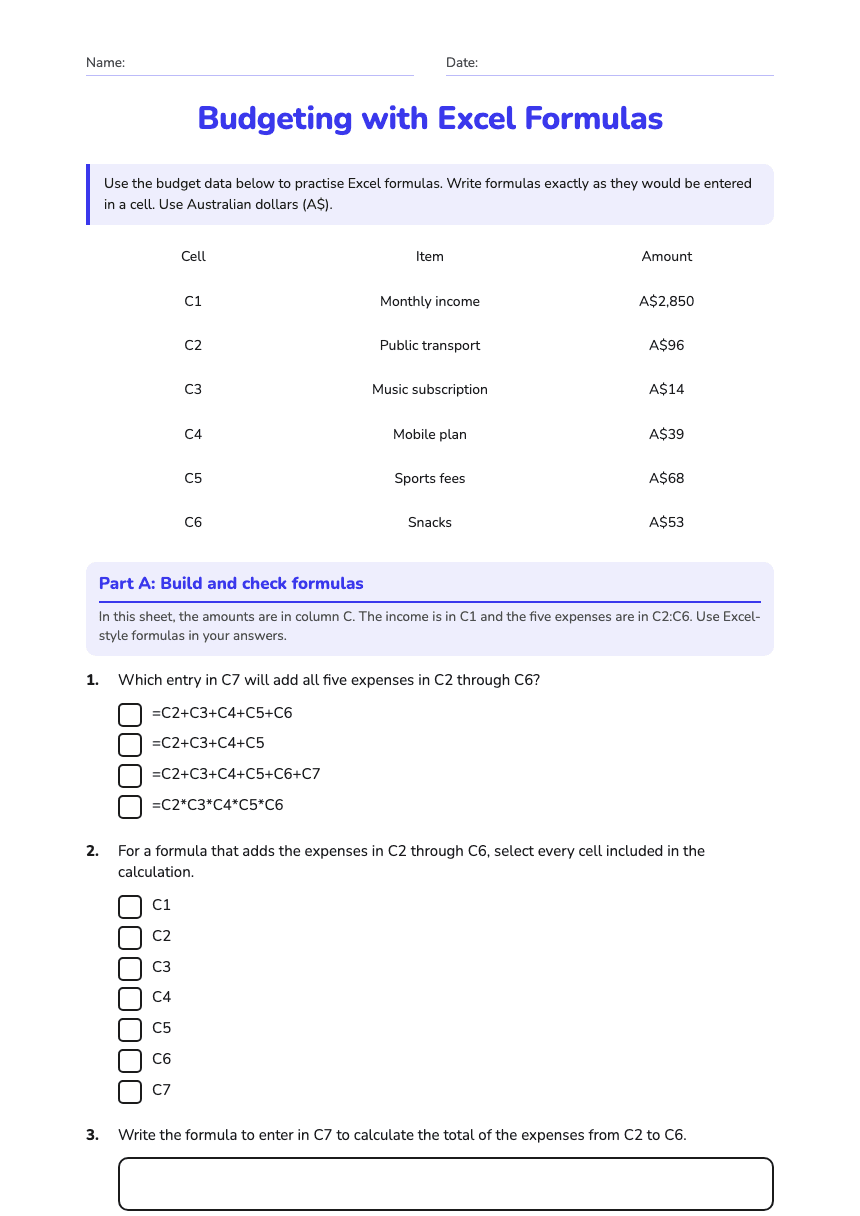
Budgeting with Excel Formulas worksheet preview
Name:Date:

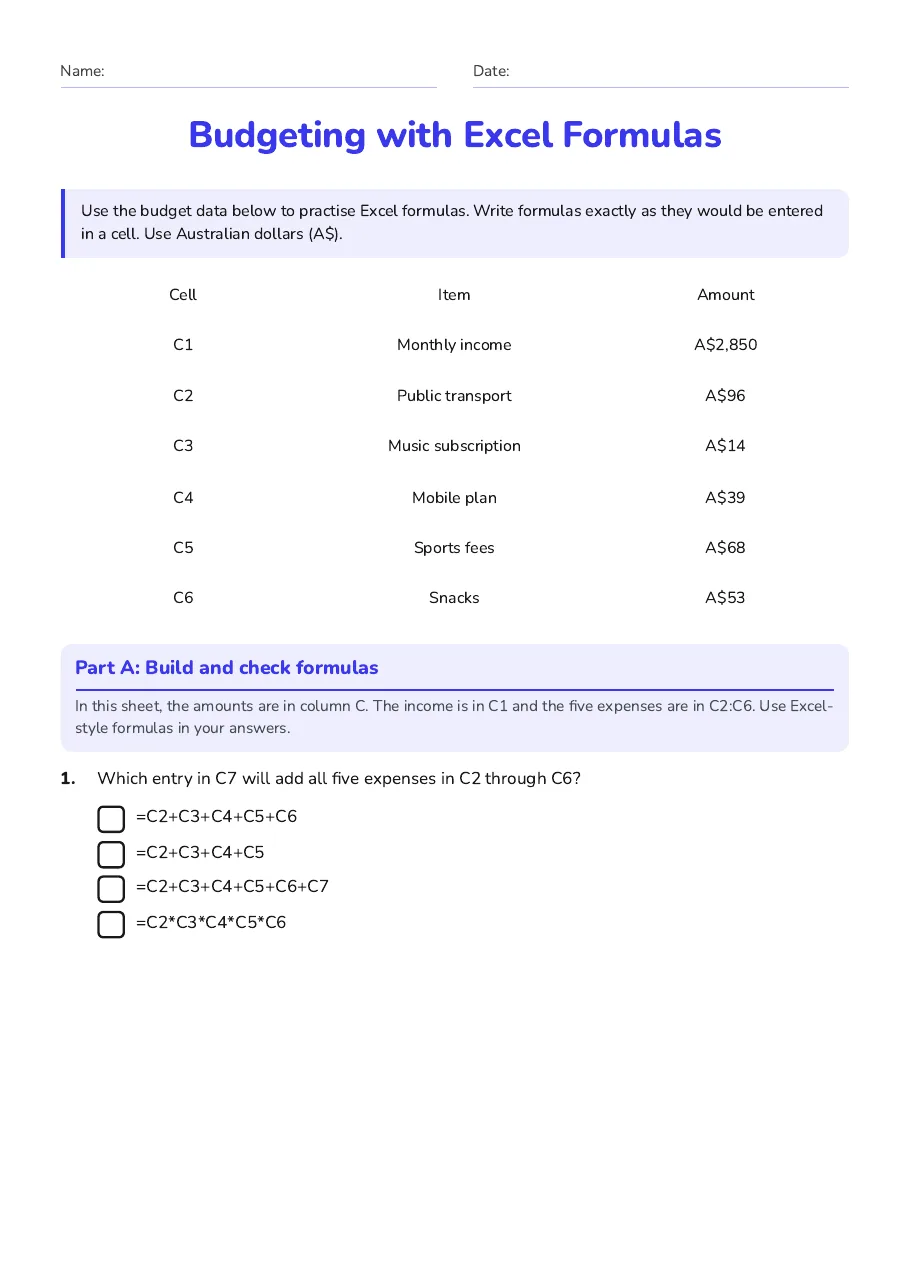
Budgeting with Excel Formulas

Use the budget data below to practise Excel formulas. Write formulas exactly as they would be entered in a cell. Use Australian dollars (A$).

Cell

Item

Amount

C1

Monthly income

A$2,850

C2

Public transport

A$96

C3

Music subscription

A$14

C4

Mobile plan

A$39

C5

Sports fees

A$68

C6

Snacks

A$53

Part A: Build and check formulas

In this sheet, the amounts are in column C. The income is in C1 and the five expenses are in C2:C6. Use Excel-style formulas in your answers.

1.Which entry in C7 will add all five expenses in C2 through C6?
  • =C2+C3+C4+C5+C6
  • =C2+C3+C4+C5
  • =C2+C3+C4+C5+C6+C7
  • =C2*C3*C4*C5*C6
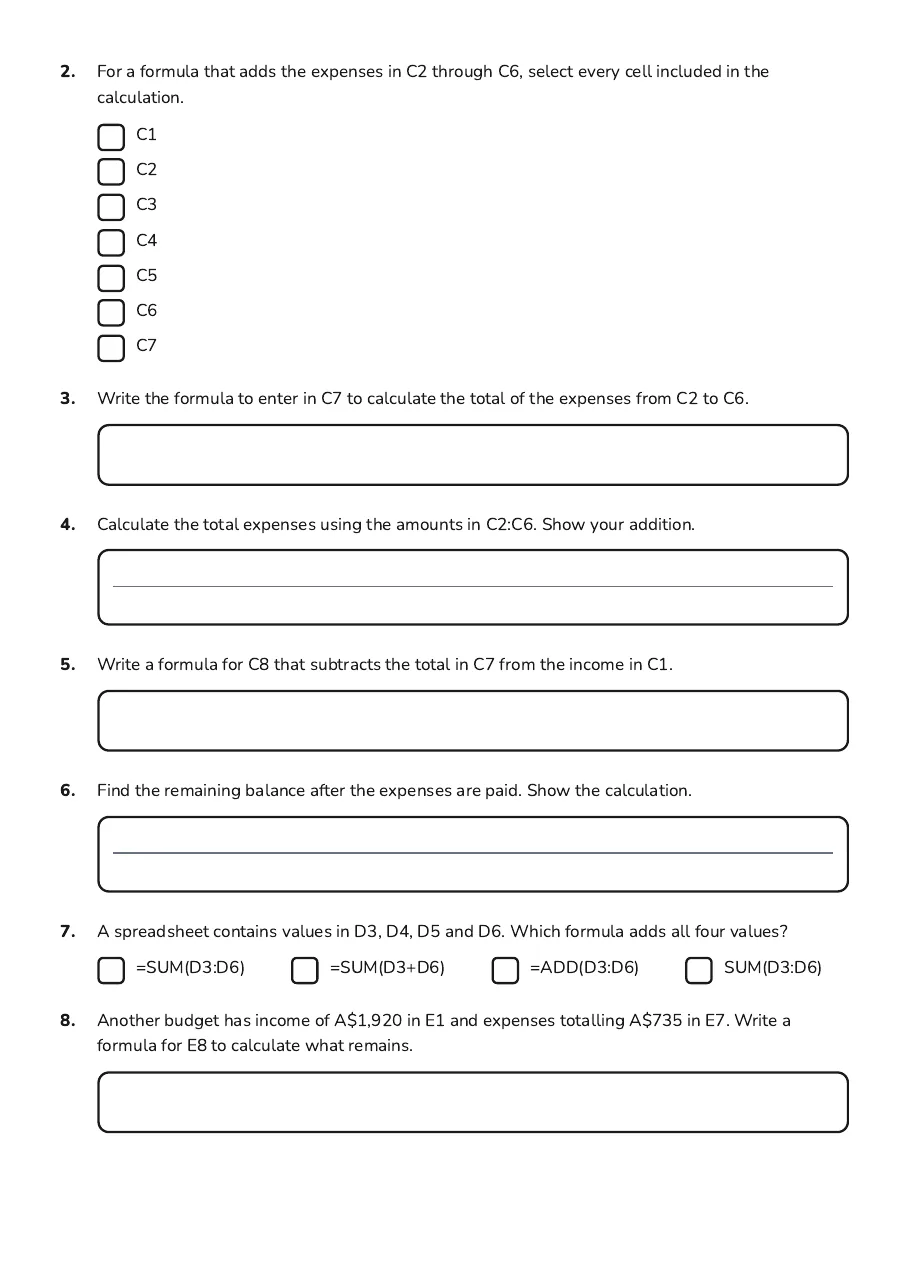
2.For a formula that adds the expenses in C2 through C6, select every cell included in the calculation.
  • C1
  • C2
  • C3
  • C4
  • C5
  • C6
  • C7
3.Write the formula to enter in C7 to calculate the total of the expenses from C2 to C6.
4.Calculate the total expenses using the amounts in C2:C6. Show your addition.
5.Write a formula for C8 that subtracts the total in C7 from the income in C1.
6.Find the remaining balance after the expenses are paid. Show the calculation.
7.A spreadsheet contains values in D3, D4, D5 and D6. Which formula adds all four values?
  • =SUM(D3:D6)
  • =SUM(D3+D6)
  • =ADD(D3:D6)
  • SUM(D3:D6)
8.Another budget has income of A$1,920 in E1 and expenses totalling A$735 in E7. Write a formula for E8 to calculate what remains.
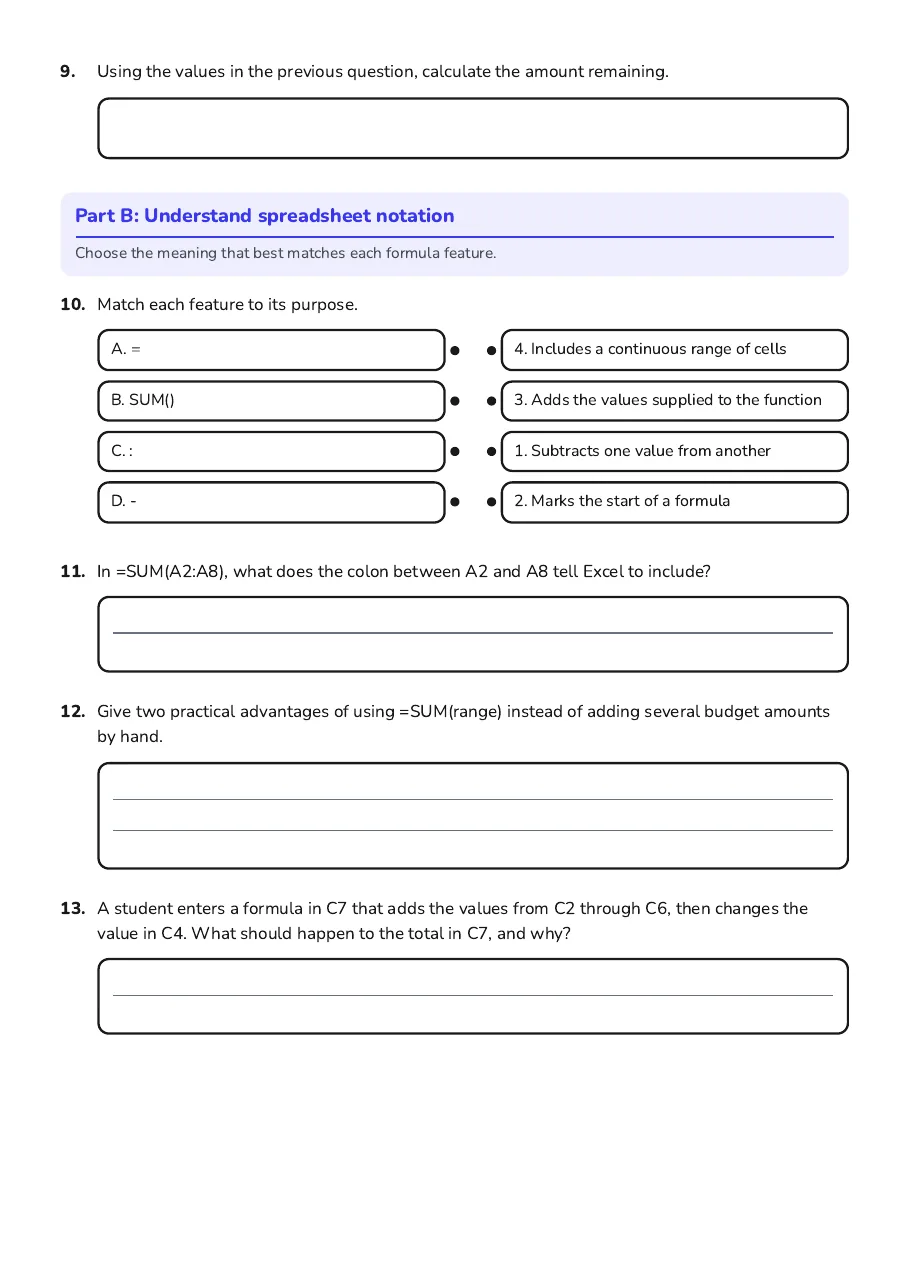
9.Using the values in the previous question, calculate the amount remaining.

Part B: Understand spreadsheet notation

Choose the meaning that best matches each formula feature.

10.Match each feature to its purpose.
  • A. =
  • B. SUM()
  • C. :
  • D. -
  • 4. Includes a continuous range of cells
  • 3. Adds the values supplied to the function
  • 1. Subtracts one value from another
  • 2. Marks the start of a formula
11.In =SUM(A2:A8), what does the colon between A2 and A8 tell Excel to include?
12.Give two practical advantages of using =SUM(range) instead of adding several budget amounts by hand.
13.A student enters a formula in C7 that adds the values from C2 through C6, then changes the value in C4. What should happen to the total in C7, and why?

3 printable pages

  • Budgeting with Excel Formulas, page 1 of 3: Part A: Build and check formulas

    Page 1

  • Budgeting with Excel Formulas, page 2 of 3: 2. For a formula that adds the expenses in C2 through C6, select every cell included in…

    Page 2

  • Budgeting with Excel Formulas, page 3 of 3: Part B: Understand spreadsheet notation

    Page 3

About This Worksheet

Free in Kuraplan

Sign up free, grab the PDF, and customize it for your class.

Print-Ready

Formatted for standard paper. Clean layout, easy to read.

AI-Generated

Created with Kuraplan's AI, designed for real classroom use.

For Teachers & Parents

Use in classrooms, for homework, tutoring, or homeschool.

Need a custom version of this worksheet?

Kuraplan's AI generates custom worksheets in seconds — differentiated for every learner, aligned to your curriculum.

Generate Custom Worksheets — Free
No credit card Curriculum-aligned Under 60 seconds