Let's be real: grading can feel like an endless mountain of paperwork. Between crafting clear expectations for every assignment and providing meaningful, consistent feedback, the hours add up fast. What if you could reclaim some of that precious time without sacrificing the quality of your assessments? That's where a good rubric comes in, but creating them from scratch is yet another chore on a to-do list that’s already a mile long. This guide is built for busy educators like us who need practical solutions, not more work.
We're cutting through the noise to find the very best free rubric creators that actually streamline your workflow. Forget complicated software or tools hidden behind paywalls. This list is packed with practical, easy-to-use platforms designed to help you build clear, consistent, and fair rubrics in minutes, not hours. We dive deep into each tool, providing screenshots and direct links, so you can see exactly what you’re getting. As you explore these tools to make grading smarter, remember that they fit into a larger framework of effective teaching; for instance, understanding online learning best practices can further enhance your digital classroom strategies and how you implement these assessment tools.
Inside, you'll find a detailed breakdown of each creator, covering its key features, ease of use, export options, and best-use cases for different grade levels and subjects. We’ll even provide quick-start guides for our top picks. Our goal is simple: to help you find the perfect free rubric creator for your classroom, so you can spend less time on paperwork and more time doing what you do best—teaching.
1. Kuraplan
Kuraplan stands out not just as a rubric tool, but as a complete AI-powered lesson planning suite where creating a standards-aligned rubric is a natural part of the whole process. For educators looking to be more efficient without cutting corners, this platform automates the most tedious parts of planning. It turns hours of work into minutes by generating complete, standards-aligned lesson plans, unit maps, and student materials, with assessment rubrics built right into the workflow.
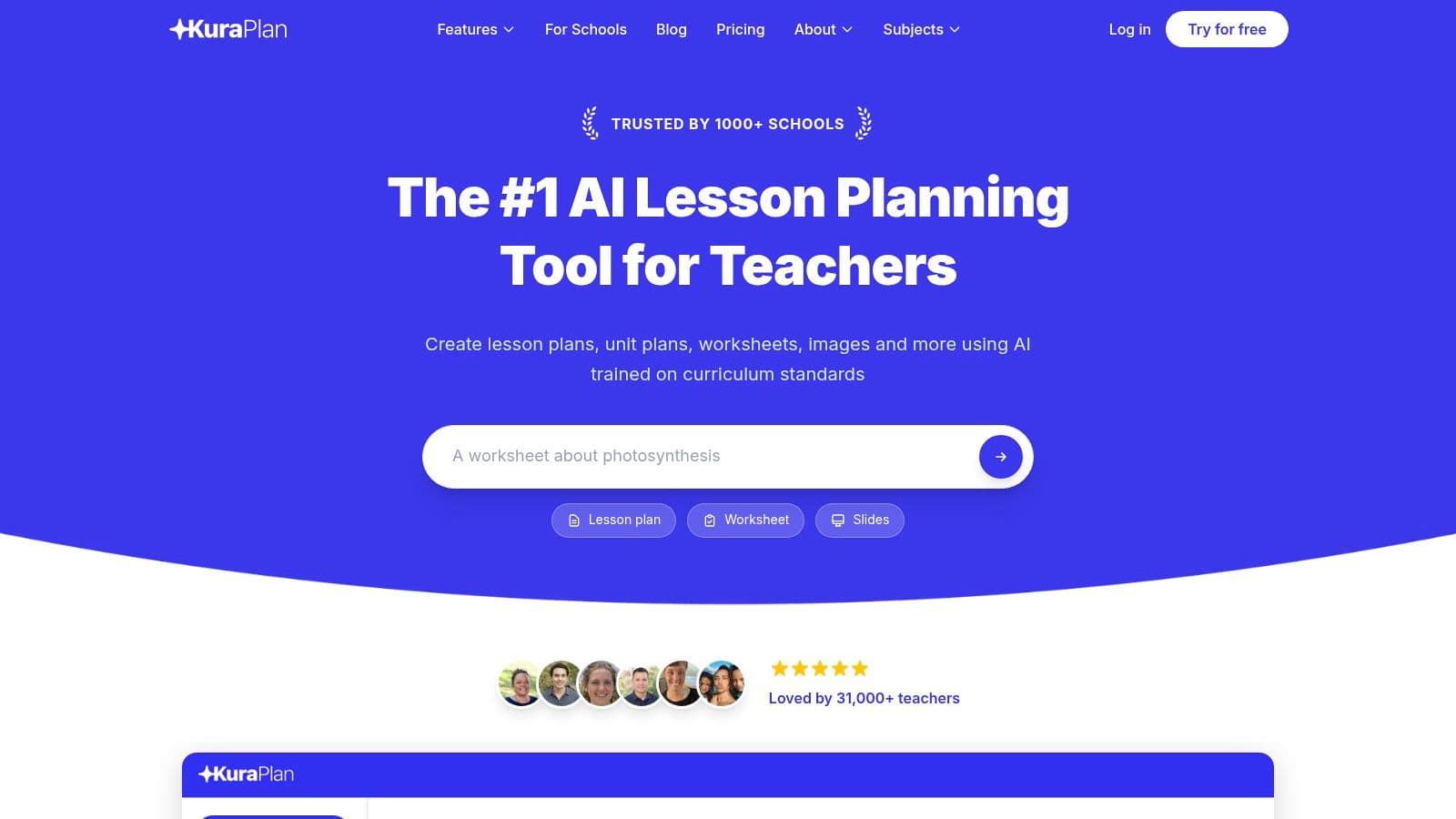
This integrated approach is Kuraplan's key differentiator among other free rubric creators. Instead of building a rubric in isolation, you generate it as a natural extension of your lesson objectives and activities. The AI is trained on curriculum standards, including Common Core, ensuring that the generated rubrics provide a clear and measurable path for assessing student mastery of specific learning goals. This eliminates the common disconnect between what is taught and what is assessed.
Why It Excels for Rubric Creation
Kuraplan’s strength lies in its context-aware generation. When you create a lesson or unit, the platform automatically suggests and embeds rubrics that align with the content, skills, and standards you’ve selected. This saves an immense amount of time and ensures your assessment tools are precise and relevant.
Key Advantage: Kuraplan doesn't just give you a blank template; it generates a complete, standards-aligned rubric tailored to your specific lesson or unit plan, making it a powerful tool for ensuring assessment validity.
Standout Features
- Integrated Standards Alignment: Automatically maps rubrics to curriculum standards, providing a clear basis for evaluation and reporting.
- All-in-One Content Generation: With one click, convert your lesson plans into professional slideshows, printable worksheets, and shareable materials, all aligned with the same rubric criteria.
- AI-Powered Customization: The 24/7 AI teaching assistant can help you refine rubric criteria, suggest differentiated assessment strategies, or generate ideas for performance tasks.
- Visual Learning Support: Kuraplan creates custom diagrams, illustrations, and other educational images tailored to your lesson content, which can be incorporated into assessments.
While Kuraplan is a premium, all-in-one platform, it offers a free trial for educators to experience its full capabilities. Pricing details are available on the site, but the trial provides an excellent opportunity to see how integrated, AI-driven rubric generation can transform your planning and assessment workflow.
Website: https://kuraplan.com
2. Google Classroom (built-in Rubrics)
For teachers already living in the Google ecosystem, the most seamless free rubric creator is the one built directly into Google Classroom. Its primary strength is its native integration; you don't need another login, another browser tab, or another tool to learn. The rubric feature lives right inside the assignment creation window, making it a natural part of your existing workflow.
What makes this tool stand out is its convenience. You can create a rubric from scratch, reuse one from a previous assignment, or even import a rubric you’ve formatted in Google Sheets. This last feature is a game-changer for departments that want to standardize assessment criteria. When grading, the rubric appears alongside the student's submitted work, allowing you to click through criteria levels and automatically calculate a score, which then populates the gradebook.
Key Features & User Experience
- Convenience Factor: Creating, attaching, and grading with rubrics happens in one place, minimizing the tab-switching chaos.
- Reusability: Save time by reusing effective rubrics across different classes or school years with a few clicks.
- Collaboration: Import and export rubrics via Google Sheets, enabling teams to co-develop and share standardized assessment tools. This is particularly useful for maintaining consistency in performance-based assessments across a grade level.
The user interface is straightforward, though some advanced features might depend on your school’s Workspace license. While powerful, its focus is strictly on assessment within the Google Classroom environment. It doesn't have the broader AI-powered lesson planning and standards alignment you'd find in an all-in-one platform like Kuraplan.
Website: https://classroom.google.com
3. Microsoft Teams for Education (Assignments Rubrics)
For schools embedded in the Microsoft 365 ecosystem, the built-in rubric creator within Microsoft Teams Assignments is a powerful and integrated solution. Much like its Google counterpart, its greatest asset is being native to the platform. There's no need to manage a separate account or navigate to an external site; the tool is right there when you create an assignment, which keeps your workflow smooth.
What sets this tool apart, particularly for time-strapped educators, is the recent integration of AI. The "Create AI Rubric" feature can generate a draft rubric based on your assignment title and grade level, giving you a solid starting point that you can then refine. This significantly cuts down on setup time. Rubrics can also be created from scratch, duplicated for new assignments, or shared among colleagues, promoting consistency within a department or grade-level team.
Key Features & User Experience
- Seamless Integration: Everything from creation to grading happens within the familiar Teams environment, a major plus for Microsoft schools.
- AI-Assisted Creation: The AI rubric generator is a unique feature among the big platforms, offering an intelligent first draft to speed up the process.
- Reusability and Sharing: Easily duplicate rubrics for different assignments or share them with your Professional Learning Community (PLC) directly within Teams.
The user experience is clean and aligns with the overall Microsoft 365 design, making it intuitive for existing users. While it’s an excellent free rubric creator for those in the ecosystem, its power is unlocked only when a school is committed to using Teams. Educators looking for a platform-agnostic tool with more comprehensive AI capabilities might explore options like Kuraplan, which connects rubric generation to broader lesson planning and standards alignment.
Website: https://www.microsoft.com/education/products/microsoft-teams
4. Quick Rubric
True to its name, Quick Rubric is designed for one thing: creating a straightforward rubric as fast as possible. This free rubric creator excels in its simplicity, offering a no-frills, browser-based interface that lets you build a rubric in minutes. Its primary strength is its sheer speed; there are no complex menus or accounts required to get started, making it the perfect tool for that one-off rubric you need for a project tomorrow.
What makes this tool stand out is its laser focus on the task at hand. You just open the site, title your rubric, and begin adding rows for criteria and columns for performance levels. Once complete, the rubric can be saved to a free account, shared via a link, or printed in a clean, professional format. This minimalist approach is a welcome relief for teachers who are tired of feature-heavy platforms and just need something that works.
Key Features & User Experience
- Speed and Simplicity: The minimal interface lets you go from a blank slate to a finished, printable rubric in just a few minutes with virtually no learning curve.
- Easy Sharing: Rubrics can be shared with a direct link, embedded on a website, or printed, making it easy to distribute to students or colleagues.
- Free Account Option: While you can create a rubric without an account, signing up for a free account lets you save, organize, and edit your rubrics for future use.
The user experience is incredibly direct, but this simplicity has its limits. By default, rubrics created for free are public, and it doesn't connect to an LMS or gradebook. For teachers who want to generate standards-aligned rubrics with more advanced AI capabilities, a platform like Kuraplan offers a more comprehensive solution by integrating rubric creation directly into the lesson planning workflow.
Website: https://www.quickrubric.com
5. RCampus iRubric
As one of the veteran free rubric creators, iRubric by RCampus offers a robust, time-tested platform. It's part of a larger educational management ecosystem, integrating rubrics directly with coursework, assessments, and even ePortfolios. This makes it a comprehensive solution for teachers looking to manage multiple classroom functions within a single system.
What makes iRubric stand out is its massive, community-driven gallery. You can browse thousands of public rubrics created by other teachers, which is an invaluable resource for finding inspiration or adapting a pre-made template. You can build interactive rubrics from scratch or modify an existing one, and then attach it directly to an assignment within the RCampus system for seamless online grading. The platform automatically tabulates scores as you click through the criteria, simplifying the evaluation process.
Key Features & User Experience
- Extensive Public Gallery: Access a vast library of user-submitted rubrics for nearly any subject or grade level, saving significant creation time.
- Integrated System: Connects rubrics directly to the RCampus gradebook and assignment tools, creating a unified workflow for assessment and reporting.
- Collaborative Tools: Share rubrics with colleagues or contribute to the public gallery, fostering a community of practice around assessment.
The user interface, while functional, can feel a bit dated compared to more modern apps. However, for educators seeking an all-in-one system that combines course management with powerful, sharable assessment tools, iRubric remains a solid, cost-free choice. Its strength is in its comprehensive features rather than a sleek, minimalist design.
Website: https://www.rcampus.com/rubricshellc.cfm?show=iRubric
6. Teach-nology Rubric Makers
For a straightforward, no-frills approach, Teach-nology offers a collection of free rubric creators that feel like a dependable digital filing cabinet. Instead of a single tool, it provides dozens of specialized generators for specific K-12 tasks, from science fair projects and lab reports to oral presentations and writing assignments. Its core strength is its simplicity and speed for creating traditional, printable rubrics.
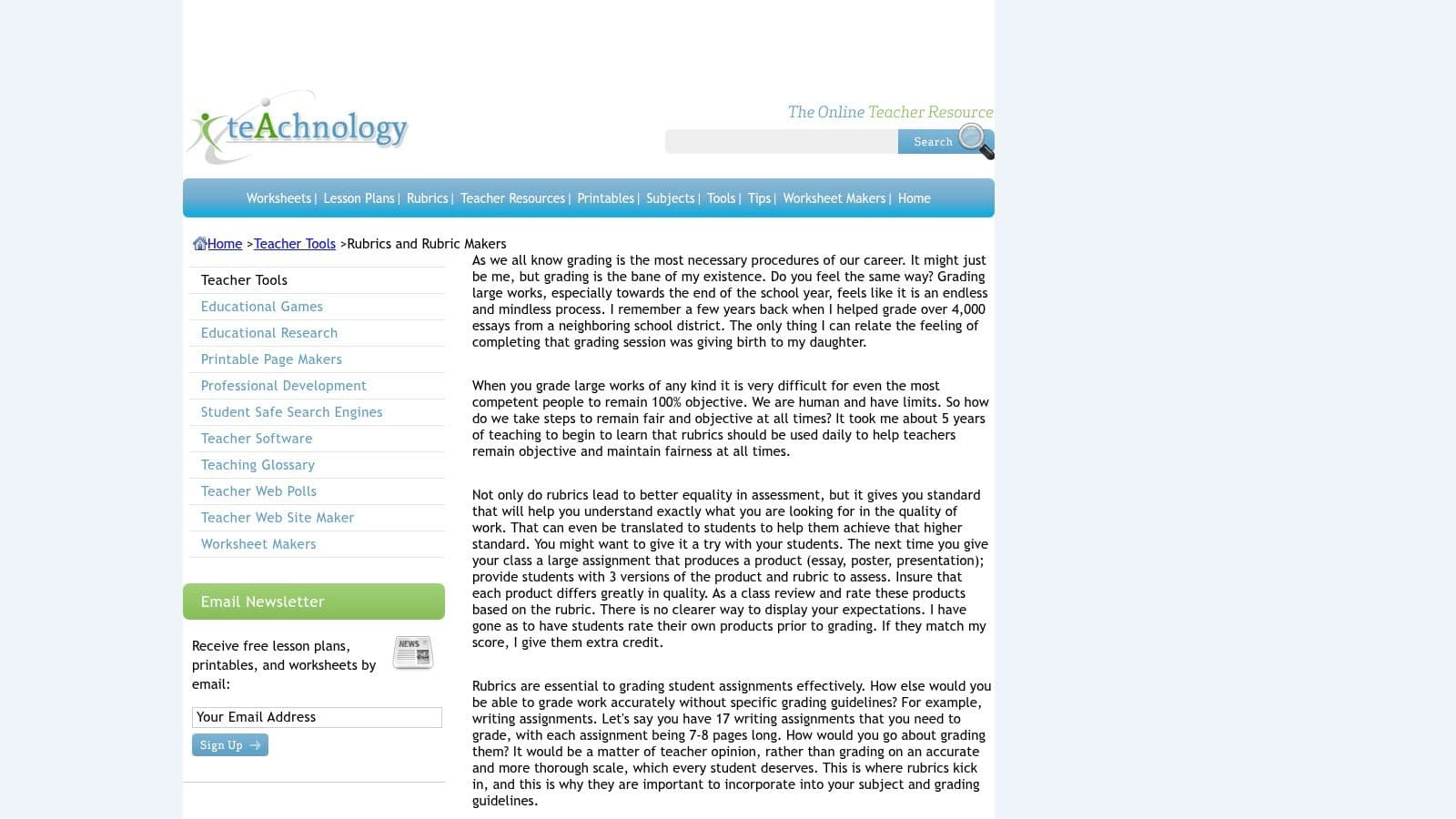
What makes this platform stand out is its vast library of over 500 pre-made, printable rubrics. This is particularly helpful for new teachers or anyone looking for a quick template without starting from scratch. You simply select a category, fill in a few fields, and generate a standard grid-style rubric ready for printing. There's no login required and no complex interface to learn, making it one of the fastest ways to get a functional rubric in hand.
Key Features & User Experience
- Task-Specific Generators: Choose from a wide range of dedicated creators for common assignments, which helps scaffold the creation process.
- Minimal Setup: The "fill-in-the-blanks" model allows you to generate and print a rubric in minutes without creating an account.
- Extensive Template Library: The large collection of printable rubrics serves as a great source of inspiration or a ready-to-use resource.
The user experience is dated, and the output has a classic, no-nonsense look. While perfect for quick printing, it lacks modern design and digital integration. It's a tool for creating a static document, not an interactive grading environment. For educators wanting more advanced, AI-driven rubric generation tied to specific learning standards, a more comprehensive platform like Kuraplan would be a better fit.
Website: https://www.teach-nology.com/web_tools/rubrics/
7. Utah Education Network (UEN) Rubric Tool
Hosted by a trusted educational organization, the Utah Education Network (UEN) Rubric Tool offers a stable, no-frills platform for creating and saving rubrics. Inspired by the classic RubiStar, it provides a dependable environment for K-12 educators. Its main advantage is its backing by an established educational entity, ensuring it will be around for a while and focused on practical classroom needs without commercial distractions.
What makes this tool stand out is its simplicity and reliability. While it lacks the modern flair of newer applications, it delivers a straightforward rubric-building experience that just works. Teachers need to register for a free UEN account to save their work, but this allows them to build a personal library of rubrics they can return to and modify over time. It's an excellent choice for educators who prioritize stability and prefer using resources from non-profit, education-focused organizations.
Key Features & User Experience
- Stable and Reliable: Hosted by a state education network, offering more permanence than some privately-run free tools.
- Account-Based Storage: Registering for a free UEN ID allows you to save, manage, and edit your rubrics for future use.
- Focused Functionality: The interface is clean and purpose-built for one thing: creating standard rubrics without a steep learning curve.
The user experience is functional but dated, resembling web tools from an earlier era. It gets the job done efficiently but doesn't offer the advanced capabilities of modern platforms. It doesn't integrate AI for generating criteria or connect to learning standards automatically, a function where all-in-one systems like Kuraplan excel by building standards-aligned rubrics directly into the lesson planning process.
Website: https://www.uen.org/rubric/index.shtml
8. GC Rubric by Alice Keeler (Google Sheets Add-on)
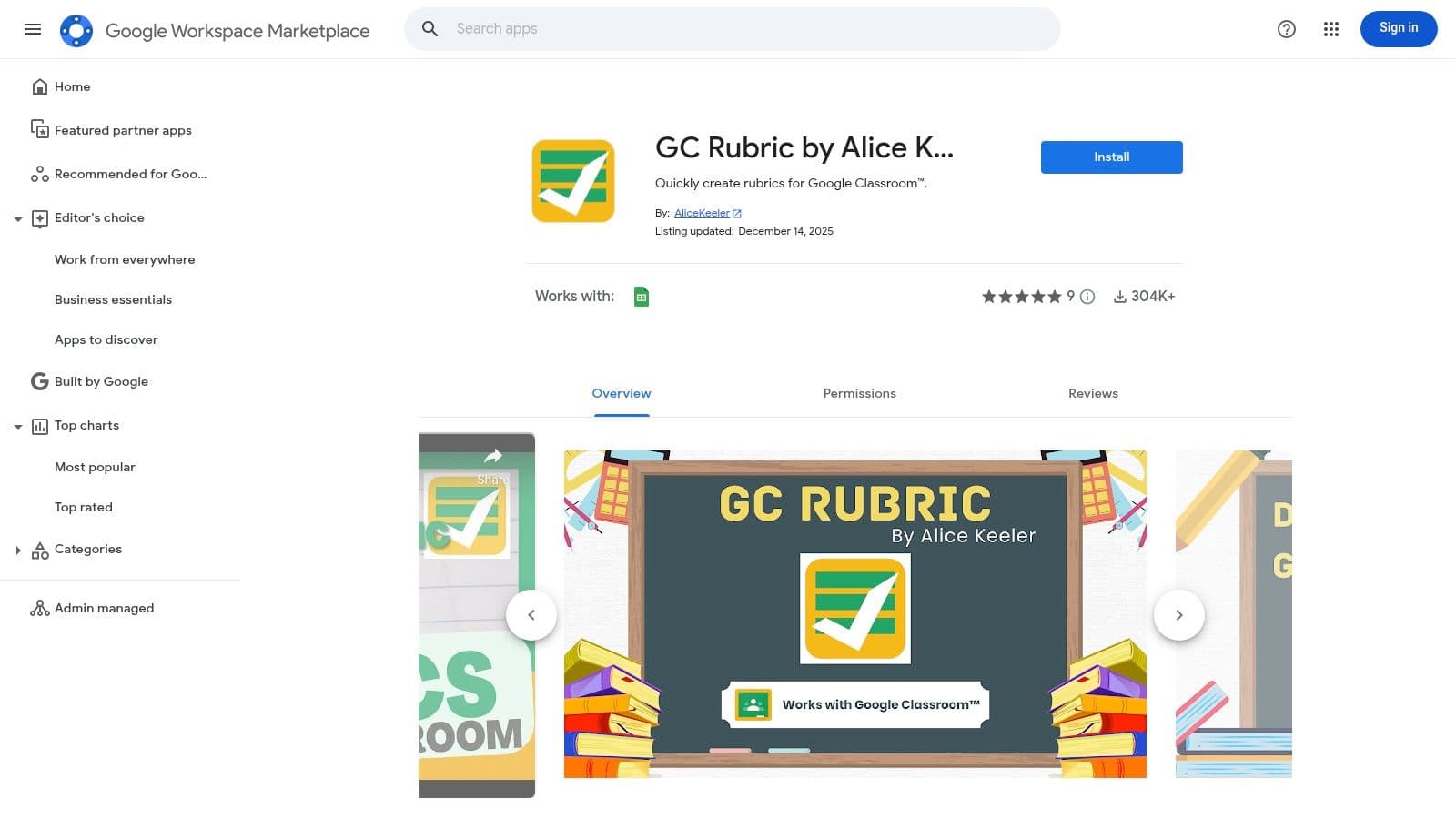
For teachers who are power-users of Google Sheets and Google Classroom, this add-on from respected educator Alice Keeler is a must-have utility. GC Rubric isn't a standalone website; it's a simple yet powerful script that perfectly formats a Google Sheet to be compatible with Classroom’s “Import from Sheets” feature. Its purpose is singular: to streamline creating rubrics in a spreadsheet for easy uploading.
What makes this tool stand out is its laser focus on a specific workflow. Many teachers prefer the flexibility of drafting rubrics in a spreadsheet, where they can easily copy, paste, and manipulate rows. This free rubric creator bridges the gap between that preference and Google Classroom’s requirements, saving significant time by eliminating manual formatting headaches. It's the ideal solution for educators who want to build and organize a library of rubrics directly within their Google Drive.
Key Features & User Experience
- One-Click Formatting: Instantly transforms a blank Google Sheet into a rubric template ready for Google Classroom import.
- Google Drive Integration: Enables you to organize, store, and share your rubric files in collaborative Drive folders, perfect for team planning.
- Workflow Enhancement: Perfectly complements the native Google Classroom rubric importer, making a slightly clunky process much smoother.
The user experience is incredibly straightforward as it lives entirely within Google Sheets. You just install the add-on, open a sheet, and run it. However, its utility is tightly coupled to the Google ecosystem. It's purely a formatting tool, so for teachers needing AI-powered rubric generation, standards alignment, or integration with full lesson plans, a dedicated platform like Kuraplan would be a more fitting choice.
Website: https://workspace.google.com/marketplace/app/gc_rubric_by_alice_keeler/591106823248
9. Goobric Web App (with Doctopus)
For educators deeply embedded in the Google ecosystem who need a more powerful batch grading solution, the Goobric Web App is a classic, field-tested tool. It works with the Doctopus add-on for Google Sheets to attach a clickable rubric to assignments distributed from a roster. Its primary strength is creating an efficient, semi-automated feedback loop entirely within Google Drive.
What makes this tool stand out is its specialized workflow for grading large sets of student files like Docs or Slides. Once set up, Goobric overlays a clickable rubric on top of the student's work, allowing you to quickly score criteria, add comments, and automatically paste the completed rubric into the document. The scores are simultaneously pushed back to your master Doctopus spreadsheet, streamlining the entire grading process from distribution to grade entry without ever leaving your browser.
Key Features & User Experience
- Batch Grading Workflow: Designed to work with Doctopus to manage and grade assignments for whole classes efficiently.
- In-Document Rubric: The rubric appears as an overlay directly on the student's Google Doc, Slide, or Sheet, keeping the assessment criteria front-and-center during grading.
- Automated Feedback: Automatically inserts the scored rubric and comments into the student's document and can even email the results, providing clear, structured feedback.
The setup can feel a bit technical, as you must configure both the Doctopus add-on in Sheets and the Goobric extension. However, once mastered, it creates a powerful system. While it's one of the most robust free rubric creators for Google Drive, it's a dedicated grading utility, unlike modern platforms like Kuraplan that integrate rubric creation with AI-driven lesson planning.
Website: https://workspace.google.com/marketplace/app/goobric_web_app/160021678790
10. BestRubrics.com
BestRubrics.com is a refreshingly modern, browser-based rubric tool built by a U.S. public-school teacher, and that "for teachers, by teachers" ethos is clear in its design. The platform focuses on providing a lightweight, fast, and completely free experience for creating and using rubrics without a steep learning curve. Its core strength is its simplicity and directness, making it an excellent choice for educators who want a dedicated tool without the complexity of a full learning management system.
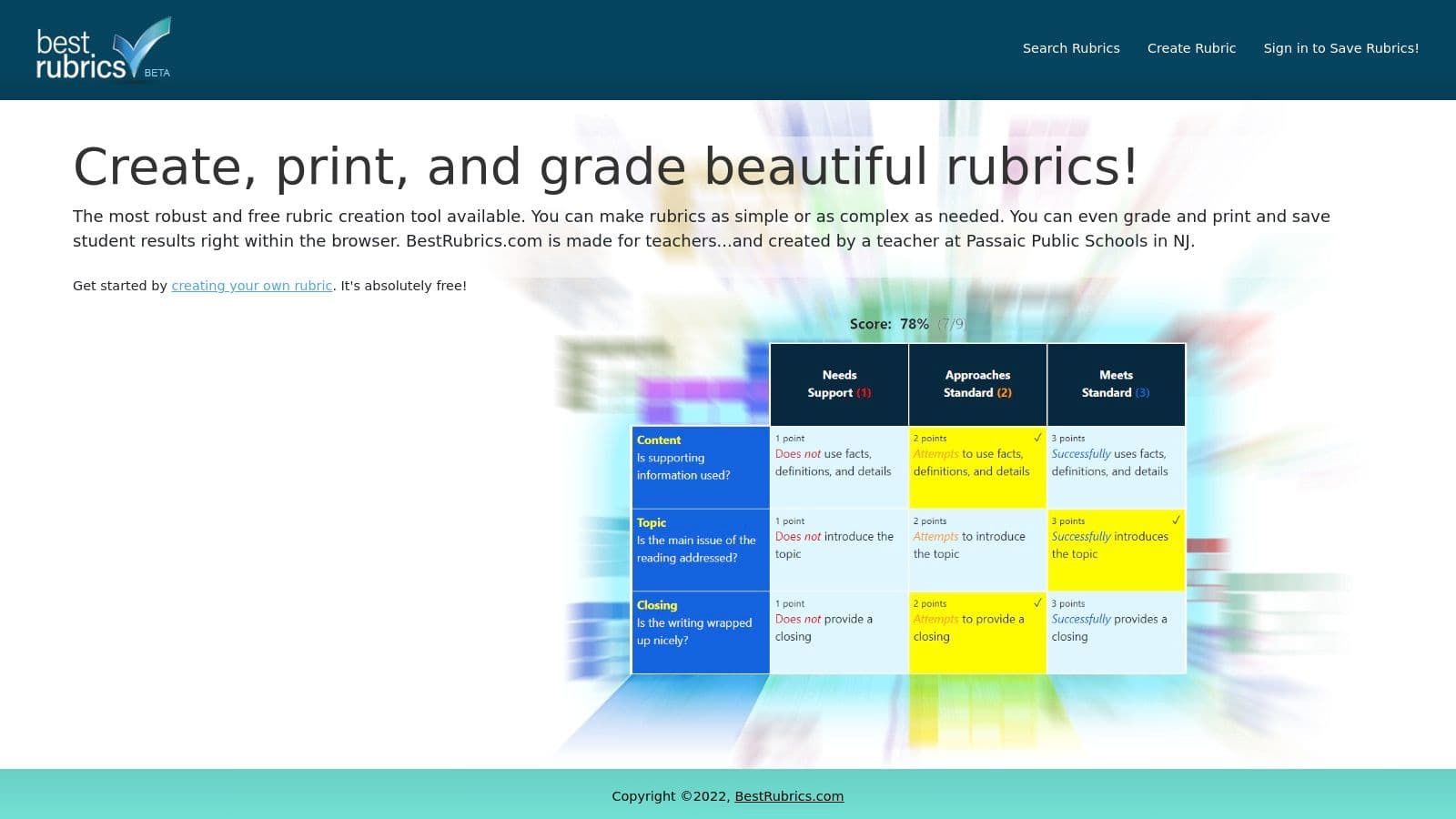
What makes this one of the best free rubric creators is its balance of simplicity and functionality. After a quick sign-in, you can save your creations and explore a community gallery to find templates shared by other educators. The platform also includes a simple grading feature. This allows you to assess student work directly within the tool by clicking on the relevant performance levels, which can be a significant timesaver for quick, formative assessments.
Key Features & User Experience
- Teacher-Centric Design: Built by an educator, the interface is intuitive and focused on core tasks without unnecessary frills.
- Built-in Grading: You can grade directly on the platform, making it a self-contained solution for quick assessment cycles.
- Community Sharing: With a free account, you can search and adapt rubrics shared by other teachers, which is ideal for finding inspiration or a starting point.
The user experience is clean and straightforward, avoiding the clutter of older, ad-supported sites. It's a solid standalone tool, though educators seeking automated standards-alignment and AI-powered rubric generation integrated into their complete lesson planning workflow might explore comprehensive systems like Kuraplan.
Website: https://bestrubrics.com
11. EasyClass AI Rubric Generator
For educators looking to leverage AI to jumpstart their assessment design, EasyClass offers a powerful and free AI rubric generator. Its primary advantage is speed. Instead of staring at a blank template, you provide a prompt describing the assignment, grade level, and desired standards, and the AI generates a complete draft with criteria and performance descriptors in seconds.
What makes this tool stand out is its accessibility and focus on reducing the initial workload. You can test the generator without even creating an account, making it a zero-commitment way to see if AI-assisted creation fits your workflow. The tool’s ability to align with Common Core or state-specific standards is a significant plus. It produces a solid first draft that, while still needing a teacher's final review, effectively eliminates the time-consuming groundwork of rubric creation.
Key Features & User Experience
- AI-Powered Drafting: Instantly generates criteria and descriptors based on your input, tackling the most time-consuming part of the process.
- Standards Alignment: Offers options to align the rubric with Common Core or various state standards, ensuring relevance.
- Flexible Scoring: Supports multiple formats, including 4-point, 5-point, and 100-point scales to fit different grading systems.
The user interface is minimalist and highly intuitive. While the AI-generated content is a fantastic starting point, it always requires a professional eye to tweak wording and ensure perfect alignment with your lesson objectives. The generator is part of the broader EasyClass platform, but more integrated solutions like Kuraplan offer AI rubric generation as part of a complete lesson planning and standards-tracking ecosystem.
Website: https://easyclass.ai/rubric-generator
12. GradeWithAI – Free Rubric Maker
GradeWithAI offers a streamlined, modern free rubric maker that serves as an excellent entry point into AI-assisted assessment. Its standout feature is the ability to generate a detailed rubric and then automatically balance the points across all criteria to meet a specific total score, saving a significant amount of manual calculation. This makes it one of the more intelligent free rubric creators available for teachers who want a quick, well-structured starting point.
What makes this tool unique is its position as a gateway to more advanced grading technology. While the rubric generator is completely free, it introduces users to the broader GradeWithAI platform, which includes paid AI-powered grading and seamless integrations with major LMS platforms. This "freemium" model allows educators to start with a high-quality free tool and later explore more powerful solutions. The advent of such tools highlights the potential of Generative AI for higher education, transforming how assessment materials are created.
Key Features & User Experience
- Auto-Balancing Points: Simply set a target score (e.g., 100 points), and the tool automatically distributes the weights across your criteria, which is a huge time-saver.
- PDF Export: Easily download your finished rubric as a clean, professional-looking PDF for printing or digital sharing.
- Scalable Workflow: Acts as a great on-ramp if you're considering adopting AI grading tools in the future, as explored in guides to AI for teachers.
The user interface is exceptionally clean and intuitive, with no account required to access the free generator. While the AI-generated content may require some tweaking, its primary strength is its speed and smart functionality, offering a glimpse into the future of automated assessment. For a more comprehensive AI solution that integrates rubric creation with lesson planning from the ground up, teachers might also look at Kuraplan.
Website: https://www.gradewithai.com/free-tools/rubric-generator/rubric-maker
12 Free Rubric Creators: Feature Comparison
| Tool | Key Features | Quality (★) | Pricing / Value (💰) | Target Audience (👥) | Unique Strengths (✨) |
|---|---|---|---|---|---|
| 🏆 Kuraplan | Standards-aligned unit & lesson planning, one‑click worksheets/slides, 24/7 AI teaching assistant, custom educational visuals | ★★★★★ | 💰 Free trial; school/district plans | 👥 K–12 teachers & school teams | ✨ Auto standards-mapping, integrated assessments, visual generation |
| Google Classroom (built-in Rubrics) | Native rubric builder, import/export via Sheets, API access | ★★★★ | 💰 Included with Google Workspace (license-dependent) | 👥 Schools using Google Workspace | ✨ Seamless Classroom integration & reuse/import |
| Microsoft Teams for Education (Assignments Rubrics) | Create/duplicate/share rubrics, AI-assisted draft flow, reusable student-facing rubrics | ★★★★ | 💰 Part of Microsoft 365 Education | 👥 Districts on Microsoft 365 | ✨ AI rubric drafts + Teams workflow integration |
| Quick Rubric | Minimal fast authoring, easy print/share, free save option | ★★★ | 💰 Free | 👥 Teachers needing quick one-off rubrics | ✨ Very lightweight UI — fastest for printables |
| RCampus iRubric | Build rubrics, connect to gradebooks/courses, public rubric galleries | ★★★★ | 💰 Free/basic (account required) | 👥 Teachers wanting rubrics + course/portfolio tools | ✨ Large rubric library & course integration |
| Teach-nology Rubric Makers | Dozens of task-specific generators, 500+ printable rubrics, educator guides | ★★★ | 💰 Free | 👥 K–12 teachers seeking templates & scaffolds | ✨ Huge template catalog with how‑to guidance |
| UEN Rubric Tool | Stable builder hosted by education org, store rubrics with account | ★★★ | 💰 Free (UEN registration) | 👥 Teachers preferring .org education resources | ✨ Trusted, long‑running educational host |
| GC Rubric (Alice Keeler) | Google Sheets add‑on: one-click formatting for Classroom imports, Drive organization | ★★★★ | 💰 Free add-on | 👥 Teachers using Sheets + Google Classroom | ✨ Direct Classroom-compatible formatting workflow |
| Goobric (with Doctopus) | Clickable rubric toolbar overlay, paste comments into student work, push scores to roster | ★★★★ | 💰 Free | 👥 Teachers grading Google Drive submissions | ✨ Inline grading overlay + batch scoring workflow |
| BestRubrics.com | Create/copy/modify rubrics, print & grade in-tool, community search | ★★★★ | 💰 Free (sign-in to save) | 👥 Teachers wanting simple built-by-teacher tools | ✨ Teacher-built, print & grade without exports |
| EasyClass AI Rubric Generator | AI-generated criteria & descriptors, Common Core/state alignment options, multiple scales | ★★★★ | 💰 Free-to-try; freemium | 👥 Teachers who want fast AI drafts | ✨ AI-first drafting; multiple scoring scales |
| GradeWithAI – Free Rubric Maker | Analytic rubrics, auto-balance points, PDF export, optional LMS integrations & AI grading | ★★★★ | 💰 Free to try; paid integrations/features | 👥 Teachers scaling toward AI grading & LMS integration | ✨ Auto-balance points + upgrade path to AI grading |
Making Assessment Meaningful, Not Mechanical
Finding the right assessment tool can feel overwhelming, but as we've seen, the right one can transform your grading process from a chore into a powerful teaching opportunity. The main takeaway from our deep dive into these free rubric creators is that there’s no single "best" tool for every teacher. The ideal choice depends entirely on your context: your existing digital ecosystem, your students' age, and your personal workflow.
The goal is to find a system that makes assessment transparent for students and efficient for you. A well-designed rubric, made with a user-friendly tool, serves as a roadmap for learners. It clearly communicates expectations before an assignment begins and provides specific, actionable feedback after it's done. This clarity empowers students to take ownership of their learning and understand exactly where they need to grow.
From Tool Selection to Classroom Implementation
Choosing a tool is only the first step. The real magic happens when you integrate it thoughtfully into your classroom.
For the Tech-Integrated Teacher: If you live in Google Classroom or Microsoft Teams, using the built-in rubric features is a no-brainer. Tools like GC Rubric by Alice Keeler or Goobric extend this functionality, offering more power without leaving your familiar environment. The key benefit here is workflow consolidation—keeping everything in one place.
For the Quick-and-Simple Pro: Teachers who need a printable rubric now for a hands-on project or a low-tech classroom will love tools like Quick Rubric or the UEN Rubric Tool. Their strength is their simplicity and speed. You can generate a clean, professional-looking rubric in minutes without logging in.
For the AI-Powered Planner: If you're looking for efficiency and want to ensure your assessments are always tied to standards, a tool like Kuraplan is the way to go. It integrates AI-powered rubric generation directly into the lesson and unit planning process, saving you time and ensuring alignment from start to finish.
The most effective implementation involves students from the start. Consider co-creating a rubric with your class for an upcoming project. By discussing the criteria for success and defining what each performance level looks like, you demystify the grading process and increase student buy-in. This turns the rubric from a static evaluation form into a dynamic learning tool.
Ultimately, these free rubric creators are about more than just saving time; they are about enhancing the quality of your feedback and fostering a culture of growth. By automating the mechanical parts of grading, you reclaim mental energy that can be reinvested into what truly matters: connecting with your students. Whether you choose a simple generator for a quick project or a sophisticated AI-powered platform to streamline your entire planning cycle, the right tool empowers you to make every assessment meaningful.
Tired of juggling separate tools for lesson plans, standards, and assessments? Kuraplan integrates AI-powered, standards-aligned rubric generation directly into your curriculum planning, saving you time and ensuring your assessments are always on target. See how an all-in-one planning and assessment platform can transform your workflow at Kuraplan.