
Friday afternoon hits, the gradebook is open, and you're staring at a pile of work that still doesn't tell you the one thing you need to know, did this week's teaching move students forward or not? That's the job of student progress tracking, not just recording evidence after the fact, but helping you decide what to reteach, who needs a nudge, and what can wait until Monday.
The strongest systems treat progress as something visible over time, not a single score dropped into a spreadsheet. That idea didn't appear out of nowhere, either. It grew from decades of education data work, including the 1990s push to link records on students, teachers, and schools so educators could track progress and understand why it improved or slipped, plus long-running national data collections that made K to 12 patterns easier to see over time (National Academies source).
Rethinking How We Measure Classroom Growth
Thursday afternoon, you review a stack of assignments and still cannot answer the practical question: did this week's instruction move students forward? Traditional grading often records the result after the useful teaching window has closed. The numbers may describe what happened, yet Tuesday's lesson needs a faster feedback signal.
A stronger system treats student progress tracking like a classroom control loop. You check for movement toward a goal, notice where students are getting stuck, and adjust the next lesson. The record becomes a steering wheel rather than a storage box.
From end-of-term judgment to daily decisions
Large-scale student records began connecting information across students, teachers, and schools in the 1990s. The purpose was to make improvement and decline visible over time, not only at the end of a marking period (National Academies source). In a classroom, that longer view helps you see what a single grade can conceal, such as shaky understanding, uneven attendance, or a learner who is slipping.
Practical rule: If a data point cannot change tomorrow's teaching, it belongs to reporting rather than active progress tracking.
Teachers often feel worn down by systems that require data entry without showing how to use the results. Start with one question: “What instruction will this point change?” That question trims unnecessary collection and gives each check a job.
Suppose a student misses a key skill on Thursday. Record the result, then use it to shape Friday's response: a short reteach, a different practice set, or a small check-in group. An AI tool can help sort those patterns and draft the next steps, leaving you more time for the students themselves. The goal is a living feedback loop that improves instruction without consuming your weekend.
Formative Probes Versus Summative Snapshots
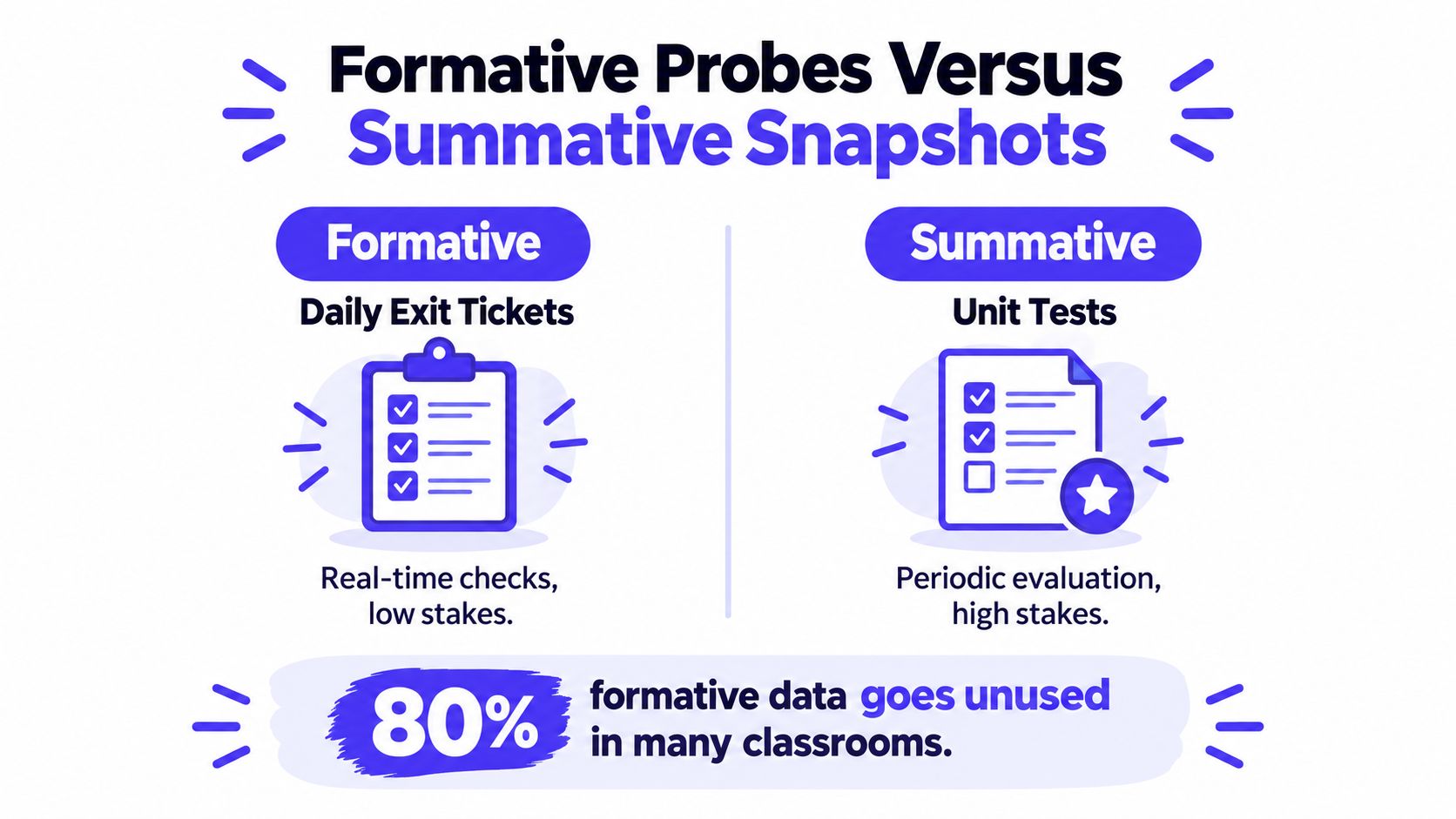
A student can pass a unit test and still need help with the next lesson. An exit ticket may reveal that gap while there is still time to respond. Both assessments produce data, but they serve different decisions. Treating them as interchangeable is like steering with a photograph instead of a live signal.
Progress monitoring research describes a process of collecting repeated samples of student work and checking performance over time. The assessments need to occur regularly and respond to instructional change, commonly weekly or every other week (Frontiers in Education). A steady rhythm gives you enough evidence to see a pattern rather than react to one unusual score.
What a useful probe looks like
A useful formative probe is brief, tied to the target skill, and simple to repeat. Try a three-item exit ticket on the same skill every Friday. Score each item from 0 to 2 with the same rubric. That produces 6 to 8 comparable points across a month, enough to sketch a trend line and decide whether Monday needs reteaching, guided practice, or extension.
A short reading check, two-question math slip, or writing sample can work just as well. Keep the task and scoring rules stable while the instruction changes in response to the results. If the assessment changes every time, the signal becomes noisy.
Benchmark assessments require a different reading. They can show a learner's current position, but two scores do not automatically demonstrate growth unless the assessment was designed to measure change. A score can answer “where are we now?” without answering “how quickly are we improving?”
A unit test closes the learning window for a chapter or unit. A repeated probe keeps that window open long enough for you to adjust instruction. For exam preparation, Exam Practice for GCSE offers structured repetition that can complement classroom checks without replacing them.
The practical distinction is simple:
- Formative probe: brief, low-stakes evidence used to adjust the next instructional move.
- Summative snapshot: broader evidence used to evaluate learning after a unit or term.
- Best use of formative data: compare repeated results against a target and assign a specific response.
- Best use of summative data: record the level of performance and identify priorities for the next cycle.
The Formative vs Summative Assessment explanation from Kuraplan can help you choose the right check for a lesson. An AI assistant can then sort probe results, flag repeated errors, and draft small-group plans, turning scattered marks into a usable teaching loop instead of another weekend spreadsheet.
Building a Reliable Weekly Tracking Workflow
The biggest time drain in tracking isn't the data itself, it's the mess around the data. If your gradebook, student information system, intervention log, and notes document all use different labels, you spend your prep time reconciling names instead of teaching. That's why fragmented systems feel so exhausting.
Siloed tools increase teacher workload, identifiers drift across systems, automation gets hard to audit, and progress dashboards depend on consistent assessment and standards setup (unowa.eu). In practice, that means a clean workflow matters more than a fancy dashboard.
A weekly routine that actually survives a real schedule
Start with one baseline for each targeted skill. Then keep the same check-in rhythm every week, or every other week if the class size or schedule demands it. You're looking for repeatable evidence, not a heroic data marathon.
A workable routine usually looks like this:
- Collect the same kind of evidence each time. Use one probe format for a skill so the results are comparable.
- Validate the inputs. Make sure the student name, standard, and skill tag are correct before the data goes anywhere else.
- Sort the results by pattern. Look for the students who are flat, improving, or stalling.
- Plan a response. Small group, reteach, independent practice, or a different scaffold.
- Share what matters. Keep family updates plain and specific, not jargon-heavy.
For schools that want a system for track enrollments and student progress, the key question is whether the tool reduces double entry or creates more of it. If it adds more manual cleanup, it's not really tracking, it's bookkeeping with nicer buttons.
The cleanest weekly workflow is the one your future self can follow on a tired Tuesday.
If you want a planning rhythm that keeps all the moving parts in one place, the weekly format in Kuraplan's weekly planner is the kind of structure that helps turn “I should track this” into something you'll maintain.
Aligning Rubrics and Standards to Daily Tasks
A tracking system can look polished and still be useless if the daily tasks aren't aligned to the standard you claim to be measuring. That's the part that trips people up. The exit ticket says one thing, the rubric says another, and the spreadsheet records both as if they mean the same thing.
Cambridge International's assessment guidance says tracking should identify when a learner isn't making expected progress, show what has been learned and what needs more attention, and help teachers plan learning experiences that fit each learner's needs (Cambridge International). That only works if the task, rubric, and standard are all pointing in the same direction.
Make the target visible in the task
A strong rubric does two jobs at once. It tells students what success looks like, and it gives you a consistent way to judge whether the work demonstrates it. That consistency matters when you're comparing progress from one week to the next.
The easiest way to keep alignment tight is to build from the standard down to the classroom task, not the other way around. If the standard asks for evidence of reasoning, the task can't just reward correct answers. If the goal is writing clarity, the rubric can't hide behind a pile of vague participation marks.
A useful workflow is simple:
- Name the objective clearly. Students should know what skill they're practicing.
- Translate the standard into student-friendly language. Keep it short enough to remember.
- Use one rubric language across similar tasks. That makes trend data easier to read.
- Attach the same success criteria to exit tickets, warm-ups, and practice pages. Consistency beats novelty here.

Kuraplan can help here as one option, since it maps lesson objectives to standards and generates aligned practice materials without making you rebuild the same worksheet logic from scratch. That's not magic, it's just fewer places for alignment to drift.
Interpreting Data and Reporting to Families
Maya's weekly checks show a small dip after an unusually demanding week. Her teacher looks at the full pattern before changing instruction, then explains the decision to her family in plain language. That pause matters. One low score can reflect fatigue or confusion, while several similar results may call for different support.
Progress monitoring works as an instructional control loop: collect evidence, interpret the pattern, adjust teaching, and check again. Louisiana's guidance describes ongoing data collection as a way to compare performance with goals, identify students who need support, measure improvement over time, and evaluate instruction with valid, reliable measures (Louisiana DOE). The purpose is action, not another report filed and forgotten.
Read the trend before you write the email
Begin with the weekly line, then use the grade or benchmark as context. If points are approaching the goal, describe the progress accurately, even when the student has more ground to cover. If results remain flat, adjust the lesson, grouping, practice, or feedback and schedule another check.
Benchmark scores still matter, but only in context. They show current status; use the weekly trend line to judge movement. Pair that trend with classroom work and observations so a single result does not carry more weight than it should (ERIC guidance).
A family update can follow a simple structure:
- What's improved? Name the skill and the evidence.
- What still needs work? Identify one specific gap.
- What are we doing next? Describe the support and when you will check it.
- How can families help? Offer one manageable practice idea.
For example: “This week Maya moved from 2/5 to 4/5 on adding fractions with unlike denominators; next we will reteach equivalent fractions in a 15-minute small group.” That message gives families a result, meaning, and next action without turning the email into a spreadsheet.
Kuraplan's student report writer can turn your notes into a readable draft, leaving you to verify the context and personalize the message.
Families need plain answers: what improved, what remains difficult, and what happens next.
Streamlining the Process with AI Planning Tools
If you're still manually typing rubrics, reformatting worksheets, and hunting for standard codes, you're doing work the machine should have taken off your plate already. That kind of busywork doesn't make tracking better, it just makes you more tired when the genuine thinking starts.
The case for AI in progress tracking is simple. Use it for the formatting, mapping, and repetitive drafting, then spend your human energy on interpretation, student support, and instruction. That's the part that changes outcomes.
What AI should handle, and what it shouldn't
AI is useful when the task is repetitive and rule-based. It can turn a lesson objective into a set of aligned practice questions, draft kid-friendly visuals, or reshape an assessment so it matches the rubric language you already use. It can also suggest differentiation ideas when a student group isn't responding the way you expected.
Kuraplan fits naturally in that role because it can generate standards-aligned lesson materials, worksheets, assessment rubrics, and kid-friendly diagrams from the planning work you're already doing. It also gives teachers a 24/7 planning assistant, which matters on nights when you've already spent your patience on attendance calls and behavior notes.
What it shouldn't do is replace your judgment. A good tracker still needs a teacher who knows the class, sees the context, and understands when a flat score is fatigue, confusion, or a missing prerequisite skill. AI can clear the desk. It can't replace the conversation with the student.
A healthy division of labor looks like this:
- AI drafts the first version. You don't start from zero.
- You check alignment. The standard still has to match the task.
- You interpret the pattern. Numbers become next steps.
- You decide the intervention. Teaching stays in human hands.
The payoff is time. Not abstract efficiency, but actual reclaimed minutes you can use to meet with a small group, call a parent, or leave campus at a normal hour.
Balancing Visibility with Student Autonomy
More visibility sounds like a win until it starts feeling like surveillance. That's the tension in modern tracking systems. Families want timely information, teachers want support, and students still need room to grow without feeling watched every minute.
Recent research on secondary school tracking systems found benefits in communication and parental support, but also raised concerns about teacher workload, student privacy, autonomy, and well-being. The authors specifically warned that unrestricted parental access can turn into over-monitoring (PMC study). That warning matters, because the most detailed dashboard in the building can still create the wrong culture.
Visibility needs boundaries
Real-time access is not automatically better access. If families see every dip before a student has time to correct it, the system can push anxiety instead of ownership. Students, especially older ones, need some room to track themselves before everyone else weighs in.
A more balanced approach is usually better:
- Set access windows. Share updates on a schedule that supports action without constant checking.
- Limit who sees what. Not every note needs broad visibility.
- Keep language respectful. Write for growth, not for blame.
- Use data to support agency. Students should know what the numbers mean and what they can do next.
That's the genuine ethical test of student progress tracking. If it helps students understand their learning and take a next step, it's serving instruction. If it mainly creates pressure, it's drifting away from its purpose.
If you want a cleaner way to turn progress tracking into something useful instead of overwhelming, try Kuraplan. It helps you plan standards-aligned lessons, generate worksheets and rubrics, and keep the tracking work tied to actual instruction, which is where the time savings show up.