Debugging Strategy Cards
Free technology printable for teachers · Cards
About this printable
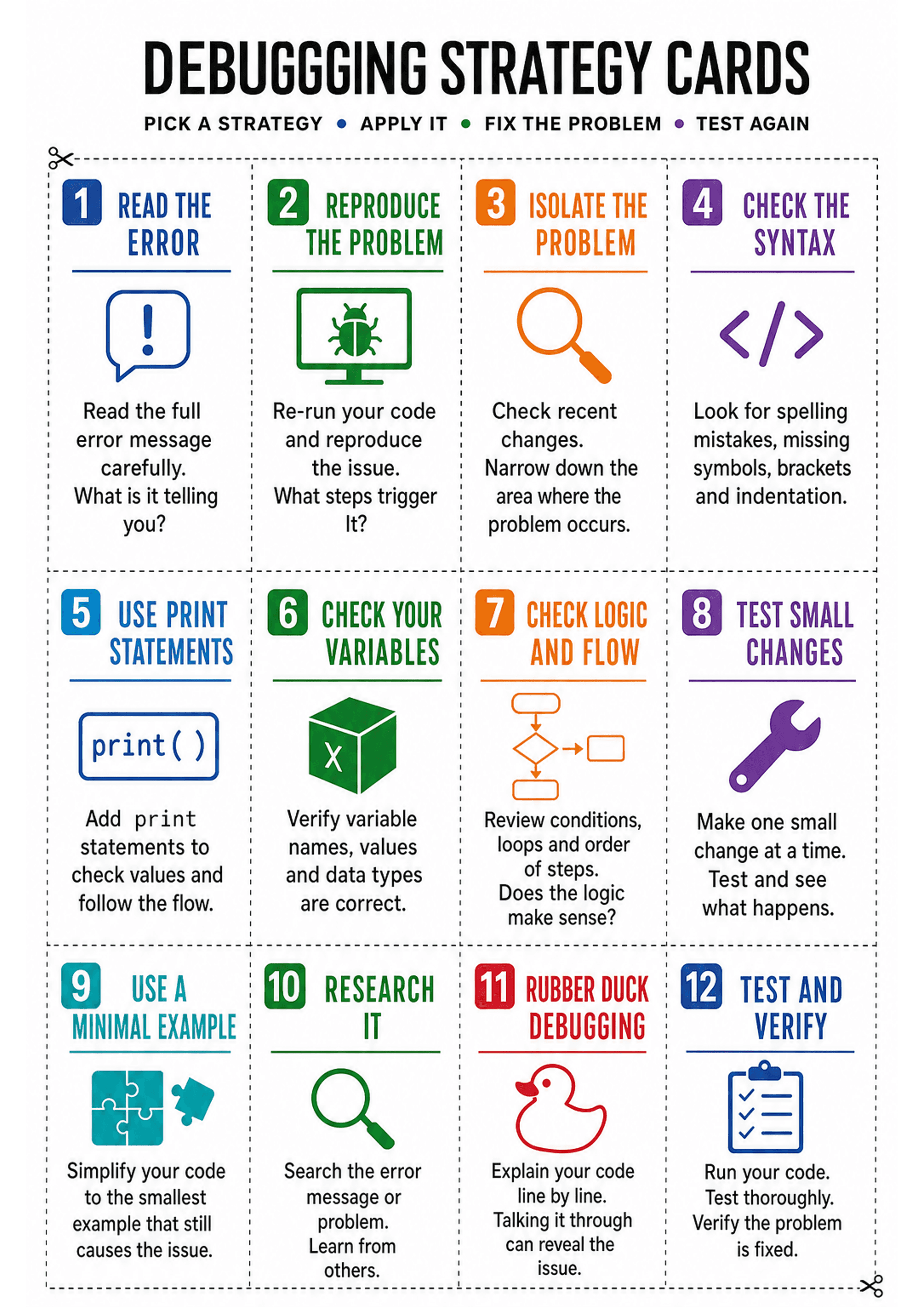
This A4 printable contains 12 cut-apart cards, each with a single debugging strategy (e.g. Read the error, Reproduce the problem, Check syntax, Use print statements, Rubber duck debugging, Test and verify) accompanied by a simple icon and 1–3 short lines of explanatory text. Use it as an on-desk reference, a prompt set during practical coding lessons, or a quick scaffold for students who are stuck. The cards are designed to make debugging processes explicit and to encourage students to try multiple strategies rather than guessing.
Make printables like this in seconds
Kuraplan generates technology worksheets, lesson plans and classroom resources matched to your curriculum.
Try Kuraplan free90-second quiz · no credit card
Related printables
More technology resources


