Sunday evening, the laptop is open, the coffee has gone cold, and half of next week's unit still exists only as scattered notes. The pacing guide is beside the keyboard, the standards map is buried in a shared drive, and Monday morning is getting closer while you're trying to fit objectives, assessments, IEP accommodations, and actual student needs into a coherent sequence.
That's where a unit plan AI generator can help. It can turn a blank page into a workable draft skeleton in one focused session, then leave you to do the professional work that matters most, checking the sequence, adapting the language, and deciding what your students need. Used well, it compresses the most draining part of planning without pretending that a generated document is classroom-ready by default.
The Sunday Night Planning Problem
At the kitchen table, the first task usually isn't writing. It's remembering. Which concept did the class master last week? Which prerequisite skill needs revisiting? Where should the performance task sit on the calendar, and how can the lessons prepare students for it without turning every day into test practice?
Teacher workload research from the UK Department for Education found that teachers spent about half of their working time on individual lesson planning or preparation, at school or outside school. A later workload brief reported reductions compared with 2016, including 1.3 fewer hours for primary teachers and 1.1 fewer hours for secondary teachers spent on individual planning and preparation each week, as documented in the Department for Education workload research brief. Planning remains a major part of the job, and a 2024 teacher workload report identifies planning and lesson preparation, alongside marking and feedback, as core tasks occupying most classroom teachers' time.

A planning tool can reduce the friction between “I know what I need to teach” and “I have a sequence I can inspect.” In the UK, TeacherTapp data recorded teacher use of generative AI at 17% in April 2023, 35% in August, and 42% by November, with creating educational resources reported as the most common use. The figures appear in the TeacherTapp discussion of generative AI use, and they help explain why resource creation and planning have become natural entry points for classroom AI.
The important distinction is role. The generator is a drafting partner, not a co-teacher who knows your room. It can propose objectives, lessons, checks for understanding, and scaffolds. You still decide whether the pacing is possible, whether the examples fit your community, and whether the final assessment demonstrates the intended learning.
Practical rule: Use AI to escape the blank page, then use your teaching knowledge to challenge every important decision in the draft.
A simple lesson plan template from Kuraplan can also help you give the generated material a consistent structure. The rest of the workflow matters because speed alone isn't the target. A fast plan that needs to be rebuilt from scratch hasn't solved Sunday night. A reviewed draft that preserves coherence, differentiation, and assessment quality has.
What a Standards-Aligned Unit Plan Requires
A standards-aligned unit plan connects what students should learn, how that learning will develop, and what evidence will show mastery. Start by defining those three elements before asking an AI planner to suggest activities. Otherwise, the tool may produce an attractive sequence with no clear instructional target.
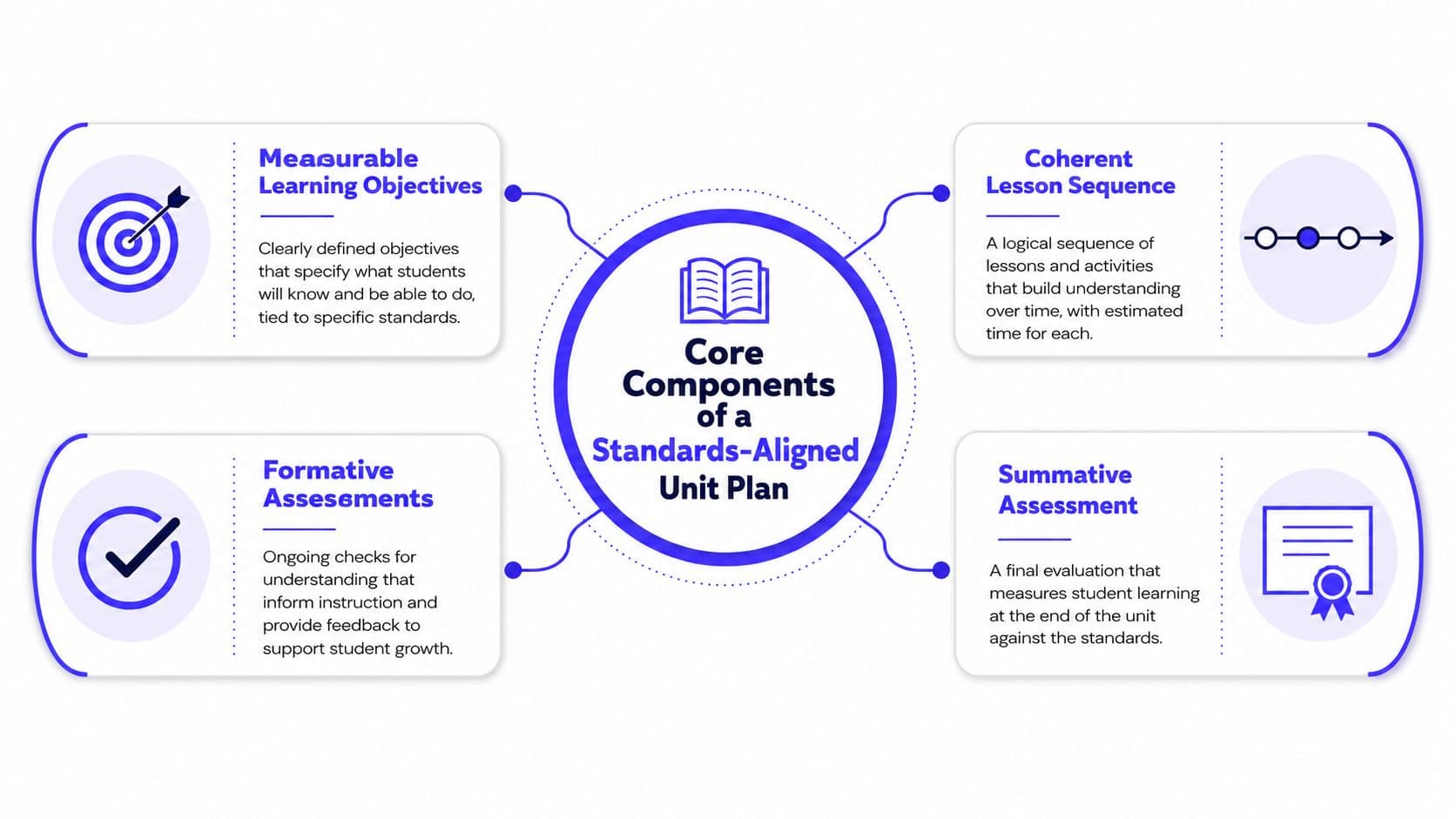
Write measurable objectives tied to specific curriculum standards. “Understand fractions” cannot guide assessment well. “Compare fractions with unlike denominators and justify the comparison using a visual model” gives both teacher and student observable evidence to work toward. Use learning intentions and success criteria to clarify the intended learning and how students will show mastery.
Standards-based planning commonly moves from the concept, to measurable objectives, to curriculum standards, and then to a performance descriptor that defines mastery. The standards-based lesson-plan rubric uses a three-point scale: 0 indicates poor, vague, or absent evidence, 1 indicates something somewhat lacking but acceptable, and 2 indicates work that is clear, objective, measurable, or complete. Use the rubric to test an AI draft rather than accepting its polished wording.
A workable unit also includes:
- A coherent sequence: Lessons build knowledge and skill instead of repeating the same activity with different content.
- Formative checks: Exit tickets, questions, short responses, and observation notes expose misconceptions while instruction can still change.
- A summative assessment: The final task asks students to demonstrate the objectives, rather than recall isolated vocabulary.
- Differentiation: Supports address language, access, pace, prior knowledge, and extension.
- Reflection points: The plan leaves room for more modeling or practice when student evidence requires it.
Three terms can make an AI output sound stronger than its design. An enduring understanding is the lasting idea students should carry beyond the unit. An essential question organizes inquiry and cannot be answered with one word. A performance task requires students to apply learning through a product, explanation, investigation, presentation, or another visible demonstration.
Teacher-education rubrics commonly look for aligned objectives, sequenced activities and assessments, age-appropriate instruction, and varied evidence of performance. The lesson-plan evaluation rubric helps check those features when an AI-generated plan reads well but lacks instructional substance.
Building the Unit From Objectives to Assessment
Give the generator enough context to make meaningful decisions. A useful starting prompt might read:
Create a unit plan for Grade 6 science on ecosystems. The unit lasts four weeks and uses these standards: [paste the exact standards]. Students already understand food chains but need support with energy transfer and evidence-based explanations. Use the available classroom technology, include daily formative checks, and end with a performance task. Return a lesson-by-lesson sequence with objectives, activities, assessment evidence, materials, and differentiation.
The first output should be treated as a map. Read the objectives before you read the activities. Replace vague verbs such as “learn,” “know,” and “understand” with actions students can demonstrate, then rewrite the objectives in student-facing language. A strong objective should tell you what evidence to collect later.
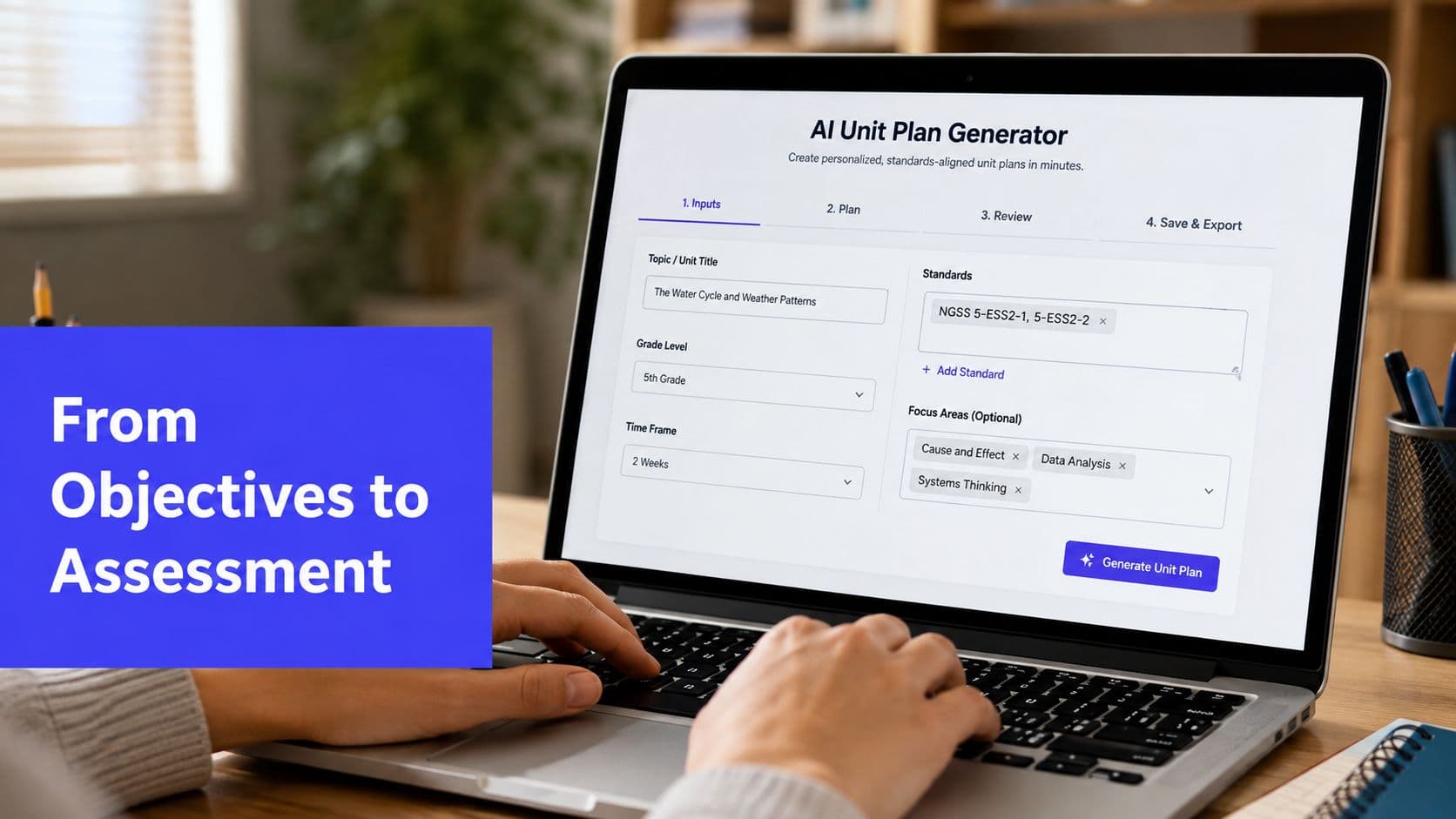
Once the objectives are stable, ask the AI to group them into logical daily chunks. Request an entry task or anchoring phenomenon that gives students a reason to care, followed by modeling, guided practice, independent application, and reflection where appropriate. Tell it to identify prerequisite knowledge and propose transitions between lessons. Those transitions are often missing from generic plans, yet they're what makes a unit feel like a progression instead of a folder of disconnected worksheets.
Assessment needs the same backward design. Prompt for a mixture of exit tickets, quizzes, short constructed responses, performance tasks, and a culminating project, but require the tool to label the objective each assessment measures. You can use formative assessment examples from Kuraplan as a reference point when asking for checks that reveal thinking rather than mere completion.
A platform such as Kuraplan can keep objectives, connected lessons, progression, and assessments visible within one planning workflow. That visibility is useful because alignment is easier to inspect when you don't have to compare several separate documents.
Before teaching, run three checks. Is the pacing realistic once transitions, setup, interruptions, and student questions are included? Do the assessments measure what the lessons taught? Does each lesson contribute to the unit's central idea, or did the generator add a plausible activity that belongs somewhere else?
Layering Differentiation Into a Generated Unit
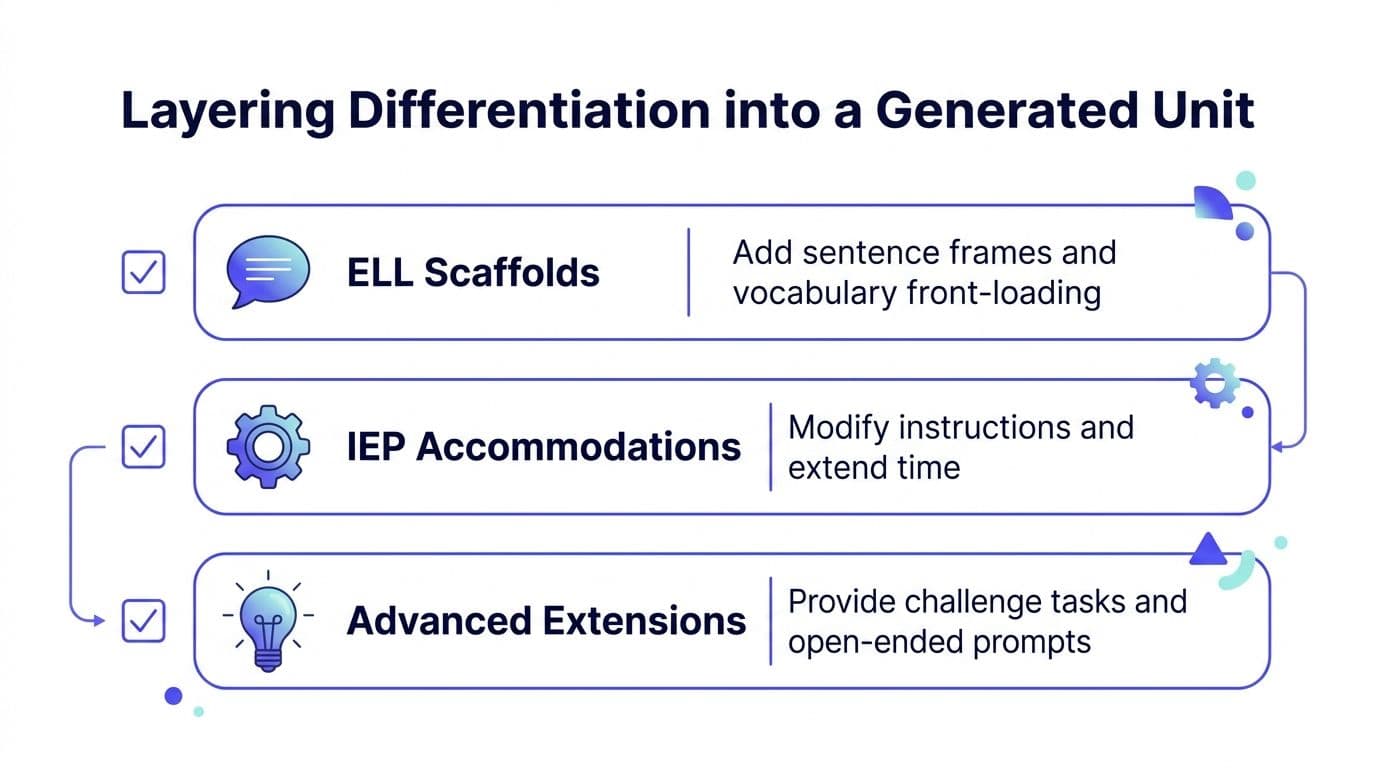
Don't ask the AI to “differentiate” and accept whatever appears. That instruction is too broad. Tell the generator which learners need support, what barrier you're addressing, and where the support should appear.
For multilingual learners, use a prompt such as:
Add ELL scaffolds inside each lesson block without changing the core objective. Include vocabulary front-loading, student-friendly definitions, sentence frames for discussion and writing, visual supports, and opportunities to rehearse ideas orally before independent work.
For students with IEP accommodations, be more precise:
Add IEP accommodations inside each lesson block. Include chunked instructions, simplified directions without reducing the learning target, extended time where appropriate, alternative response options, and planned teacher check-ins. Do not invent student-specific accommodations. Mark suggestions for teacher verification.
For advanced learners, try:
Add extension tasks inside each lesson block for students who demonstrate early mastery. Include open-ended problems, independent research, alternate representations, or opportunities to defend a claim with additional evidence. Keep the extension connected to the original objective rather than adding unrelated content.
The phrase inside each lesson block matters. A separate differentiation appendix is easy to overlook during a busy lesson. Supports should sit beside the activity where you'll use them, with enough detail to act on.
Use this quick scan before approving the draft:
- Representation: Can students access the content through text, visuals, modeling, audio, or concrete examples?
- Engagement: Does the unit offer meaningful choices, collaboration, discussion, or relevant contexts?
- Action and expression: Can students show learning through more than one appropriate response mode?
- Language support: Are vocabulary, sentence structure, and academic talk made visible?
- IEP alignment: Does every suggested accommodation match the actual plan and the student's documented needs?
AI can suggest scaffolds, but it can't verify a learner's legal accommodations or determine whether a support preserves the intended rigor. That review remains the teacher's responsibility.
Writing Prompts That Produce Better Plans
The difference between a generic output and a usable draft usually begins before the model generates anything. Compare this weak prompt:
Create a unit on fractions.
It leaves the tool guessing about age, standards, prior knowledge, resources, pacing, and evidence of learning. The result may contain familiar activities, but familiarity isn't alignment.
A stronger version provides the classroom conditions:
Create a Grade 5 mathematics unit on adding and subtracting fractions with unlike denominators. Use the exact standard [paste standard code and wording]. Plan for three weeks of instruction. Assume students can compare fractions but need review of equivalent fractions. The classroom has a projector and basic manipulatives, but no one-to-one devices. Include an essential question, measurable student-facing objectives, a lesson-by-lesson sequence, daily exit tickets, one quiz, and a culminating performance task. Return the plan as a table with columns for lesson, objective, teacher modeling, student task, assessment evidence, materials, and differentiation.
The comparison below shows what changed.
| Prompt Element | Weak Example | Strong Example |
|---|---|---|
| Specificity | “A unit on fractions” | “Adding and subtracting fractions with unlike denominators” |
| Context | No grade or prior knowledge | “Grade 5, students can compare fractions but need equivalent-fraction review” |
| Constraints | No calendar or resource limits | “Three weeks, projector and manipulatives, no one-to-one devices” |
| Examples | No preferred evidence | “Daily exit tickets, one quiz, and a culminating performance task” |
| Output format | Any response | A table with named planning fields |
Ask for the format you'll use. A lesson-by-lesson table is better for pacing review. A backward-design outline is better when the summative task still needs shaping. A rubric draft is useful when success criteria are unclear. You can also ask the tool to produce two versions of an activity, one with heavier scaffolding and one with greater independence.
Prompt habit: Name the decision you want the AI to make, then give it the constraints that govern that decision.
Don't stop after the first result. Ask the generator to flag assumptions, identify missing prerequisites, shorten an overlong lesson, replace a recall question with an application task, or map each assessment item to an objective. Treat iteration as editing, not as failure. The first draft gives you something concrete to critique, which is much more useful than asking for perfection from a blank page.
What AI Unit Planners Still Get Wrong
The attractive plan on your screen may contain a sixth-grade level of reasoning labelled as third-grade work. It may cite a standard that sounds authentic but doesn't exist, blend frameworks from different regions, or recycle an activity that has no connection to your local curriculum. These aren't cosmetic errors. They can send instruction away from the knowledge and performance your students need.
The research also warns against confusing speed with quality. A 2025 analysis of more than 300 civics lesson plans found that AI-generated lessons mostly targeted lower-order thinking such as memorization, while often failing to support analysis, creation, multicultural content, or interactive technology use, as discussed in Education Week's analysis of AI-written lesson plans. The same source describes the practical problem teachers face: generative AI doesn't know the school, students, or local norms, so teachers must modify the output heavily.
A controlled trial provides a more encouraging but narrower signal. Teachers using ChatGPT with a guidance framework reduced weekly Year 7 and 8 lesson and resource planning time by 25.3 minutes, from 81.5 minutes to 56.2 minutes, a 31% decrease, according to the reported controlled trial. The guidance framework matters. It supports the case for structured drafting, not unrestricted generation.
Run this review before using a generated unit:
- Verify standards: Check every code and wording against the official state, national, or district framework.
- Test the rigor: Look for analysis, creation, explanation, transfer, and evidence, not only recall.
- Time the opening lesson: Include setup, transitions, questions, and the pace of real students.
- Inspect the assessment: Rewrite at least one task if it doesn't match the objective or your learners.
- Check local fit: Remove examples, routines, resources, or cultural assumptions that don't belong in your classroom.
Human-authored plans were generally preferred in an exploratory educator preference study, particularly in elementary settings where engagement, scaffolding, and collaboration mattered strongly. The lesson-planning comparison supports a practical conclusion: AI output needs tight constraints, careful review, and age-appropriate adaptation.
Putting It All Together in Your Classroom
A repeatable routine keeps the tool useful across a full grading cycle. Start with the exact standards, topic, grade level, calendar window, prerequisite skills, resources, and learner needs. Generate the skeleton, revise the objectives, sequence the lessons, attach assessments, and place differentiation inside the relevant lesson blocks.
Before teaching, check four things:
- Objectives and standards: Each objective is measurable and tied to the correct standard.
- Assessment alignment: Students are asked to demonstrate the knowledge and skills the unit teaches.
- Differentiation: Supports and extensions appear where students will need them, not only at the end of the document.
- Calendar fit: The plan allows for real transitions, interruptions, reteaching, and reflection.
Keep a personal prompt library. Save the prompts that produce useful exit tickets, clearer success criteria, stronger performance tasks, or more realistic lesson pacing. Note the grade, subject, constraints, and edits that made each prompt work. Over time, your library becomes more valuable than a collection of generic prompt tricks because it reflects your curriculum and your students.
A 2026 K–12 study found that 55% of surveyed teachers never or rarely used GenAI to create supplementary learning materials, while 57.7% never used it to develop multimedia content, and it identified a gap between reported capability and regular classroom practice in planning, assessment, and feedback. The study's findings suggest that adoption depends on workflow, not awareness alone. A unit planner earns its place when it supports repeated review and refinement across complete units, rather than producing isolated lessons that teachers must reconnect manually.
Use AI to make your planning more consistent, not merely faster. Each time you inspect an output, correct its assumptions, and save the improved prompt, you turn the system into a more dependable drafting partner for the next unit.
Kuraplan offers an AI unit-planning workflow that connects lessons, learning progressions, formative checkpoints, summative assessments, resources, and pacing suggestions in one framework. Visit Kuraplan to explore how it can help you move from a blank planning document to a reviewable unit draft, then spend your time making the plan fit your students.