STEMFreePrintable

Programming Loops with Robotics

A free stem worksheet ready for your classroom. Open in Kuraplan to grab the print-ready PDF, customize it for your students, or generate a fresh version in seconds.

Programming Loops with Robotics worksheet preview
Name:Date:

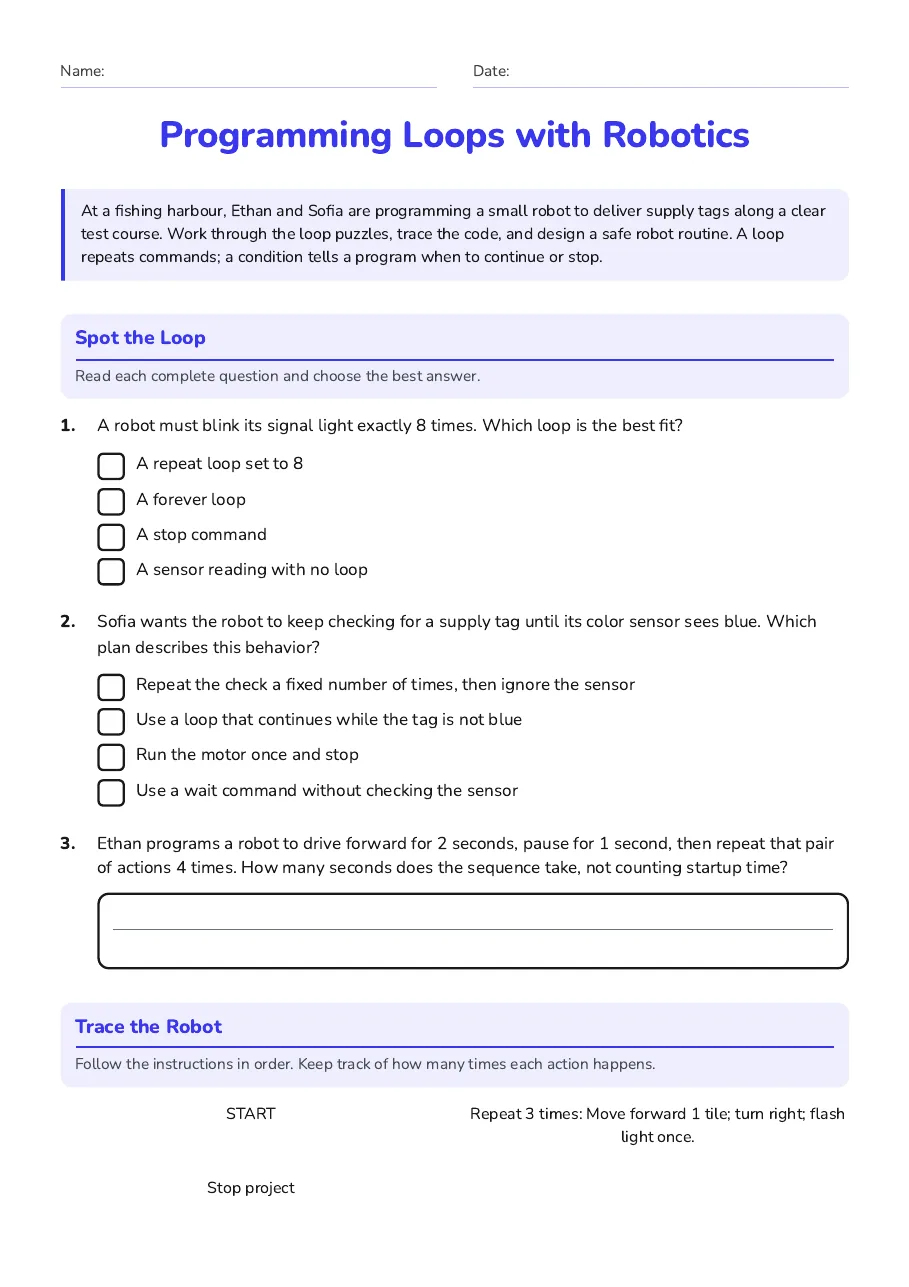
Programming Loops with Robotics

At a fishing harbour, Ethan and Sofia are programming a small robot to deliver supply tags along a clear test course. Work through the loop puzzles, trace the code, and design a safe robot routine. A loop repeats commands; a condition tells a program when to continue or stop.

Spot the Loop

Read each complete question and choose the best answer.

1.A robot must blink its signal light exactly 8 times. Which loop is the best fit?
  • A repeat loop set to 8
  • A forever loop
  • A stop command
  • A sensor reading with no loop
2.Sofia wants the robot to keep checking for a supply tag until its color sensor sees blue. Which plan describes this behavior?
  • Repeat the check a fixed number of times, then ignore the sensor
  • Use a loop that continues while the tag is not blue
  • Run the motor once and stop
  • Use a wait command without checking the sensor
3.Ethan programs a robot to drive forward for 2 seconds, pause for 1 second, then repeat that pair of actions 4 times. How many seconds does the sequence take, not counting startup time?

Trace the Robot

Follow the instructions in order. Keep track of how many times each action happens.

START

Repeat 3 times: Move forward 1 tile; turn right; flash light once.

Stop project

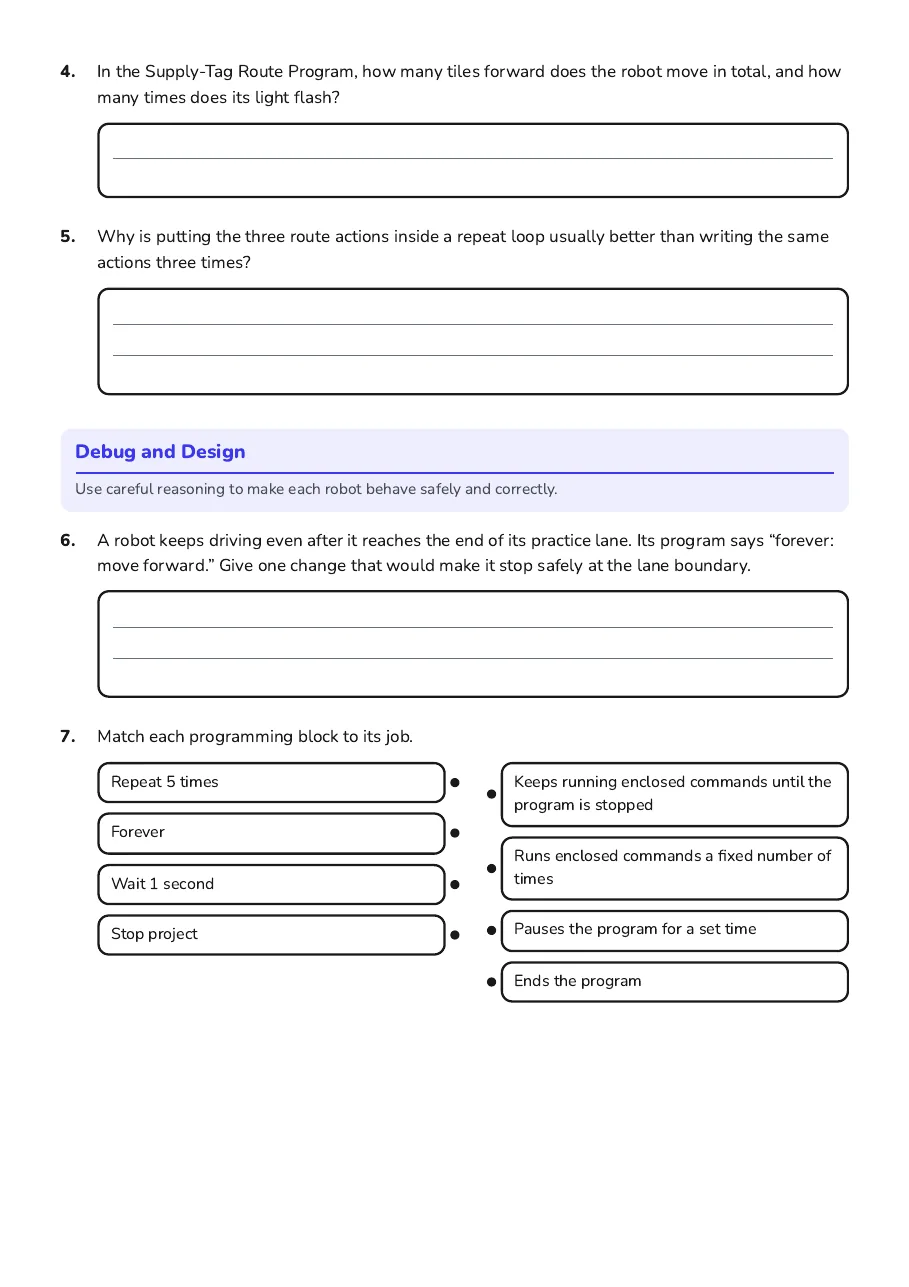
4.In the Supply-Tag Route Program, how many tiles forward does the robot move in total, and how many times does its light flash?
5.Why is putting the three route actions inside a repeat loop usually better than writing the same actions three times?

Debug and Design

Use careful reasoning to make each robot behave safely and correctly.

6.A robot keeps driving even after it reaches the end of its practice lane. Its program says “forever: move forward.” Give one change that would make it stop safely at the lane boundary.
7.Match each programming block to its job.
  • Repeat 5 times
  • Forever
  • Wait 1 second
  • Stop project
  • Keeps running enclosed commands until the program is stopped
  • Runs enclosed commands a fixed number of times
  • Pauses the program for a set time
  • Ends the program
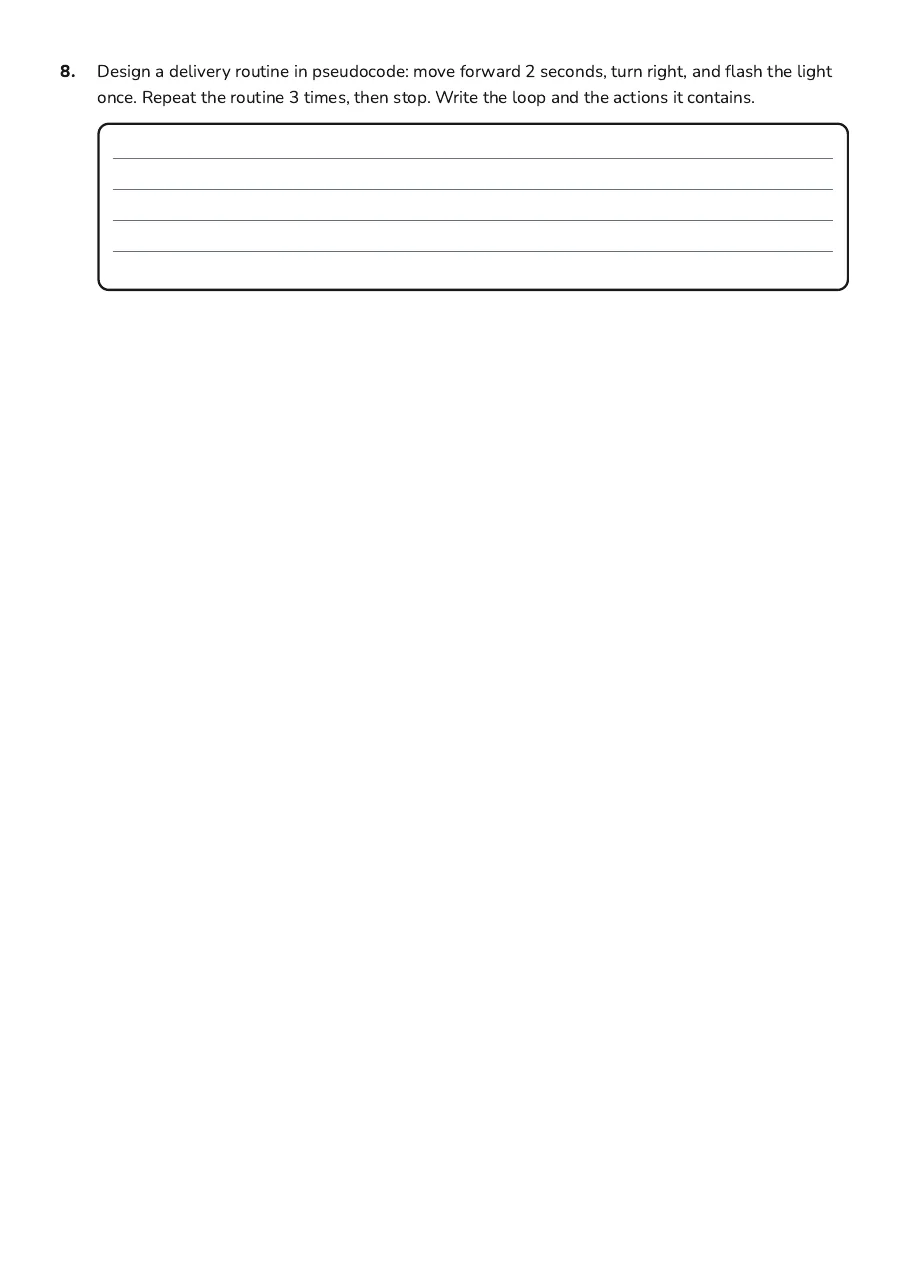
8.Design a delivery routine in pseudocode: move forward 2 seconds, turn right, and flash the light once. Repeat the routine 3 times, then stop. Write the loop and the actions it contains.

3 printable pages

  • Programming Loops with Robotics, page 1 of 3: Spot the Loop, Trace the Robot

    Page 1

  • Programming Loops with Robotics, page 2 of 3: Debug and Design

    Page 2

  • Programming Loops with Robotics, page 3 of 3: 8. Design a delivery routine in pseudocode: move forward 2 seconds, turn right, and flash…

    Page 3

About This Worksheet

Free in Kuraplan

Sign up free, grab the PDF, and customize it for your class.

Print-Ready

Formatted for standard paper. Clean layout, easy to read.

AI-Generated

Created with Kuraplan's AI, designed for real classroom use.

For Teachers & Parents

Use in classrooms, for homework, tutoring, or homeschool.

Need a custom version of this worksheet?

Kuraplan's AI generates custom worksheets in seconds — differentiated for every learner, aligned to your curriculum.

Generate Custom Worksheets — Free
No credit card Curriculum-aligned Under 60 seconds

Explore more free resources